Construction audit trail: how to build one that stands up
A construction audit trail is the difference between recovering variation revenue and losing it to a dispute. Learn how to build a tamper-evident record that stands up.
By James Shorter ·
Construction audit trail: how to build one that stands up
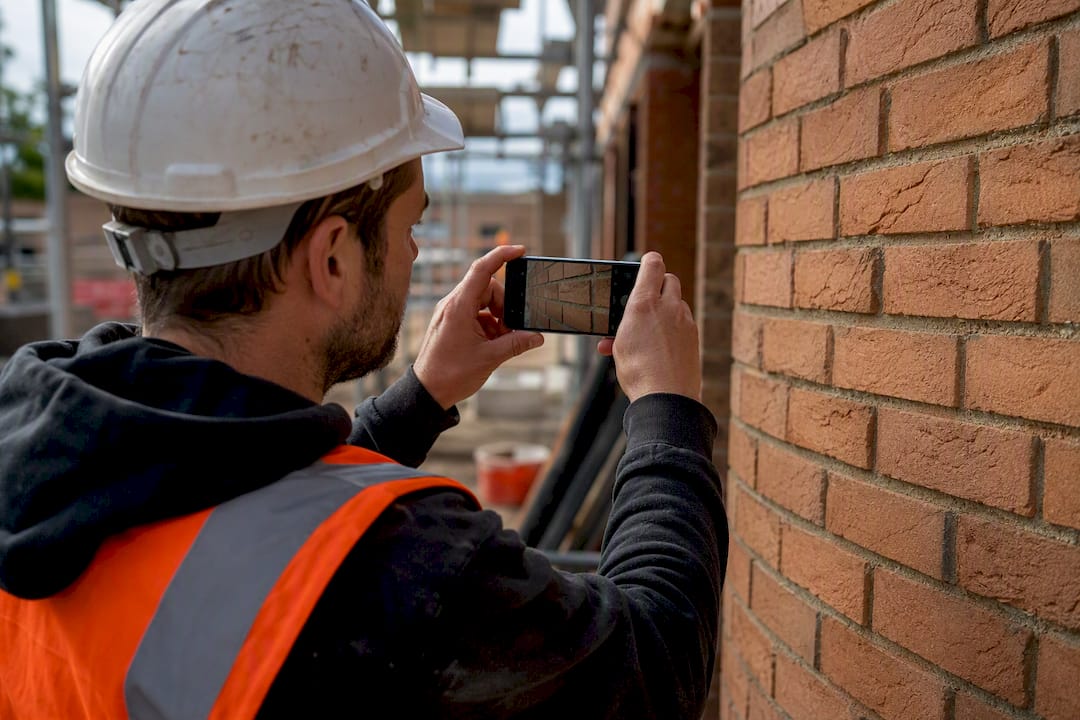
A construction audit trail is a contemporaneous, timestamped record that proves who did what and when. It is the difference between recovering variation revenue and losing it to a dispute you cannot evidence.
Three things make a record count as a genuine audit trail rather than just a filing system: it must be timestamped at the moment of capture, traceable to a named person, and tamper-evident, so nobody can quietly edit history after the fact.
Get this right and you gain:
- Accountability — every instruction, delay and decision has a name and a date attached
- Compliance — records feed the golden thread required for higher-risk buildings
- Dispute protection — a logged RFI response or a timestamped site diary photo often settles a variation argument before it reaches adjudication
Two examples worth knowing: a site diary entry timestamped at 8.47am with a photo of a damaged delivery, and an RFI logged with a dated response linking straight to the variation it triggered.
Key takeaways
A construction audit trail only protects revenue and compliance when records are captured at the moment work happens, not reconstructed afterwards.
| Point | Details |
|---|---|
| Capture at source | Log instructions, RFIs and deliveries the day they happen, with a name and timestamp attached. |
| Link cost to variation | Attach every cost to its variation reference immediately to preserve quantum evidence. |
| Lock records weekly | Review and make each week’s folder read-only to stop silent edits and preserve auditability. |
| Match evidence to risk | Higher-risk buildings need golden-thread level detail; smaller jobs still need a defensible diary trail. |
| Automate where possible | Tools like BRCKS build audit trails from WhatsApp messages and photos your team already sends. |
Get an audit trail that builds itself
The projects that win variation disputes are the ones where the evidence already existed before the argument started, not the ones scrambling to reconstruct a timeline from old WhatsApp threads and someone’s memory. BRCKS builds your site diary, variation log and RFI tracking automatically from the messages, photos and decisions your team already sends, so the audit trail exists as a by-product of normal work rather than a separate admin job.
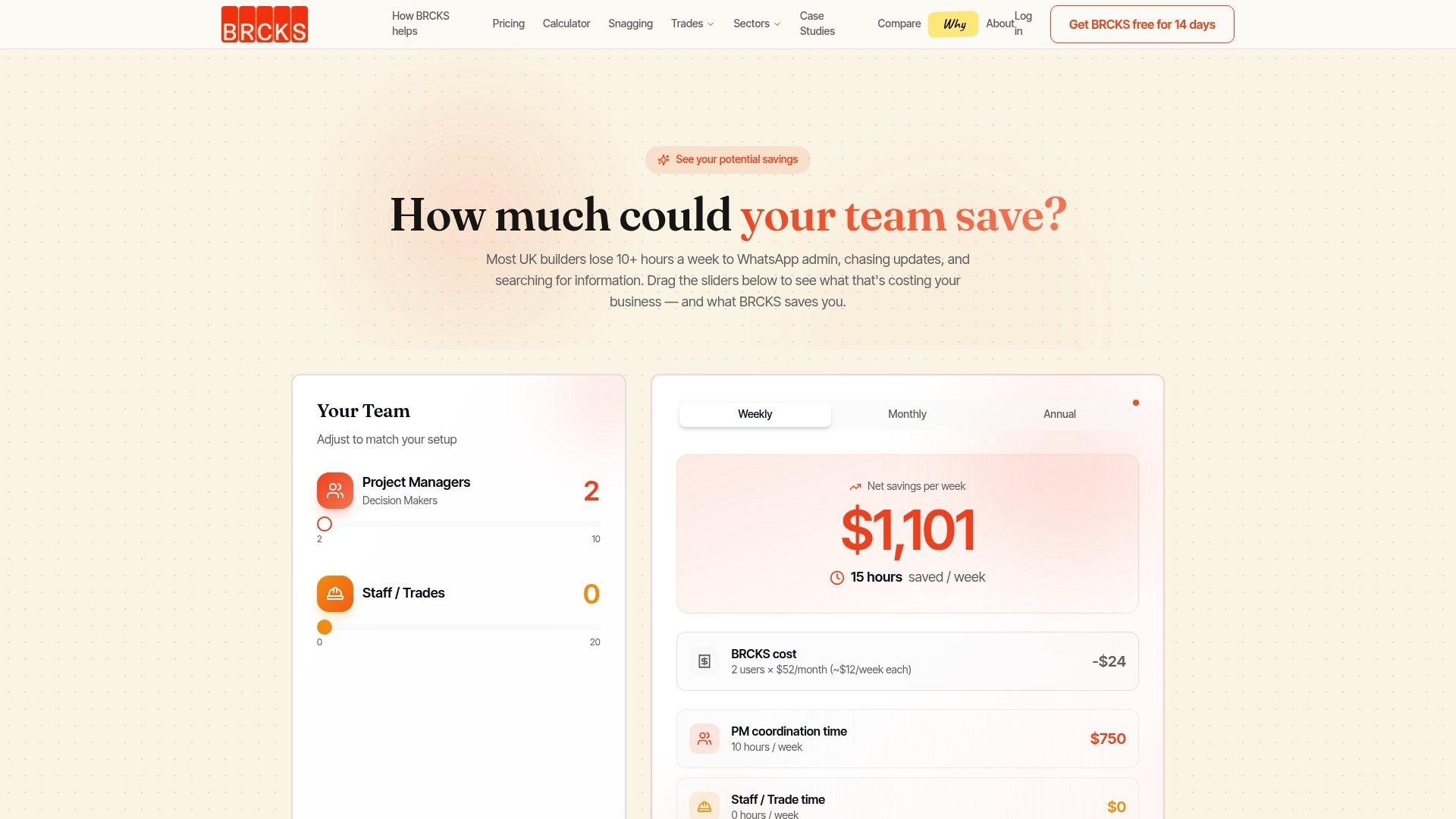
Teams report saving 30 or more minutes a day in admin once records stop needing manual reconstruction, and subcontractors and clients use the platform free, only the core team pays, at £40 per seat per month billed annually. If you want to see how it maps onto your own site workflow, take a look at the site diary app or start a 14-day free trial on the BRCKS builders page.
Table of Contents
- What goes into a construction audit trail
- What are the real benefits of a construction audit trail?
- Which features make an audit trail reliable in practice?
- What should you capture at each project stage?
- What stops teams keeping a proper audit trail?
- How does BRCKS build an audit-ready record on site?
- Manual versus digital: which audit trail actually holds up?
- Sources
- FAQ
What goes into a construction audit trail
An audit trail is not one document. It is a linked chain of records, each carrying enough metadata to stand alone as evidence. Designing Buildings defines it as a system or paper-generated record showing how, and by whom, a process was carried out, with traceability and auditability at its core.
In practice, a workable audit trail contains:
- An event log — the instruction, inspection or decision itself, in plain language
- User attribution — who created or approved the entry, by name, not by role alone
- A timestamp — captured automatically, not typed in after the fact
- Version history — every edit visible, nothing quietly overwritten
- Media attachments — photos, videos or scanned delivery notes tied to the entry
- Links to contract items — the RFI, variation or instruction the record relates to
Retrospective reconstruction, filling in a diary from memory on Friday afternoon, produces weak evidence. Around 80% of contractors have no structured approach to tracking delivery data, which is exactly why so many variation claims collapse under scrutiny: the paper trail was built after the argument started, not during the work.
Electronic records carry real evidential weight here. Under the Civil Evidence Act 1995 and the Electronic Communications Act 2000, timestamped digital records are admissible in court, and they typically hold up better than a paper diary written up days later. For higher-risk residential buildings, this same discipline underpins the Building Safety Act’s golden thread requirement, and daily site diaries are one of the simplest ways to feed it.
What are the real benefits of a construction audit trail?
The commercial case is straightforward: contemporaneous records protect the money. When an instruction is logged the day it is given, with a timestamp and a name attached, the notice window for a variation claim starts from a defensible point rather than a guessed one. Linking every instruction to a variation reference and a cost allocation at the point the cost is incurred preserves the evidence a quantum surveyor needs months later, and it stops notice deadlines slipping past unnoticed.
Beyond dispute defence, the operational gains are real:
- Inspections move faster when photo evidence and sign-offs already sit against the right task
- Rework drops because instructions are traceable to a decision, not a memory
- Handover packages assemble themselves from records already captured, rather than being built from scratch in the final week
Clients, funders and auditors all read the same signal. A project with a clean, dated record of decisions gives them confidence the numbers on the final account are backed by evidence, not assertion.
Pro Tip: Treat every RFI response as a variation trigger the moment it’s answered. Link the two immediately, don’t wait for the cost to appear on a valuation, because that’s exactly the gap where notice windows get missed.
Which features make an audit trail reliable in practice?
Not every recording system produces evidence a court, a client or an auditor will trust. The features that separate a genuine audit trail from a glorified notepad come down to a short list.
Essential technical features:
- Immutable timestamps applied automatically at the point of entry, never editable by the user
- Full edit history, so a later correction is visible alongside the original entry, not a silent overwrite
- Media attachments embedded directly against the record, not stored separately and linked by memory
- Offline-first mobile capture, because signal drops on site and entries made hours later lose their evidential value
- Exportable reports in a format an auditor, solicitor or client can open without your software
- Role-based permissions, so a subbie can log a delivery photo without being able to edit yesterday’s diary entry
Workflow matters as much as features. The strongest projects build evidence at the point of work, not at a desk afterwards. Industry guidance recommends mobile-first, offline-capable capture with photo and video integration and exportable reports as the baseline for reliable on-site evidence, and that baseline is worth demanding from any tool you adopt.
Three workflow patterns are worth building into any process:
- Capture at source — the person on site logs the entry, not a project manager reconstructing it from a WhatsApp thread three days later
- Automatic linkage from instruction to variation to cost, so quantum evidence exists before the valuation meeting, not after
- Automated notice tracking, flagging when a contractual response window is closing
Integration decides whether any of this survives contact with a live site. A site diary that does not talk to your document control system, your variation register, or your accounts package just creates another silo. The three should share references: a diary entry cites the drawing revision it relates to, a variation cites the RFI that triggered it, and a cost code sits against both from day one.
On configuration, keep it lean. Define a minimum viable set of fields per entry (date, author, task, photo, linked reference) rather than a 40-field form nobody fills in properly. Set a single photo standard (timestamp visible, one subject per shot, consistent naming) and a version rule for drawings so nobody works from a superseded set. ISO 19650 and the UK BIM Framework both stress that information exchanges must be traceable and attributable to a named role, and that principle scales down to a single site diary just as well as it scales up to a BIM model. For a deeper look at how reporting tools compare on these features, see this comparison of construction reporting tools.
What should you capture at each project stage?
Audit-ready records get built in stages, not assembled retrospectively at handover. Each stage has its own minimum evidence requirement.
- Pre-start — lock the Construction Phase Plan, confirm the current approved drawing revision, and file signed RAMS before the first operative sets foot on site. Anything captured after work has started is reconstruction, not evidence.
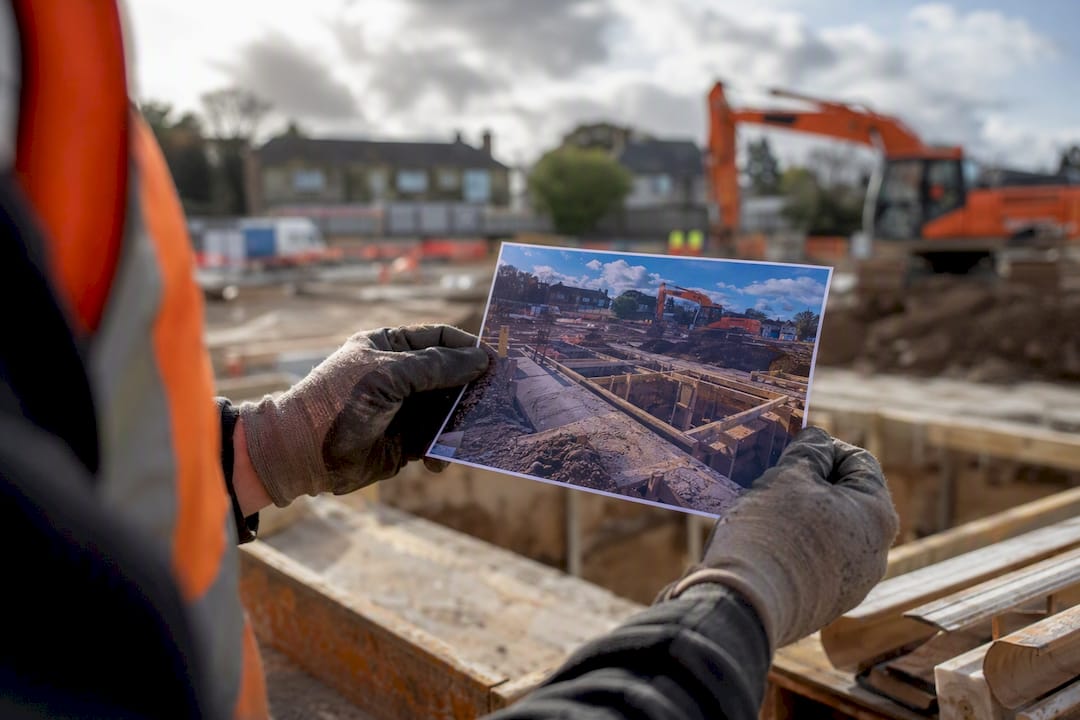
- Deliveries — verify materials against spec on arrival, photograph the delivery note and the goods together, and attach both to the package record before the driver leaves. A delivery accepted without a photo is a gap waiting to be exploited in a defects claim.
- During works — log a daily or weekly site diary entry as standard, record instructions and RFIs the moment they are given, and link every cost the moment it is incurred to the variation reference that authorises it.
- Handover — export the full audit package, lock the archive as read-only, and record final approvals and client sign-offs against the version of the drawings actually built.
| Stage | What good capture looks like |
|---|---|
| Pre-start | Signed RAMS and current drawing revision filed before work begins |
| Deliveries | Photo of delivery note and goods, filed same day |
| During works | Daily diary entry, instructions logged immediately, costs linked to variation |
| Handover | Exported audit package, archive locked read-only, sign-offs recorded |
The habit that ties this together is a weekly upload rhythm. A consistent folder structure, version naming and a weekly upload cycle make site files audit-ready by default rather than by last-minute scramble, and a locked, read-only week folder means nobody can quietly backdate an entry once the week has closed. Pair that with a proper document control system and the handover package writes itself instead of being built from scratch in the final fortnight.
What stops teams keeping a proper audit trail?
Adoption fails for predictable reasons, and each one has a practical fix. Resistance is usually about friction: a 15-field form nobody wants to fill in on a wet Tuesday. Cut the required fields to the minimum that matters, and route capture through channels people already use rather than a new app they resent opening. Integrating with WhatsApp, which most site teams already run for day-to-day chat, removes most of that resistance because the habit already exists.
Security and retention worries are usually solved with structure, not software. Read-only archives once a week is locked, role-based permissions so a subbie cannot edit a supervisor’s entry, and exportable records so nothing is trapped in a system you might one day leave.
Training and connectivity are the practical blockers on site. Keep inductions short, five minutes on how to log a photo and a note, and make sure the tool queues entries offline and syncs when signal returns, because a diary that only works with four bars of signal will not survive a rural groundworks package.
Pro Tip: Build a weekly lock into your governance calendar, not just your software settings. A record that can still be edited a fortnight later isn’t an audit trail, it’s a draft.
How does BRCKS build an audit-ready record on site?
BRCKS was built by someone who ran sites for 20 years and got tired of chasing evidence after the argument had already started. It turns the everyday chat, photos and decisions your team already produces into a structured record automatically.
- Site diaries build themselves from messages, photos and check-ins your team sends anyway
- Variations and RFIs are logged with a timestamp and linked to the instruction that triggered them, giving you an audit trail without extra admin
- Team members keep messaging through WhatsApp, including a dedicated business number, so nobody has to learn a new habit
- Photos, meeting recordings and decisions file themselves against the right project automatically
The result reported by teams using this approach: fewer disputed variations and clearer decision trails when a claim does surface.
| Feature | What it delivers |
|---|---|
| Automatic site diaries | Timestamped entries built from existing team communication |
| Variation and RFI tracking | Linked audit trail from instruction to cost |
| WhatsApp integration | Capture at source with no new workflow to learn |
Best practices for training staff and subcontractors on the audit trail
The audit trail only works if the people on site actually use it, and that means training has to be short, specific and repeated. A five-minute site induction covering three actions, log a photo, tag the task, name yourself, beats an hour-long software walkthrough that nobody remembers by Friday.
Subcontractors need the same standard as your own staff, not a lighter version. If a subbie’s delivery photo has no timestamp or no name attached, it is worthless as evidence regardless of who took it. Set the expectation in the RAMS sign-off or the subcontract order, not as an afterthought once work has started.
Reinforce the habit with quick wins rather than lectures. Show a site manager how a single logged photo settled a defects argument last month, and the behaviour sticks far faster than a policy document ever will. Nominate one person per crew, usually the working foreman, as the person responsible for daily entries, and check compliance weekly rather than at the end of the job.
Refresher training matters more than induction. Site teams change monthly on most projects, and a subbie who joined in week three needs the same five-minute brief as the one who started on day one. Keep a laminated one-page checklist on site, not buried in a folder nobody opens, covering what to photograph, what to tag, and who to notify when an instruction changes.
How do you audit the audit trail itself?
An audit trail that nobody checks is just a filing cabinet with better software. Reviewing it regularly is what keeps it trustworthy.
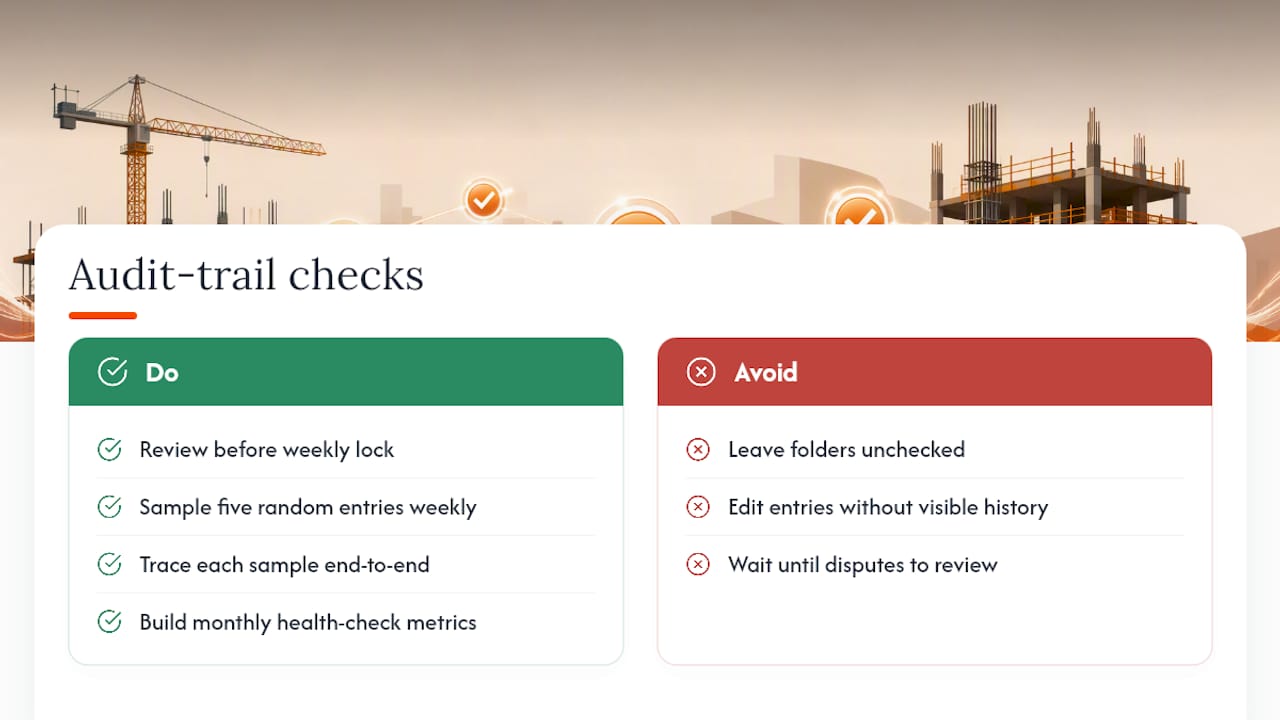
The weekly lock rhythm doubles as your review point. Before a week’s folder goes read-only, someone, ideally a site manager or quality controller, should scan for gaps: missing diary days, deliveries with no photo, RFIs with no linked variation. Catching a gap within a week costs five minutes. Catching it during a dispute six months later can cost the claim.
Sampling works better than reviewing everything. Pick five entries at random each week and trace them end to end, from instruction through to cost allocation, the same way an external auditor would. If the chain breaks anywhere, that is the process failure to fix, not just the individual entry.
Version history is your integrity check. If an entry has been edited after the fact with no visible history of the original, that is a governance failure worth escalating immediately, because it undermines the evidential value of everything else in the project record. A genuine audit trail shows every edit, not just the latest version.
Build a simple monthly health check: percentage of days with a diary entry, percentage of deliveries with photo evidence, percentage of RFIs linked to a variation. These three numbers tell you more about project risk than most formal audits ever will.
Manual versus digital: which audit trail actually holds up?
Paper diaries and spreadsheets are not worthless, but they carry structural weaknesses that digital records solve almost by default.
A manual audit trail is cheap to start and needs no training beyond a pen and a form. Its weaknesses show up under pressure: timestamps are self-reported, so a diary entry claiming 9am could have been written at 5pm. Edits leave no trace unless someone crosses out the original by hand. Photos live on a personal phone, disconnected from the written record, and get lost when that phone changes.
A digital audit trail costs more to set up and asks more of the team early on, but it closes those gaps structurally rather than through discipline alone. Timestamps apply automatically and cannot be backdated. Edit history is visible by default. Photos attach directly to the entry that describes them. Records survive a phone change, a staff departure, or a subcontractor going quiet.
The practical answer for most projects is not a binary choice. Keep paper as a fallback for genuine connectivity dead zones, but treat digital capture as the default, because the evidential gap between the two only widens once a dispute actually lands on a solicitor’s desk. A record with an automatic timestamp and visible edit history is simply harder to challenge than one built on trust.
Practical perspective: rules that make audit trails stick on site
The habit that separates projects with a genuine audit trail from projects with good intentions is the weekly lock. Review the week’s entries, then make that folder read-only. No debate, no exceptions.
Capture belongs with whoever is closest to the work, not the project manager reconstructing it later from memory. A photo-led briefing at the start of each task, showing the crew exactly what “acceptable evidence” looks like, does more than any written policy.
Escalate notices automatically wherever you can. A missed contractual window is rarely a communication failure, it is a process failure, and process failures are fixable.
Sources
For deeper reading beyond this guide:
- Construction Site Diary UK: Complete 2026 Guide | BRCKS
- Audit trail - Designing Buildings
- Principal Contractor Site File Contents: How to Structure an Audit-Ready Evidence Trail – CTC South West Ltd
FAQ
What should be included in an audit trail?
A complete entry needs a timestamp, the name of the person who created it, the event or decision itself, any linked contract reference such as an RFI or variation, and supporting media like a photo or scanned document.
What is an example of an audit trail?
A timestamped site diary entry logging a delivery, with a photo of the goods and delivery note attached and a note linking it to the relevant purchase order, is a straightforward example. A logged RFI with a dated response linked to the variation it triggered is another.
What does an audit trail do?
It proves who did what and when, giving you a defensible record for compliance, client assurance, and any dispute over instructions, delays or costs.
What are the different types of audit trails?
Construction projects typically run several linked trails: a site diary or event log, a variation and RFI register, a document version history, and a delivery or materials record. Tools such as BRCKS link these together automatically so they read as one continuous record rather than separate files.
Recommended
- Construction Task Tracking: A UK Project Manager’s Guide
- Construction Software for Builders | BRCKS
- BRCKS | Construction Project Communication Software
- Decision Tracking for UK Residential Projects | BRCKS
How BRCKS Can Help
Establishing a robust construction audit trail is no longer just a safeguard, but a fundamental necessity for project success and legal compliance. BRCKS simplifies this complex process by centralising your documentation and automating data capture, ensuring every decision is logged with total transparency. By integrating these tools into your daily workflow, you can protect your firm from disputes and focus on delivering high-quality builds. We invite you to explore how BRCKS can strengthen your project oversight and provide the ultimate peace of mind. Learn more at BRCKS and explore our full feature set.