Real-time task tracking for construction managers
Learn how live progress monitoring eliminates the 72-hour reporting delay, allowing construction managers to resolve site issues before they impact the programme.
By James Shorter ·
Real-time task tracking for construction managers
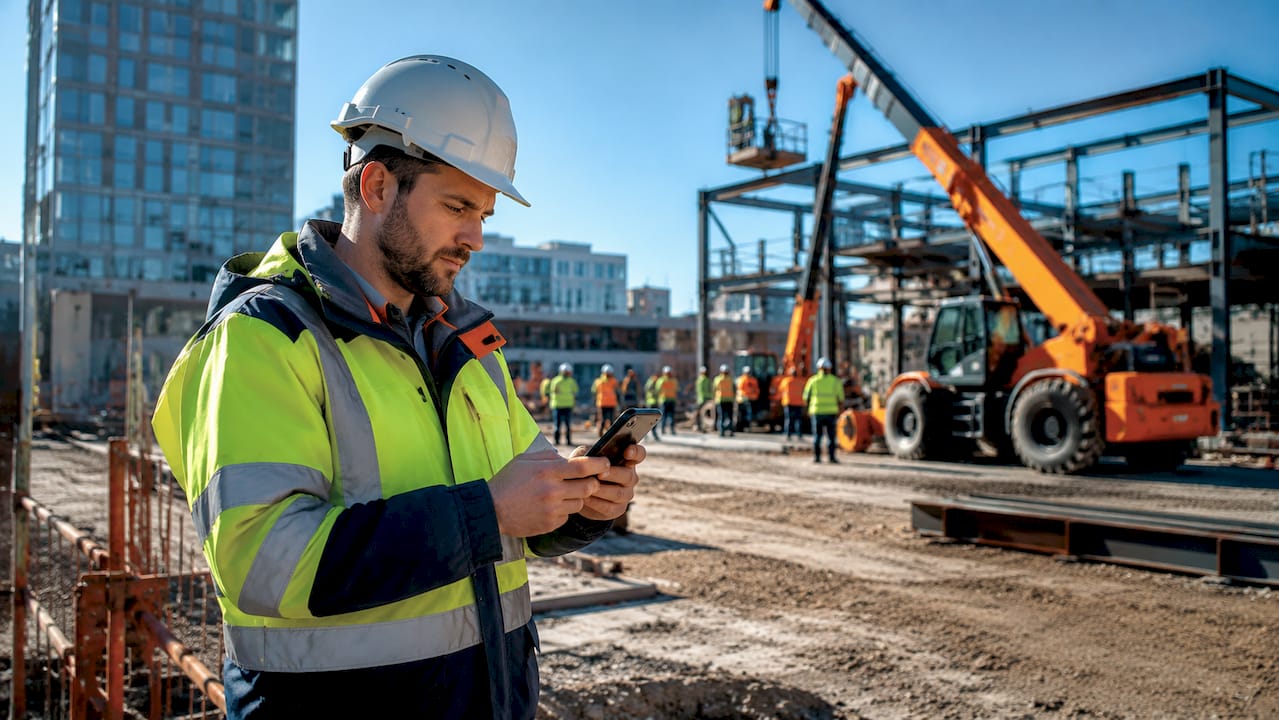
TL;DR:
- Real-time task tracking provides construction managers with instant updates on project activities, reducing decision lag and preventing delays. It relies on mobile data entry, central dashboards, and push technology to capture and display live site data. This approach improves responsiveness, minimises rework, and offers a proactive management advantage over traditional batch reporting methods.
Real-time task tracking is the practice of capturing and displaying task updates instantly as work progresses on site, giving construction project managers live visibility of every activity without waiting for end-of-day reports. The industry term for this capability is live progress monitoring, and it sits at the heart of modern construction project control. Traditional reporting methods carry a 24 to 72 hour delay between a site event occurring and a manager seeing it. That gap is where delays compound, costs escalate, and small problems become expensive ones. This guide explains how real-time task tracking works, what it delivers, and how to put it into practice on your projects.
What is real-time task tracking in construction?
Real-time task tracking is defined as the continuous capture and immediate display of task status changes, giving managers an always-current view of project progress. Unlike batch reporting, where supervisors compile updates at the end of a shift, live progress monitoring delivers data the moment it is entered on site. The result is a reduction in decision lag: the time between a problem occurring and a manager knowing about it.
For construction projects, this matters more than in most industries. A blocked groundworks task on a Monday morning can hold up steelwork by Wednesday if no one flags it until Tuesday’s report. Live field data shifts teams from reactive to proactive management, allowing timely interventions before small issues escalate into programme overruns.
The concept applies across all project types, from residential developments to commercial fit-outs. Whether you are managing a two-person snagging team or coordinating 40 subcontractors across multiple floors, the principle is the same: act on today’s data, not last week’s.
How does real-time task tracking work in construction projects?
Real-time task tracking operates as a continuous event stream, where every field update flows immediately to a central dashboard accessible to the whole project team. The mechanics rely on three components working together: mobile data capture, a centralised platform, and push technology.
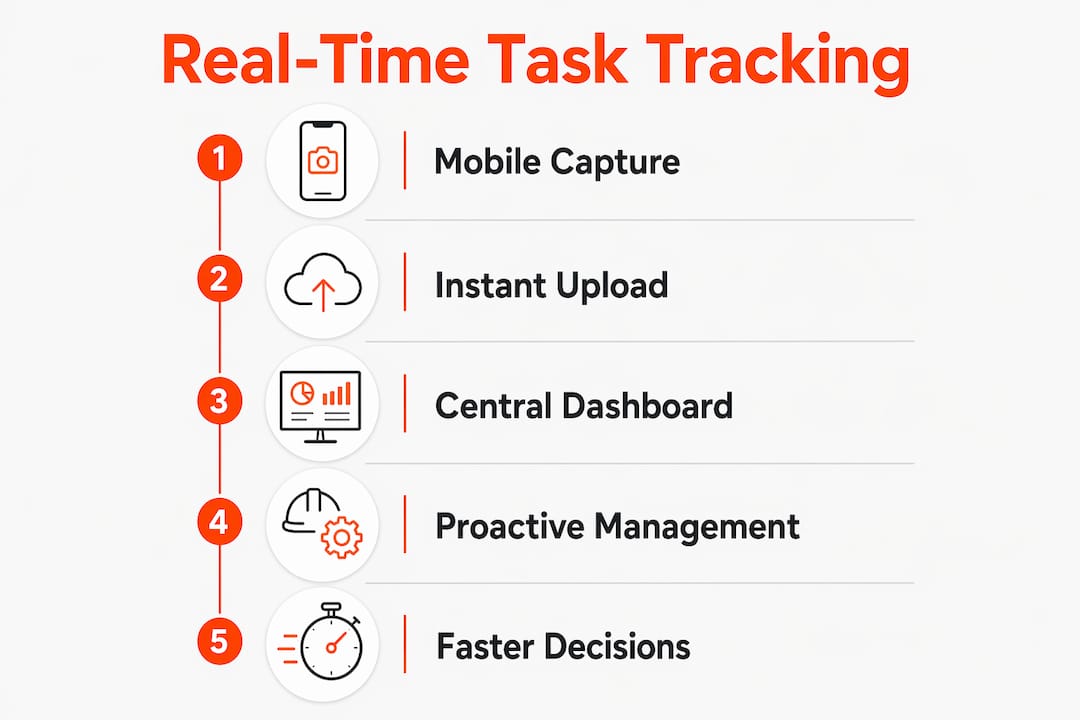
Mobile data capture is where the process starts. Site engineers and operatives use smartphones or tablets to log task completions, flag blockages, and upload photographs with automatic timestamps. Mobile devices enable engineers to update task status with timestamps and photographs directly from site, producing auditable records without version confusion. This replaces the paper-based logbook or the end-of-day WhatsApp message that gets buried in a group chat.
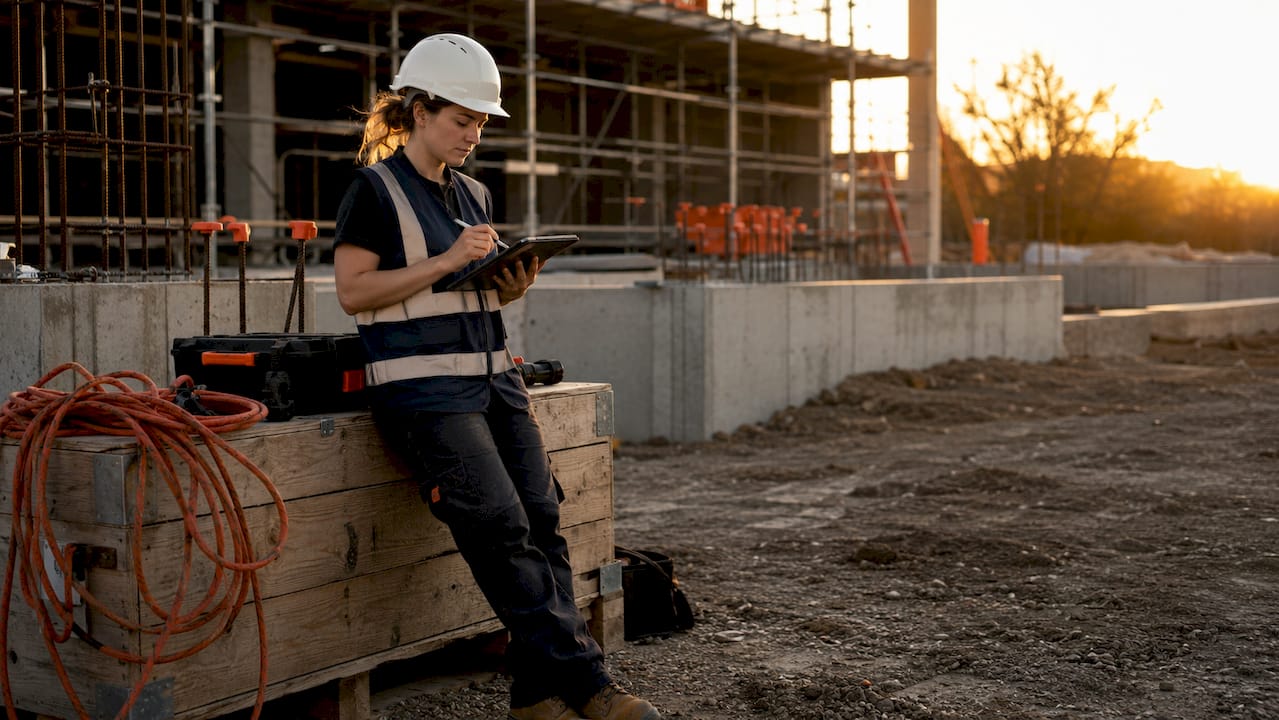
Centralised dashboards pull all of that field input into one view. Project dashboards centralise task records and update instantly as team contributions occur, providing an always-current snapshot with charts, lists, and alerts accessible to all stakeholders. A project manager in the office sees the same picture as the site manager walking the floor.
Push technology is what makes updates truly instant. Technologies like WebSockets propagate updates to all users without requiring a page refresh, maintaining persistent connections that allow concurrent edits and near-instantaneous visibility. Without this, dashboards would only update when someone manually refreshed the screen, which defeats the purpose entirely.
Key elements of a functioning real-time tracking system include:
- Timestamped field entries with photo attachments
- Automatic synchronisation to a central project record
- Role-based access so subcontractors, managers, and clients see the right level of detail
- Audit trails that log who changed what and when
- Offline capability for sites with poor mobile connectivity
Pro Tip: Set up your task hierarchy before going live. If your dashboard shows 200 undifferentiated tasks, managers will stop looking at it within a week. Group tasks by trade, zone, or programme stage so the view stays readable.
What are the benefits of real-time task tracking for construction project managers?
The core benefit of real-time task management is the elimination of decision lag. When a manager can see a blocked task the moment it is flagged, they can reassign resources, contact the relevant subcontractor, or escalate to the client within minutes rather than hours.
The practical advantages break down as follows:
- Immediate bottleneck identification. Live insight allows quick identification of bottlenecks and task slippage, enabling reassignment and support while issues remain small. Managers stop chasing updates and start managing outcomes.
- Reduced rework and programme overruns. Fresh data means decisions are based on what is actually happening on site, not on a report written 48 hours ago. Fewer assumptions lead to fewer costly corrections.
- Better workload balancing. When you can see which trades are ahead and which are behind in real time, you can shift labour and plant to where they are needed without waiting for a foreman’s verbal update.
- Less administrative burden. Teams no longer rely on memory-based logging but see live progress and status, which reduces follow-up burden and improves accountability naturally.
- Stronger client communication. Live project updates mean client queries can be answered with current data rather than estimates. This reduces the volume of disruptive phone calls to site.
The shift from reactive to proactive management is the single most significant gain. Real-time tracking leads to more predictable project delivery and measurable risk mitigation. For UK construction projects where margin is tight and delay penalties are common, that predictability has direct commercial value.
You can explore how real-time updates transform project success in more detail if you want a deeper look at the decision-making side of this.
How does real-time tracking compare with traditional methods?
Traditional construction reporting relies on supervisors compiling updates at the end of a shift or day and submitting them through email, spreadsheets, or paper forms. The 24–72 hour reporting delay is standard in batch-based systems. By the time a manager reads the report, the situation on site has already changed.
| Factor | Traditional Batch Reporting | Real-Time Task Tracking |
|---|---|---|
| Data freshness | 24–72 hours old | Updated as events occur |
| Error rate | High, due to memory-based entry | Lower, due to immediate timestamped input |
| Bottleneck detection | Identified after the fact | Flagged as they develop |
| Audit trail | Incomplete or retrospective | Automatic and continuous |
| Client visibility | Periodic written reports | Live or near-live portal access |
| Manager response time | Hours to days | Minutes |
The table makes the gap clear. Batch reporting is not simply slower. It introduces a structural blind spot where problems grow undetected. A task that slips on Tuesday afternoon does not appear in a manager’s view until Wednesday morning at the earliest, by which point dependent trades may already be standing idle.
Real-time progress monitoring removes that blind spot. It is becoming less of a competitive advantage and more of a baseline expectation on well-run UK construction sites. Clients, main contractors, and insurers increasingly expect live documentation rather than retrospective records.
For a broader look at how construction reporting tools compare in practice, the linked guide covers the UK market in detail.
What are the best tools and features for real-time task tracking?
Effective real-time tracking software for construction must do more than display a live list of tasks. The features that separate useful platforms from ones that get abandoned after a month are specific and worth understanding before you commit to any system.
The characteristics of a genuinely useful platform include:
- Mobile-first input. Site operatives will not log updates on a laptop. The interface must work on a smartphone with one hand, ideally with photo upload built into the task entry flow.
- Meaningful alerts, not noise. Effective implementations use alerts tied to meaningful changes to avoid information overload, triggering notifications only for delayed tasks, blockages, or approval needs. A platform that sends 50 notifications a day trains users to ignore all of them.
- Integration with existing workflows. If your team already communicates via WhatsApp, a platform that captures those messages and converts them into structured task records removes the adoption barrier entirely.
- Offline mode. Many UK construction sites have poor mobile signal in basements, plant rooms, or rural locations. The app must queue updates locally and sync when connectivity returns.
- Client portal access. Clients should be able to view progress without calling the site manager. A read-only portal fed by live task data handles this without adding any work for the project team.
Pro Tip: Avoid platforms that require operatives to learn a new filing system. The best tools capture data as a byproduct of communication, not as a separate administrative task. If logging a task update takes more than 30 seconds, adoption will drop off within two weeks.
Construction-specific platforms built around photo reporting and task updates are worth evaluating alongside general project management tools, as the field-input experience differs significantly.
How to implement real-time task tracking on your projects
Successful implementation follows a clear sequence. Skipping the preparation stage is the most common reason real-time tracking projects fail to deliver their potential.
- Audit your current reporting workflow. Map every step from a site event occurring to a manager seeing it. Identify where delays, errors, and information losses happen. This baseline tells you what the new system must fix.
- Assess technology readiness. Check mobile signal coverage across your sites, confirm that operatives have compatible devices, and identify any data security requirements from your contracts or clients.
- Run a pilot on one site or one trade package. Choose a team that is open to change and a project phase with clear task boundaries. A four-week pilot generates enough data to evaluate the system before a full rollout.
- Train site staff on real-time input methods. Focus training on the two or three actions operatives will use daily: logging a task complete, flagging a blockage, and uploading a photo. Keep it short and practical.
- Set alert thresholds before going live. Decide which task states trigger a notification and to whom. A blocked task should alert the site manager immediately. A completed task might only update the dashboard without sending a notification.
- Review adoption weekly for the first month. Track how many updates are being logged per day and by whom. Low input from specific trades usually signals a training gap or a usability problem, not a motivation problem.
The construction task tracking guide for UK project managers covers the process in more depth if you want a step-by-step framework for your specific project type.
Key takeaways
Real-time task tracking reduces decision lag from days to minutes, making it the most direct tool available to construction project managers for preventing programme overruns.
| Point | Details |
|---|---|
| Definition is precise | Real-time tracking captures task updates instantly, not at end of shift or day. |
| Technology matters | WebSockets and mobile-first input are what make updates genuinely live. |
| Traditional methods have a structural flaw | Batch reporting creates a 24–72 hour blind spot where problems grow undetected. |
| Alerts must be selective | Notifications tied to meaningful state changes prevent information overload. |
| Implementation needs a pilot | A four-week pilot on one site or trade package reduces rollout risk significantly. |
Why decision latency is the real problem worth solving
Most conversations about real-time task tracking focus on speed. The more useful frame is decision latency: the gap between a problem occurring and a manager having the information needed to act on it.
I have seen well-run sites with experienced teams still lose two or three days on a programme because a blockage was logged in a WhatsApp message that the right person did not see until the following morning. The problem was not the team’s competence. It was the structure of how information moved.
Real-time tracking does not replace good site management. It removes the structural delays that prevent good site managers from doing their jobs. That distinction matters when you are evaluating whether to invest in a new system. You are not buying speed. You are buying the ability to act on accurate information at the moment it becomes relevant.
The resistance I see most often comes from experienced site managers who feel that adding a digital logging step slows their teams down. That concern is legitimate when the tool is poorly designed. It disappears when the tool captures data as a natural byproduct of communication rather than as a separate administrative task. The platforms that succeed on site are the ones that feel like a slight upgrade to what teams already do, not a replacement for it.
The future of construction project visibility is not more dashboards. It is fewer decisions made on stale data. Real-time tracking is the mechanism that gets you there.
— James
How BRCKS brings real-time task tracking to UK construction teams
BRCKS is built specifically for construction project managers who need live project visibility without adding administrative work to their teams.

BRCKS captures communications and task updates through WhatsApp integration, converting everyday site messages into structured project records automatically. The site diary app logs progress in real time, while RFI tracking and variation logs keep every change documented without manual data entry. Clients get a dedicated portal with live updates, removing the need for disruptive progress calls. BRCKS saves users over two hours of manual effort daily. If you want to see how it works on your projects, try BRCKS free for 14 days and experience live project visibility from day one.
FAQ
What is real-time task tracking in simple terms?
Real-time task tracking is the immediate capture and display of task progress as it happens on site, giving project managers a live view without waiting for end-of-day reports.
How does real-time tracking reduce construction delays?
By flagging blocked or delayed tasks the moment they occur, managers can reassign resource or escalate issues within minutes rather than hours, preventing small problems from affecting the wider programme.
What technology powers real-time task tracking?
Most platforms use WebSockets to push updates instantly to all users, combined with mobile apps that allow site operatives to log task status, photos, and timestamps directly from site.
Is real-time task tracking suitable for small construction firms?
Yes. The core benefit, reducing decision lag, applies regardless of project size. Small firms often see the fastest gains because their teams can adopt new tools quickly without large-scale change management.
How does real-time tracking differ from a standard project management app?
Standard project management apps require manual updates at set intervals. Real-time tracking systems capture updates continuously as events occur, ensuring the dashboard always reflects the current state of the site.
Recommended
- Construction Task Tracking: A UK Project Manager’s Guide
- The Ultimate Guide to Construction Time Tracking | BRCKS
- Real-Time Updates in Construction: Boosting Project Success | BRCKS
- Top Construction Schedule Software for UK Builders 2025 | BRCKS
How BRCKS Can Help
Adopting real-time task tracking is no longer a luxury but a necessity for modern construction managers looking to eliminate delays and improve site communication. BRCKS simplifies this transition by providing an intuitive platform that connects the office and the field through instant updates and transparent progress reporting. By centralising your project data, BRCKS ensures you spend less time chasing updates and more time delivering quality results on schedule. We invite you to explore how our software can transform your project workflows and bring a new level of clarity to your next build. Learn more at BRCKS and explore our full feature set.