Save 30+ Minutes Daily: RFI vs Submittal for UK Site Teams
Clarify the operational differences between RFIs and submittals to streamline your UK site management and avoid costly contract disputes.
By James Shorter ·
Save 30+ Minutes Daily: RFI vs Submittal for UK Site Teams

An RFI asks a question to clarify the contract; a submittal shows what you intend to supply, so someone can approve it before you buy or build. Raise an RFI when a drawing, spec clause, or site condition is unclear. Send a submittal only when you are ready to procure or fabricate and need formal sign-off first.
TL;DR:
- Raising an RFI first clarifies ambiguous drawings or site conditions before procurement to prevent rework and claims; submit it early to avoid delays.
- Submittals confirm product compliance through shop drawings, samples, or test reports before material purchase, requiring contractor review and stamping.
- Response windows vary, but ignoring deadlines can push critical path activities, so document all follow-ups and check contract-specific reply periods.
- Common disputes arise from misrouting RFIs as submittals or starting fabrication before approval, emphasising the need for proper routing and timing.
- Using unified project management tools reduces admin time by consolidating logs, tracking queries, and linking RFIs and submittals to procurement and design revisions.
Table of Contents
- RFI vs submittal: the operational differences
- When to raise an RFI: drafting, routing and example text
- Submittal types, contents and the submittal log
- Routing, response windows and contract implications
- Common mistakes that lead to claims or rework
- A practical checklist and template you can copy today
- How a single project record cuts RFI and submittal admin
- What actually speeds up review on site
- How BRCKS helps
- Sources
- FAQ
RFI vs submittal: the operational differences
The two documents sit at different points in the job. An RFI resolves a question about what the contract means; a submittal proves that what you plan to install matches what the contract requires. Mixing them up, asking for a substitution through an RFI, or treating a submittal as a chance to query the design, is where most routing disputes start.
| Aspect | RFI | Submittal |
|---|---|---|
| Purpose | Clarify ambiguous or conflicting information | Present proposed products or fabrication for approval |
| When to raise | Drawing/spec conflict, missing detail, site discrepancy | Before procurement or fabrication of a specified item |
| Owner / reviewer | Site team raises; architect or engineer responds | Contractor prepares and stamps; consultant reviews |
| Contract effect | Answer clarifies but doesn’t usually vary the contract | Approval confirms compliance, not a contract change |
| Typical timing | Set by contract data, commonly a standard contract period for reply | Set by submittal schedule, tied to procurement lead time |
| What it contains | A specific question, drawing reference, and impact statement | Shop drawings, product data, samples, or test reports |
Two things matter more than the table shows. First, the sequence: if a question and a compliance decision are tangled together, raise the RFI first and hold the submittal until the answer lands, otherwise you’re asking for approval on something that might change. Second, misrouting the two creates rework and claims exposure, because a submittal approval and an RFI answer carry different contractual weight.
When to raise an RFI: drafting, routing and example text
Raise an RFI the moment a drawing contradicts the spec, a detail is missing, or a site condition doesn’t match what’s shown. Don’t wait for the item to become urgent; a query raised early costs nothing, one raised the week before install costs programme days.
Before drafting, run a quick pre-check:
- Search existing RFIs and drawing revisions, someone may have already asked.
- Confirm which drawing, spec clause, or room the question relates to.
- Note the cost or programme impact if the answer is delayed.
- Route through the main contractor unless the contract allows direct subcontractor queries.
Write the RFI in BLUF style. State the question and your recommended answer first, then the supporting reference. Experienced reviewers push BLUF-style responses because it cuts the back-and-forth that stalls a decision for days.
Example: “RFI 042: Drawing A-201 shows a 300mm stud wall at Grid 4/C; Spec Section 09 21 16 calls for 150mm. Please confirm which governs. Affects partition delivery due 14 days from response. Recommend following the spec unless there’s a structural reason for the drawing dimension.”
Pro Tip: Never bury the question in the third paragraph. If the reviewer has to hunt for what you’re actually asking, your answer moves to the bottom of their pile.
Submittal types, contents and the submittal log
A submittal proves compliance before money or material commits. Four types cover most projects:
- Shop drawings show how a component will be fabricated or installed, dimensions, connections, tolerances.
- Product data confirms manufacturer specifications match what the spec calls for.
- Samples give the reviewer a physical piece, finish, colour, texture, to approve.
- Test reports demonstrate a product meets a performance standard where the spec demands proof.
Before anything goes to the consultant, the contractor stamps it. That stamp is a quality check confirming the submission has been reviewed against the contract documents internally, not just forwarded from the supplier.
A working submittal log needs, at minimum: item description, spec section reference, submission date, required return date, reviewer name, status, and a link to the related purchase order or long-lead item. A submittal process built from the specifications, with the log connected to procurement scheduling, is what stops a steel fabricator or a bespoke joinery order sitting idle while paperwork clears. Prioritise submittals for anything with a long lead time first, curtain walling, specialist plant, custom joinery, because a delayed approval on a 12-week item does far more damage than one on a two-day delivery.
Routing, response windows and contract implications
The architect or engineer is usually the primary reviewer for both RFIs and submittals, though larger jobs route through a consultant team with specialists checking their own discipline. Subcontractor RFIs almost always pass through the main contractor unless the contract states otherwise, worth checking early rather than assuming.
Response windows vary by contract. Under NEC4, the contract data commonly sets a two-week period for reply, but that figure isn’t fixed across every project. Always check your own contract data before assuming a timeframe.
- A late reply pushes procurement and installation dates back, often on the critical path.
- In narrow contract circumstances, silence past the reply period can carry practical consequences, but this depends entirely on the specific clause.
- Document every follow-up. A dated chase email or logged reminder is what protects you if a delay ends up in dispute.
Common mistakes that lead to claims or rework
Most disputes trace back to the same handful of errors, repeated project after project.
- Using an RFI to request a substitution or a change in method, that belongs in a submittal, or a formal variation if it alters cost or scope.
- Ordering material or starting fabrication before the submittal comes back approved, then discovering it doesn’t comply.
- Treating RFIs and submittals as separate from the procurement schedule, so a delayed answer quietly becomes a missed delivery date.
- Skipping the contractor’s own QC stamp because the deadline is tight, which is exactly when errors slip through.
Pro Tip: Run a five-minute pre-check before every submission: has this been asked before, does it belong in an RFI or a submittal, and what happens to the programme if the answer is late? It catches most misrouting before it costs you anything.
A practical checklist and template you can copy today
Keep two short checklists on hand and you’ll route correctly most of the time.
- RFI checklist: reference number, BLUF question, drawing/spec attachment, site or programme impact, requestor contact, date needed by.
- Submittal checklist: spec section reference, submittal type, contractor stamp, supplier name and contact, linked purchase order or long-lead item.
- Log discipline: cross-reference every submittal to any related RFI number, and viceversa, so nobody duplicates a question that’s already been asked in the other log.
How a single project record cuts RFI and submittal admin
Founded by a builder with 20 years on site, BRCKS was built around the problem of RFIs and submittals living in five different places, WhatsApp, email, a spreadsheet, a paper file. Consolidated logs with audit trails, versioned drawings and RAMS, and role-based notifications mean the right person sees the right query without chasing. Teams using unified search across project history report saving 30+ minutes a day that used to go on hunting for the last answer someone gave.
What actually speeds up review on site
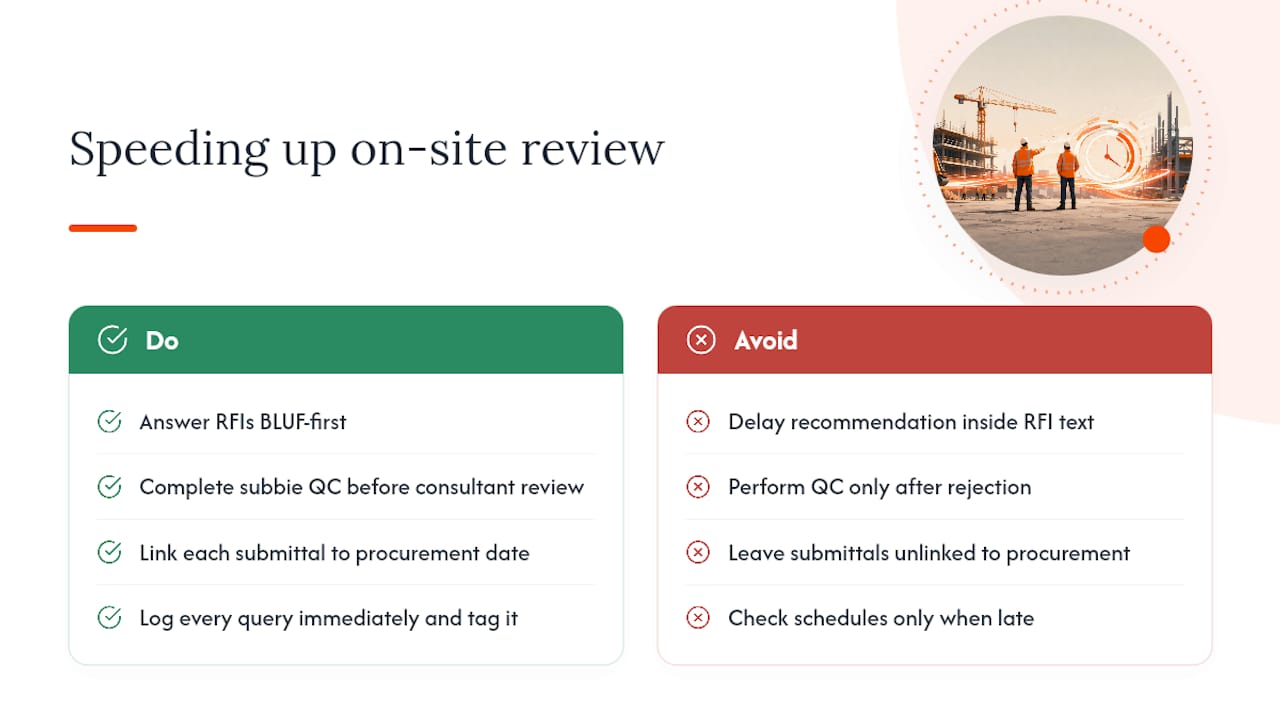
The habits that cut disputes aren’t complicated, they’re just rarely followed consistently. Answer RFIs BLUF-first, because a reviewer who has to dig for your recommendation will delay you. Get subbie QC done before anything reaches the consultant, not after a rejection comes back. Link every submittal to its procurement date so nobody discovers a missed deadline the week material was due on site.
From day one: log every query the moment it’s raised, tag it to a drawing revision or spec clause, and check the submittal schedule against the procurement schedule weekly, not just when something’s already late.
— James
How BRCKS helps
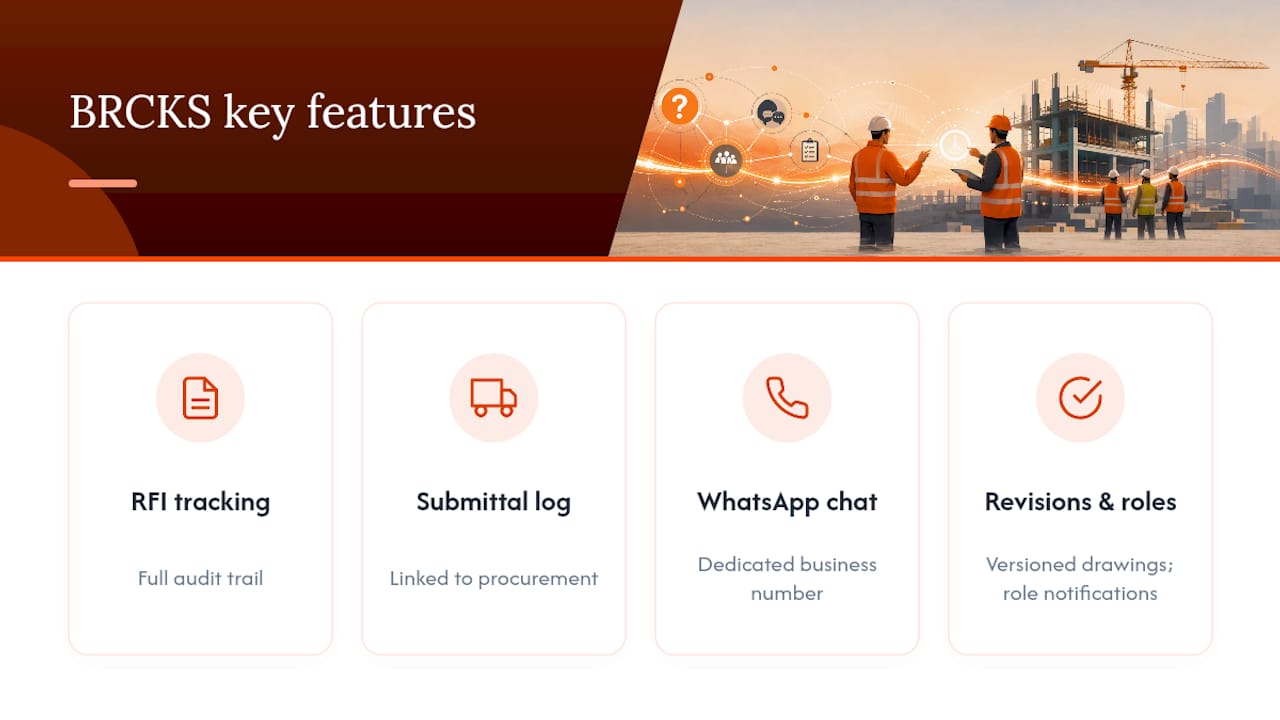
Chasing RFI answers across email while a submittal sits forgotten in someone’s inbox is how long-lead items slip and disputes start. BRCKS is built for exactly this handoff: RFI tracking with a full audit trail, a submittal log linked to procurement, and team messaging that stays in WhatsApp through a dedicated business number, so nobody has to change how they already work. Versioned drawings and RAMS mean the latest revision is always the one on site, and role-based notifications put each query in front of the right reviewer without you having to remember who’s covering what.
At a monthly seat price billed annually, with subcontractors and clients invited free, BRCKS replaces the spreadsheet-and-WhatsApp shuffle with one searchable construction project management software record for every RFI, submittal and variation on the job. Start a 14-day free trial and see whether it cuts your own admin time before you commit to anything.
Sources
Contract timing and process guidance draw on the NEC4 contract, NASBP’s submittal guidance, and practitioner presentations on RFI and submittal review practice.
FAQ
What is RFI vs RFP vs RFQ?
An RFI (request for information) clarifies contract documents during construction; an RFP (request for proposal) and RFQ (request for quote) are procurement documents used before a contract exists, to invite bids or pricing.
What is RFI vs RFC?
An RFI asks a question about existing contract documents; an RFC (request for change, sometimes called a variation request) proposes altering the scope, cost, or programme, which needs formal instruction to take effect.
When should you submit an RFI?
Raise an RFI as soon as a drawing conflicts with the spec, a detail is missing, or a site condition doesn’t match the documents, ideally before the item becomes urgent for procurement or installation.
What should an RFI include?
A clear reference number, a BLUF-style question with your recommended answer, the relevant drawing or spec clause, and the programme or cost impact if the response is delayed.
What is included in a submittal that isn’t in an RFI?
A submittal includes shop drawings, product data, samples, or test reports demonstrating compliance, plus a contractor QC stamp, none of which an RFI carries, since an RFI is a question rather than a compliance submission.
Recommended
- Site Communication Workflow: UK Project Manager’s Guide
- Top Construction Reporting Tools for UK Sites Compared
- Top Construction Schedule Software for UK Builders 2025
- What Is a Schedule of Works
How BRCKS Can Help
Mastering the nuances between RFIs and submittals is essential for keeping UK site teams organised and on schedule. BRCKS simplifies this process by centralising your documentation in one intuitive platform, eliminating the administrative friction that leads to costly delays. By automating these workflows, BRCKS ensures your team spends less time chasing paperwork and more time delivering quality results on-site. We invite you to explore how our software can transform your project management efficiency today. Learn more at BRCKS and explore our full feature set.