Top 6 snagging apps for construction managers 2026
Discover the leading snagging apps for 2026 to streamline defect tracking and site communication for UK construction projects.
By James Shorter ·
Top 6 snagging apps for construction managers 2026
 A purpose-built construction snagging software keeps these items tracked through to sign-off.
Punch lists can be a headache for construction managers. Paper notes get lost and emails pile up. Finding the right app makes a tough job easier. Different tools promise faster issue tracking and smoother communication, but which actually helps on site? New features and smart tech are changing how jobs are finished and errors flagged. Some apps are simple while others have extras you might not expect. Curious how these tools hold up under real pressure? The next list could surprise you and help you rethink your snagging process.
Table of Contents
BRCKS

At a Glance
BRCKS is the leading snagging and construction project platform for UK builders who already use WhatsApp for site communication. It organises conversations into searchable project records without asking teams to learn a new app.
BRCKS is our top recommendation because it turns everyday chat into auditable project evidence while keeping familiar workflows intact. Clear decision trails, meeting notes and client visibility make it the obvious choice for pragmatic project managers.
Core Features
BRCKS centralises core project activities from within WhatsApp so teams keep using a tool they know. It automatically files messages into the right project and attaches them to attributable tasks for cleaner records.
- Works within WhatsApp without requiring a new app
- Automatic chat tagging that files updates to projects and tasks
- Quick search for project histories and decisions to find information fast
- Meeting recording with automatic extraction of action items
- Client portal for sharing progress without exposing chat conversations
Pros
- Minimal training required: Teams continue using WhatsApp so adoption is immediate and onboarding time falls sharply.
- Clear accountability: Automatic filing and attribution create a reliable audit trail for decisions and change records.
- Faster information retrieval: Searchable project histories reduce time spent hunting messages and speed up responses on site.
- Better meeting outcomes: Recorded meetings with extracted action items keep follow ups tight and responsibilities visible.
- Cost transparency: A 14 day free trial and clear pricing make budget conversations straightforward.
Who It’s For
BRCKS suits UK construction teams, trades and project managers who already rely on WhatsApp and want ordered project records without replacing their communications. It is ideal for builders running multiple small to medium sized projects and project managers who need to prove decisions to clients.
If your team prefers a separate desktop system only, BRCKS may feel different by design. That difference is deliberate. BRCKS prioritises friction free record keeping inside conversations that teams already trust.
Unique Value Proposition
BRCKS wins because it converts familiar chat behaviour into robust project management workflows. Unlike conventional software that asks teams to switch tools, BRCKS preserves existing habits while adding automatic filing, searchable histories and a client portal that protects private chats.
For sophisticated buyers this matters. You get instantaneous auditability, a single source of truth for decisions, and free subcontractor access so costs do not balloon as your team grows. The subscription model is straightforward and aimed at predictable budgeting for busy site managers.
The platform’s constraints are intentional. By focusing on WhatsApp centred workflows BRCKS becomes exceptionally simple and fast to deploy rather than trying to be a one size fits all project suite.
Real World Use Case
A UK builder uses BRCKS to automatically file and search project updates from WhatsApp groups. Lost messages become searchable entries, meeting actions appear as tracked tasks and client updates are shared through the portal without exposing internal chats. Delays caused by missing information fall and accountability improves.
Pricing
£40 per seat per month billed annually with free invites for subcontractors and clients. A 14 day free trial allows teams to validate benefits before committing to a subscription.
Website: https://brcks.io
Snagmaster
At a Glance
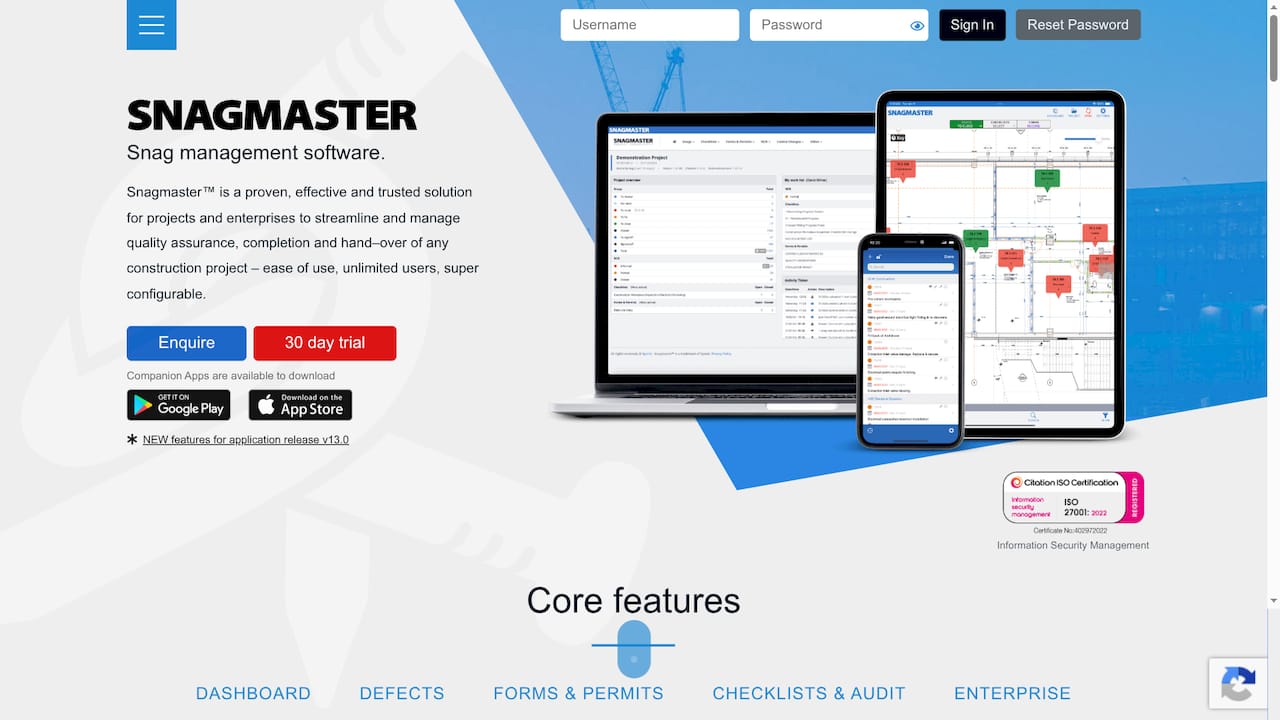
Snagmaster is a focused snag management platform built to organise defect resolution, compliance and handover for construction projects. It pairs a web based portal with mobile apps so teams can record issues on site and keep oversight from the office.
Core Features
Snagmaster provides a dashboard for project overview and reporting, defects and issues management, and forms and permits for structured data capture. It also includes checklists & audits and enterprise level tools for multi project data governance, exports and secure cloud storage.
Pros
- User friendly interface: Customisable dashboards make it simple for project teams to prioritise work and spot areas needing attention at a glance.
- Mobile offline support: The companion apps let operatives record snags without connectivity and sync data when they return to signal, reducing duplicated paperwork.
- Secure cloud storage: Enterprise grade data management protects records and supports project traceability across multiple sites.
- Versatile reporting: Multiple export options support handover packs, compliance audits and client reporting with minimal manual rework.
- Scales to multiple projects: The platform supports multiple projects and unlimited users which suits larger contractors and tiered subcontractor access.
Cons
- Connectivity limits full functionality: The platform relies on internet access for complete features so prolonged offline work can delay synchronisation of critical updates.
- Opaque pricing: Specific subscription tiers and costs are not listed on the website which complicates budgeting for procurement teams.
- Learning curve in large organisations: New users in complex, multi stakeholder teams may need time and training to adopt workflows and templates fully.
Who It’s For
Snagmaster suits construction project managers, site supervisors, quality assurance teams and contractors running large or concurrent projects. It fits organisations that need repeatable defect processes, audit trails and centralised handover documentation across sites.
Unique Value Proposition
Snagmaster brings a purpose built set of tools for snag lists and compliance into a single environment. The combination of mobile data capture, structured forms and enterprise reporting reduces manual paperwork and keeps handover evidence consistent across projects.
Real World Use Case
A contractor uses Snagmaster to log defects during fortnightly snag walks, assign responsibility to subcontractors and produce a comprehensive handover bundle. The team resolves high priority items faster because photographic evidence and checklists travel with each record.
Pricing
A 30 day free trial is available. Specific subscription pricing and tier details are not provided on the website so you will need to contact Snagmaster for quotes and enterprise terms.
Website: https://www.snagmaster.co.uk
SnagID
At a Glance
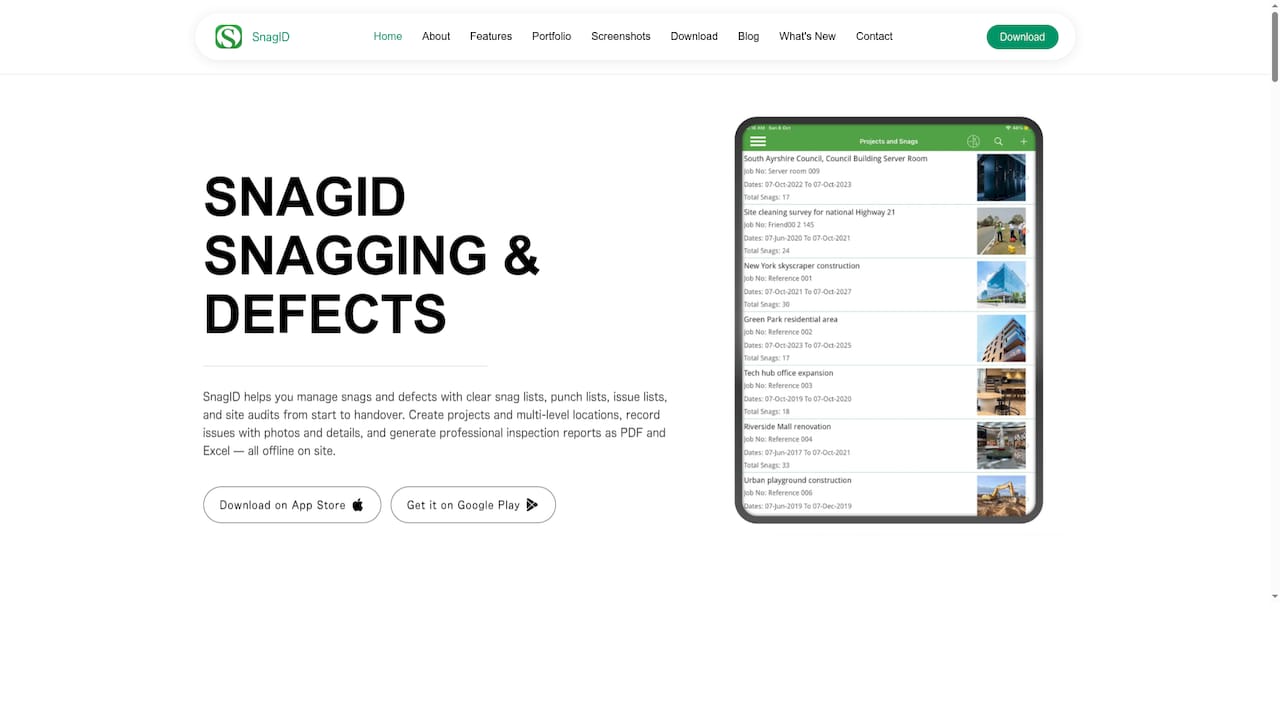
SnagID is a focused snagging and site inspection app built for on-site capture and professional handovers. It excels at offline data collection and reporting while keeping project details organised across floors and locations.
Core Features
The app lets you create projects with client details and divide sites by locations and floors for clear structure. It supports photo annotations, audio notes, comments, and status tracking for each snag.
SnagID produces branded PDF and Excel reports with filters so you can hand over formatted documents directly to clients. It also works offline and syncs when you return online.
Pros
-
Offline functionality allows you to record snags without an internet connection and sync later when you have coverage.
-
Customisable labels and terminology let you adapt the app to fit construction, maintenance, safety, or fit-out workflows.
-
Professional report export gives you both PDF and Excel formats with branding and filters for tailored client deliverables.
-
Rich media capture includes photo annotations and audio notes so you can convey exact issues and context from site.
-
Multi-level project organisation supports complex sites by grouping issues by location, floor and project phase.
Cons
-
Platform availability may vary which means some teams will need to confirm whether their devices are supported on iOS or Android.
-
Dependent on mobile hardware since photo and audio quality rely on the device you use for inspections.
-
Learning curve for new users as the app requires some familiarisation to take full advantage of its organisation and reporting features.
Who It’s For
SnagID suits construction managers, site inspectors, facility maintenance teams and safety inspectors who need dependable on-site capture and tidy client reporting. It matches teams that prioritise structured project organisation and clear handovers.
Unique Value Proposition
SnagID stands out by combining offline capture with multi-level project organisation and exportable, branded reports. The mix of photo annotations and audio notes helps teams communicate defect detail faster and reduces back-and-forth clarifications.
Real World Use Case
A site inspector walks a new build, records defects with photos and audio notes, assigns statuses and groups issues by floor. Back at the office the inspector exports a branded PDF and an Excel workbook for the client and contractor list.
Pricing
Pricing is not specified in the provided data. The app is available for download on App Store and Google Play, so teams can test suitability before procurement discussions.
Website: https://snagid.com
SnagR
At a Glance
SnagR provides a practical way to capture field data, automate reports and visualise progress across complex projects. The platform focuses on construction, infrastructure, shipbuilding and facility management, making it a specialist tool for large scale site work.
Core Features
SnagR centres on Progress Monitoring, Quality & Safety and Inspections & Permits, plus a site journal for daily records. The platform also offers Automated Custom Reports and Analytics, business intelligence and document management integration for handover processes.
Pros
-
Industry Specific Coverage: SnagR provides comprehensive project monitoring solutions tailored to construction, infrastructure, shipbuilding and manufacturing projects, which reduces the need for multiple specialist tools.
-
Automated Reporting: The platform automates report generation and analytics, saving time on repetitive reporting and producing consistent, auditable outputs for stakeholders.
-
Field Data Capture: SnagR supports field data collection and digital documentation, enabling teams to record inspections and site events directly from mobile devices.
-
Wide Feature Set: The product includes quality, safety and site journal capabilities alongside permits and handover features, supporting a full project lifecycle.
-
Global Support: The presence of global offices and support gives larger contractors confidence in continuity and service availability across regions.
Cons
-
Pricing Unclear: Pricing is not specified on the website, which complicates budgeting and procurement discussions for project owners and smaller firms.
-
Integration Detail Sparse: The website provides limited detail on specific third party integrations and customisation options, making technical fit uncertain for existing IT estates.
-
UI And UX Unspecified: There are no detailed user interface or user experience descriptions available, so assessing mobile workflows and site usability requires a trial or demo.
Who It’s For
SnagR suits project managers, site supervisors, quality assurance teams and facility managers working on complex, multi discipline projects. It is particularly relevant to organisations handling progress tracking, safety inspections and tenant handovers across large sites.
Unique Value Proposition
SnagR combines progress monitoring with automated analytics and document integration to offer an all in one site reporting toolkit. Its industry specific modules mean teams can adopt features relevant to their sector without piecing together separate solutions.
Real World Use Case
A construction company uses SnagR to record daily progress, log safety inspections and produce automated weekly reports for clients and funders. The system collects field entries and converts them into structured analytics to highlight schedule variances.
Pricing
Pricing is not specified on the website, so procurement requires direct contact with the vendor for quotes and licensing options. Organisations should request clear cost breakdowns for licences, support and any implementation services.
Website: https://www.snagr.co.uk
SnagBricks
At a Glance
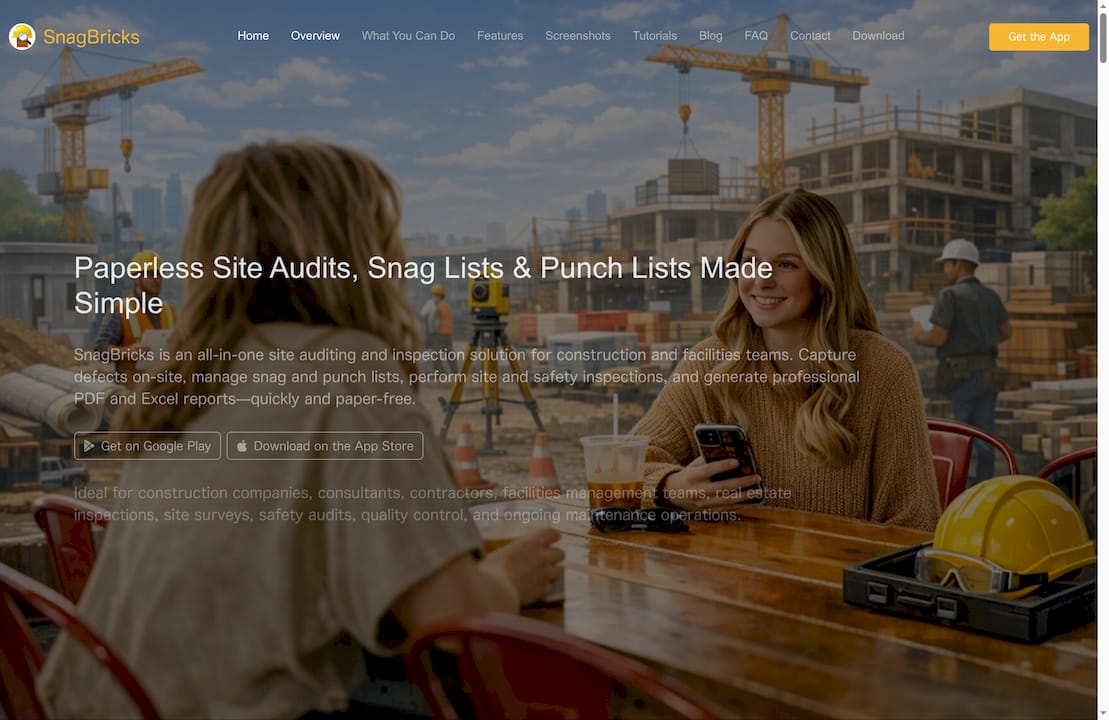
SnagBricks is an all in one site auditing and inspection platform aimed at construction and facilities teams who need organised defect capture and reporting. It combines on site evidence capture with professional PDF and Excel reporting for clearer handovers and client communication.
Core Features
The platform focuses on structured inspections, photo evidence and report customisation to keep audits consistent across locations and teams. It supports offline work and team collaboration so field crews can continue inspections without a live connection.
- Structured inspections for organising projects by location and tracking statuses.
- Photo evidence and markup tools for clear defect highlighting.
- Professional report generation in PDF and Excel with branding and revisions.
- Team collaboration on projects with contributions from multiple members.
- Customisation of report templates, labels, and workflow to match specific processes.
Pros
-
Comprehensive inspection toolkit: SnagBricks centralises snag lists, safety checks and site audits into one platform, reducing paperwork on busy sites.
-
Offline capability: Teams can continue to capture defects and photos without connectivity and sync changes once they return online.
-
Customisable reporting: The ability to brand PDF and Excel outputs and manage revisions helps produce client ready reports quickly.
-
Rich media support: Photo attachments and on image markups make defect description precise and reduce miscommunication.
-
Cross platform compatibility: The app is available on both Android and iOS which suits mixed device fleets on large sites.
Cons
-
Public information does not list detailed pricing so budget planning requires direct contact with the vendor.
-
The product description does not specify limits on users, storage or advanced integrations which could affect large project deployments.
-
Onboarding, training and support details are not described so you will need to confirm these operational elements before committing.
Who It’s For
SnagBricks suits Construction Companies, contractors, consultants and facilities teams who run recurring site inspections and need consistent, auditable defect records. If you manage multiple locations or subcontractors and value branded reporting, this tool is a good match for your workflow.
Unique Value Proposition
SnagBricks delivers an inspection centred workflow that moves teams from paper to digital while preserving audit trails and branded outputs. Its combination of offline capture, collaborative tasks and customisable reports positions it as a focused solution for inspection heavy projects.
Real World Use Case
A contractor on a large commercial project uses SnagBricks to run weekly safety checks and snag rounds, capture annotated photos, assign corrective tasks to trades and export polished reports for the client and the principal contractor.
Pricing
Pricing is not provided in the available information so you should visit the website or contact the SnagBricks team for detailed plans, seat counts and enterprise options.
Website: https://snagbricks.com
Procore
At a Glance
Procore is an end to end construction management platform that connects office and field teams on a single system with unlimited support and storage. Its strength lies in broad coverage from preconstruction through closeout and integrated AI powered automation for routine tasks.
- Quick summary: Unified platform for complex projects
Core Features
Procore combines project execution, cost control, resource management and collaboration tools in one place, designed to keep stakeholders aligned across every phase. The platform includes AI features, real time collaboration and financial modules for cost oversight.
- Key capabilities: Project management, financial modules, real time collaboration
Pros
- Unlimited users and storage: Procore supports unlimited users and data with predictable pricing, which removes licence headaches on large projects.
- Integrated end to end platform: The platform links preconstruction, execution and closeout workflows so information flows without manual reconciliation.
- Strong support and training: Procore provides comprehensive support and training resources that reduce ramp up time for large teams.
- High customisability: The solution can be tailored to specific roles within a construction organisation, so teams only see what matters to them.
- Global community and resources: A broad user community and extensive documentation help teams solve problems faster and share best practice.
Cons
- Pricing complexity: Pricing is customised by product selection and construction volume, which makes upfront cost estimation harder for some procurement teams.
- Feature complexity requires training: The breadth of features creates a learning curve that new users will need time and training to overcome.
- Additional costs for some integrations: Certain integrations or advanced capabilities may carry extra charges outside the base agreement.
Who It’s For
Procore suits large construction firms, project owners, public agencies and specialist contractors that manage multi site or high volume work and need a single scalable platform. It is particularly useful where many stakeholders require shared access and audit trails.
- Ideal profile: Large scale teams and organisations with complex procurement and reporting needs
Unique Value Proposition
Procore offers a truly unified construction platform that couples financial oversight with operational collaboration and AI assisted routine work. For organisations that require predictable yearly contracts and limitless collaboration, Procore centralises data and support under one vendor.
- Distinctive point: Predictable contracts with broad scale and support
Real World Use Case
A general contractor uses Procore to run a multi site commercial programme, consolidating communications, tracking costs across packages and allocating resources in real time. The platform records actions for audits and helps maintain consistent safety and quality standards across sites.
- Typical result: Centralised communication, tighter cost control, clearer accountability
Pricing
Pricing is customised based on chosen products and construction volume, with options for fixed or tiered quotes and predictable yearly contracts that promote unlimited collaboration. Exact costs require a tailored quote from Procore.
- Pricing model: Custom quotes, fixed or tiered yearly contracts
Website: https://www.procore.com
Construction Project Tools Comparison
Below is a comprehensive comparison of construction project management tools based on their features, suitability, pricing, and unique capabilities as described in the article.
| Tool | Key Features | Pros | Cons | Pricing |
|---|---|---|---|---|
| BRCKS | Works within WhatsApp; Automatic chat tagging; Client portal | Minimal training needed; Clear accountability | Workspace design focuses on WhatsApp workflows | £40/seat/month (annual billing) |
| Snagmaster | Dashboard overview; Mobile offline support; Enterprise tools | Scales for multiple projects; Secure storage | Offline limits functionality; Pricing unclear | Contact vendor for pricing |
| SnagID | Offline support; Photo/audio annotations; Structured reporting | Customisable labels; Professional report export | Learning curve for new users; Device-dependent features | Contact vendor for pricing |
| SnagR | Progress tracking; Quality/safety modules; Site journal | Automated reporting; Industry-specific solutions | Pricing unclear; Sparse integration details | Contact vendor for pricing |
| SnagBricks | Offline inspections; Photo evidence; Customisable reports | Rich media capabilities; Comprehensive inspection support | Training/support details unspecified | Contact vendor for pricing |
| Procore | Project management; Cost control; Collaboration tools | Unlimited users/storage; Scalable for large teams | Pricing complexity; Feature learning curve | Custom quotes available |
Simplify Your Snagging and Construction Communication Today
Managing snag lists and construction communication can be complex and time consuming. Common challenges include keeping track of defect records, organising site conversations, and sharing updates with clients without losing valuable context. The article highlights crucial pain points such as fragmented communication, inefficient record keeping, and slow information retrieval that frustrate project managers.
BRCKS is designed specifically to solve these issues by integrating snagging, task management, and client collaboration directly inside WhatsApp — a tool your teams already trust. With BRCKS you gain:
- Automatic filing of messages to projects and tasks
- AI-powered searchable histories for faster decisions
- Clear audit trails for onsite accountability
- A dedicated client portal to share progress without exposing chats
Experience a smoother, more transparent construction process by visiting BRCKS today.
Ready to reduce your manual effort and save over two hours daily on communication chaos? Take your snagging workflow to the next level now with BRCKS and transform how your construction projects are managed.
Frequently Asked Questions
What features should I look for in snagging apps for construction management?
Look for apps that offer project organisation, defect tracking, reporting capabilities, and mobile functionality. Prioritise features like offline access and client communication tools to enhance your workflows.
How can snagging apps improve project accountability?
Snagging apps automatically log updates and conversations related to defects and tasks, creating a clear audit trail. Implementing these apps can reduce miscommunication and improve transparency by making all project interactions easily accessible.
How do I choose the right snagging app for my construction team?
Evaluate snagging apps based on your team’s specific needs, such as project size, complexity, and preferred communication methods. Consider trial periods to see how well the app integrates into your existing workflows and whether it improves efficiency.
Can snagging apps be used offline on construction sites?
Many snagging apps provide offline functionality, allowing you to capture data and record defects without an internet connection. Ensure to choose an app that syncs seamlessly when connectivity is restored, which can significantly streamline your workflow.
How can snagging apps help with compliance and documentation during handover?
Snagging apps typically include features for structured data capture and reporting, ensuring all defects are documented systematically. Utilising these apps can simplify the handover process by providing comprehensive reports of all resolved issues, which can enhance client satisfaction.
What is the average training time for construction teams to adapt to snagging apps?
Most snagging apps are designed for intuitive use, meaning training time can range from a few hours to a couple of days. Aim for immediate onboarding to ensure your team can start benefiting from improved project management within the first week.
Recommended
- BRCKS | Construction Project Communication Software
- Best Snagging App UK 2026 — Honest Comparison | BRCKS
- BRCKS | Construction Project Communication Software
- Top Construction Schedule Software for UK Builders 2025 | BRCKS
- Top 3D Technology Uses in Construction for Smarter Builds
How BRCKS Can Help
Selecting the right snagging tool is essential for maintaining quality standards and keeping your 2026 projects on schedule. While each of these apps offers unique benefits, BRCKS provides a comprehensive construction management platform that integrates snagging directly into your broader project workflow. By centralising communication and defect tracking in one place, BRCKS ensures nothing falls through the cracks from site inspection to final handover. We invite you to explore how BRCKS can streamline your snagging process and improve your overall project delivery today. Learn more at BRCKS and explore our full feature set.