What is a centralised project hub for construction?
A centralised project hub consolidates all project data and workflows into a single governed platform, ensuring construction teams work from facts rather than assumptions.
By James Shorter ·
What is a centralised project hub for construction?

TL;DR:
- A centralised project hub in construction consolidates all project data, documents, and workflows into a governed platform, improving coordination and reducing errors. Its success depends on clear governance practices, role-based access, and real-time data capture, not just technology adoption. Proper implementation enhances efficiency, safety compliance, and decision-making across diverse project teams and sizes.
A centralised project hub is a single, governed digital platform that consolidates all essential project data, documents, and workflows so construction teams can access what they need without searching across disconnected tools. In construction, where a missed RFI or a misfiled drawing can cost thousands, this concept is not a luxury. It is the difference between a project that runs on facts and one that runs on assumptions. Platforms like Quickbase, Egnyte, and Atlassian Confluence each offer versions of this model, and the importance of centralised project information in reducing delays and miscommunication is well established across the industry.
What is a centralised project hub in construction?
A centralised project hub, sometimes called a project management hub or centralised team workspace, is a governed repository where all project artefacts live in one place. Atlassian defines this as a “project space” giving every relevant stakeholder shared access to plans, risk assessments, and reports. The key word is governed. Moving files to a shared folder is not centralisation. Centralisation means agreed rules about where information lives, who can access it, and when it must be updated.

For construction project managers, this matters because the average build involves subcontractors, clients, suppliers, site teams, and design consultants, all generating information simultaneously. Without a hub, that information fragments across email threads, WhatsApp groups, and personal hard drives. The result is version conflicts, missed instructions, and rework that could have been avoided.
What data does a construction project hub consolidate?
The most effective hubs do not just store documents. They consolidate multiple data dimensions that together give project leaders a complete picture of project health. Quickbase describes this as a 360-degree data view with connected workflows and customisable dashboards, covering financials, labour, materials, and compliance from project kickoff to closeout.
The core data categories a construction hub should consolidate include:
- Financials: Contract values, variations, invoices, and budget tracking in one view
- Labour: Workforce schedules, timesheets, and subcontractor allocations
- Materials: Procurement status, delivery confirmations, and stock levels
- Compliance: Health and safety records, inspection reports, and certification logs
- Documents: Drawings, specifications, RFIs, and site diaries with version control
Role-based dashboards are what make this data useful rather than overwhelming. An executive needs a portfolio summary. A site manager needs today’s labour allocation and open RFIs. A role-based dashboard model gives each user the view they need without exposing them to irrelevant data or creating information overload.
| Data dimension | Why it belongs in the hub |
|---|---|
| Financials | Prevents budget surprises by linking costs to live project activity |
| Labour and materials | Enables accurate forecasting and procurement decisions |
| Compliance records | Reduces liability by keeping certificates and inspections traceable |
| Documents and drawings | Eliminates version conflicts and ensures teams work from current files |
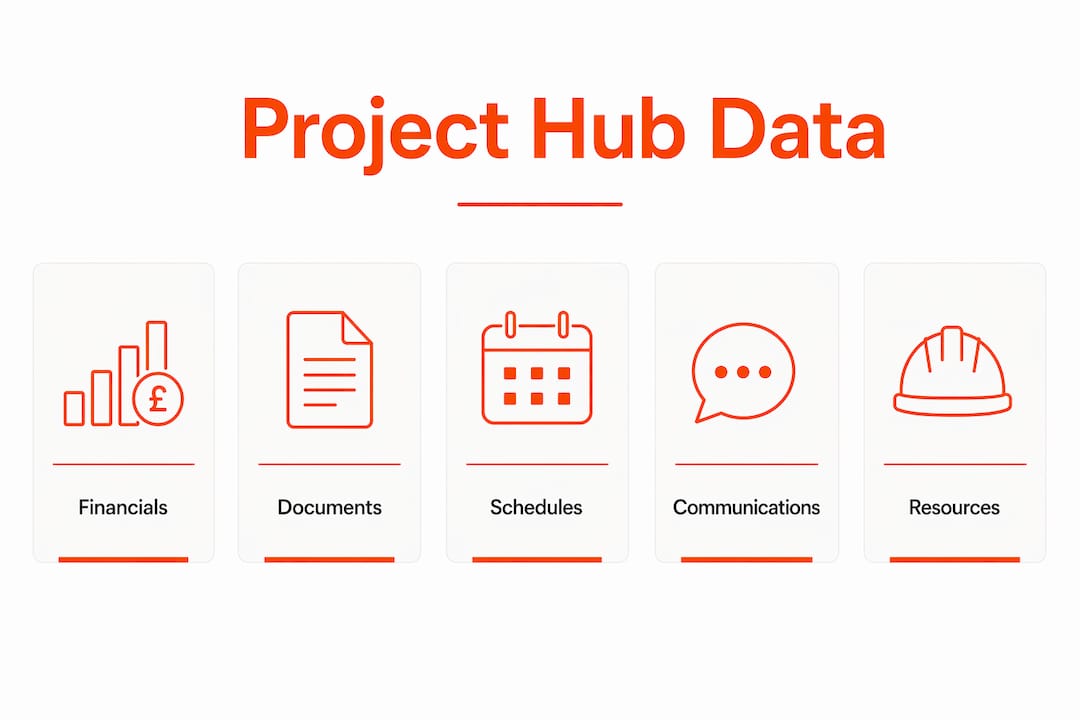
A 2025 MDPI research paper on construction data hub frameworks advocates for standardised metadata and integrated planning across 12 data dimensions. This level of structure is what separates a functional hub from a glorified file server.
How do project hubs improve coordination and efficiency?
The operational case for a centralised project hub comes down to time and accuracy. Without a central hub, teams spend excessive time locating updates and sorting feedback, which slows progress and increases the risk of errors. On a live construction site, that search time translates directly into delayed decisions and costly rework.
Here is how a well-implemented hub changes day-to-day operations:
- Eliminates tool switching. When drawings, RFIs, site diaries, and variation logs all live in one place, site managers stop toggling between five applications to answer a single question.
- Removes document version conflicts. A single source of truth means the team is always working from the current drawing revision, not a version someone downloaded three weeks ago.
- Speeds up decision-making. Live dashboards surface project health at a glance. Quickbase’s single pane of glass enables early identification of risks and delays before they become programme-critical issues.
- Reduces communication errors. Structured workflows replace informal messages, so instructions are recorded, traceable, and actioned. Evidence from UK construction projects shows that centralised communication workflows can cut rework significantly by keeping all parties aligned.
- Improves safety compliance. When inspection records and certification logs sit inside the hub, project managers can confirm compliance status in seconds rather than chasing paperwork across site.
Pro Tip: Set up automated notifications within your hub so that when an RFI is raised or a variation is logged, the relevant parties are alerted immediately. This removes the manual chasing that consumes hours each week on most construction projects.
The productivity gains are not theoretical. Construction teams that replace fragmented communication with a governed hub report faster information retrieval, fewer missed instructions, and a measurable reduction in the administrative burden on site managers.
What governance practices make a project hub succeed?
Governance is where most hub implementations fail. Moving files to a new platform without agreeing on how that platform is used creates a tidy-looking mess. Egnyte stresses that upfront agreement on governance, including folder templates, document retention rules, and metadata standards, is what reduces inconsistent documentation and filing errors.
The governance framework for a construction hub should address four areas:
- Folder structure: Agree on a standardised template before the project starts. Every project should follow the same structure so anyone joining mid-project can find what they need immediately.
- Permissions and access: Define who can view, edit, and approve each document type. Subcontractors may need access to drawings but not to financial records.
- Metadata and naming conventions: Consistent file naming and tagging makes search reliable. Without it, the hub becomes as chaotic as the email inbox it replaced.
- Document retention and version control: Establish rules for archiving superseded documents and maintaining an audit trail for compliance purposes.
A practical model used by larger contractors is the two-layer approach. Execution tools remain distributed on-site, while governance and consolidated oversight happen centrally via dashboards and traceability layers. This preserves the flexibility that site teams need while giving project directors the visibility they require. For document-heavy projects, pairing this with structured document control practices is the most reliableway to maintain consistency across multiple sites.
Pro Tip: Before selecting a hub platform, map out your project’s data flow on paper. Identify where information is currently created, who needs it, and when. This exercise reveals governance gaps that no software can fix on its own.
How do modern platforms implement centralised project hubs?
Several platforms have built construction-specific hub features worth examining in detail.
Quickbase positions its Project Hub as a 360-degree construction platform. It connects financials, labour, materials, and compliance data into a single view, with customisable dashboards for both executive and field teams. The platform is designed specifically for small and mid-size contractors who lack the resources for enterprise project management systems but still need real-time project health visibility.
Egnyte Project Hub focuses on document governance. Its templated project folders create a consistent single source of truth from day one, and its governance tools enforce filing rules that prevent the version conflicts common on document-intensive construction projects.
Atlassian Confluence takes a knowledge-management approach. Project spaces embed live data from connected tools, and structured pages give teams a governed home for meeting notes, decisions, risk registers, and project plans. It suits contractors who need a hub for coordination and knowledge capture rather than financial tracking.
Planisware operates at the portfolio level. Its AI-driven governance platform consolidates project, budget, resource, schedule, risk, and documentation data to eliminate miscommunication and version conflicts across large programme portfolios.
| Platform | Primary strength | Best suited for |
|---|---|---|
| Quickbase | 360-degree data view with live dashboards | Small to mid-size contractors |
| Egnyte | Templated document governance | Document-intensive construction projects |
| Atlassian Confluence | Structured knowledge and coordination spaces | Multi-team coordination and knowledge capture |
| Planisware | AI-driven portfolio governance | Large programme and portfolio management |
The right choice depends on where your biggest coordination pain sits. If it is document chaos, Egnyte’s governance model addresses that directly. If it is real-time project health visibility, Quickbase’s dashboard approach is more relevant. For UK construction teams managing communication-heavy projects, platforms that integrate with existing communication channels offer a practical path to centralisation without forcing a complete workflow overhaul.
Key takeaways
A centralised project hub works because it combines governed data storage, role-based access, and structured workflows into one platform, replacing the fragmented tools that cause delays, errors, and miscommunication on construction projects.
| Point | Details |
|---|---|
| Definition matters | A hub is governed, not just shared. Rules about access, naming, and retention are what make it function. |
| Data breadth is critical | Financials, labour, materials, and compliance must all connect for a true 360-degree project view. |
| Governance before software | Agree on folder templates and permissions before selecting a platform, not after. |
| Two-layer model works | Keep execution tools on-site and centralise governance and oversight at the portfolio level. |
| Platform choice is context-specific | Match the platform’s primary strength to your biggest coordination pain point. |
Why most hubs fail before they start
I have seen construction teams invest in hub platforms and still end up with the same fragmented mess six months later. The reason is almost always the same: the technology was implemented before the governance was agreed. A new platform with no naming conventions, no folder template, and no clear ownership of data is just a more expensive version of the shared drive it replaced.
The projects where I have seen centralised project management genuinely work share one characteristic. Someone with authority sat down before go-live and made decisions about how information would be captured, by whom, and when. Not aspirational decisions. Specific ones. Which folder does a variation instruction go in? Who approves an RFI before it is issued? What happens to a document when it is superseded?
The other pitfall is treating the hub as a filing system rather than a live coordination tool. A hub that is updated weekly is not a hub. It is an archive. The value comes from real-time data capture, which means the platform needs to be embedded in daily workflows, not treated as an end-of-day admin task. For construction teams, that means the hub must be accessible on-site, not just in the office, and it must connect to the communication channels the team already uses.
— James
How BRCKS supports centralised project management on site

BRCKS is built for construction teams who need a centralised project hub that works in the real world, not just in the office. By integrating with WhatsApp, BRCKS captures site communications, RFIs, and project updates in real time, feeding them directly into a governed project record without adding administrative work to the site team’s day. Automated site diaries, a structured variation log, and RFI tracking give project managers the live visibility they need, while dedicated client portals keep clients informed without disrupting site workflows. For UK construction professionals looking to put centralised project management into practice, BRCKS for builders offers a 14-day free trial with no setup complexity.
FAQ
What is a centralised project hub?
A centralised project hub is a single, governed platform where construction project teams store, manage, and access all essential project data, including documents, financials, communications, and compliance records, without searching across multiple disconnected tools.
How does a project hub differ from a shared drive?
A shared drive stores files. A project hub adds governance, including folder templates, permissions, metadata standards, and version control, to make information reliably findable, accurate, and auditable across the project lifecycle.
What features should a construction project hub include?
A construction project hub should include document management with version control, role-based dashboards, RFI and variation tracking, compliance record storage, and integration with the communication tools your site teams already use.
Why do centralised project hubs fail in construction?
Most hub implementations fail because governance is not agreed before the platform is adopted. Without standardised folder structures, naming conventions, and clear data ownership, teams revert to old habits and the hub becomes an underused archive.
Can a centralised project hub work for small contractors?
Yes. Platforms like Quickbase are designed specifically for small and mid-size contractors, and tools like BRCKS integrate with WhatsApp to make centralised project management accessible without requiring dedicated IT resource or complex onboarding.
Recommended
- Importance of Centralised Project Information in Construction | BRCKS
- What is a Project Management Platform? UK Construction Guide
- Construction Software for Builders | BRCKS
- 5 Best Construction Client Portal Alternatives 2026
How BRCKS Can Help
Transitioning to a centralised project hub is no longer a luxury but a necessity for construction firms aiming to eliminate silos and improve real-time collaboration. By integrating every document, schedule, and communication into a single source of truth, BRCKS empowers teams to reduce costly errors and keep projects moving forward with total clarity. Our platform is designed specifically to simplify this digital transformation, ensuring your data works for you rather than against you. We invite you to discover how BRCKS can streamline your next build by exploring our features today. Learn more at BRCKS and explore our full feature set.