Boost project efficiency with smarter file sharing
Effective file sharing prevents costly rework and delays by ensuring teams work with current, accurate documents. Learn how to safeguard your UK construction projects.
By James Shorter ·
Boost project efficiency with smarter file sharing

TL;DR:
- Effective file sharing prevents costly rework and delays by ensuring teams work with current, accurate documents. Structured platforms with audit trails protect against disputes, improve compliance, and streamline decision-making in UK construction projects. Adopting proven best practices and modern tools enhances project efficiency and safeguards legal and contractual interests.
A subcontractor arrives on site with a set of drawings downloaded three weeks ago. The structural engineer issued a revised version last Tuesday. Nobody told the subbies. By the time the mistake is caught, two days of concrete work need to come out. This is not an edge case in UK construction — it happens regularly, and information sharing and error reduction sits at the heart of preventing it. In this article, you will learn why file sharing is mission-critical, how compliance and audit trails protect your project, what best practices look like in practice, and which modern tools are raising the bar.
Table of Contents
- Why file sharing matters in construction workflows
- From chaos to clarity: Audit trails and compliance in file sharing
- Best practices: Getting file sharing right on your project
- Emerging tools and the future of construction collaboration
- Why most teams underestimate the true value of file sharing discipline
- Ready to transform your file sharing workflow?
- Frequently asked questions
Key Takeaways
| Point | Details |
|---|---|
| Reduce costly delays | Smart file sharing ensures every team uses the latest documents, cutting wasted time and rework. |
| Strengthen compliance | Platforms with audit trails and formal handover processes keep projects contract-ready and protect against disputes. |
| Adopt digital best practices | Clear naming, access control, and team onboarding are practical steps for reliable, efficient file sharing. |
| Invest in the future | Modern tools offer instant updates, mobile access, and prevent expensive errors across sites and teams. |
Why file sharing matters in construction workflows
Construction projects generate an extraordinary volume of documents. Architectural drawings, structural calculations, specifications, subcontractor programmes, health and safety files, change orders, RFIs — the list is relentless. On a mid-size commercial scheme, you might be managing hundreds of live documents across dozens of stakeholders at any one time.
The problem is not producing these documents. The problem is getting the right version to the right person at the right time. When that process breaks down, the consequences are immediate and expensive. Teams build from superseded drawings. Engineers base their calculations on outdated structural information. Site managers approve materials that have since been substituted. Every one of these errors triggers rework, and rework is one of the costliest drains in the industry.
A core part of addressing this is understanding that workflow management depends on reliable document flow, not just skilled people. Even the best site manager cannot work from correct information if the distribution process is broken.
Poor file sharing creates workflow pain in very specific, avoidable ways:
- Duplicated effort: Teams spend time recreating information that already exists but cannot be found.
- Version conflicts: Two teams are working from different revisions of the same drawing, producing incompatible work.
- Delayed decisions: A request for information sits in someone’s email inbox rather than reaching the right person quickly.
- Missed approvals: Design changes go ahead without formal sign-off because there is no clear process.
- Accountability gaps: When something goes wrong, nobody can confirm who received what, or when.
“In UK construction workflows, file sharing’s main efficiency role is reducing delays and rework caused by people working from outdated or confused drawing and document versions.”
The industry has recognised this. Adoption of cloud-based document platforms has accelerated sharply across UK contractors since the BIM Level 2 mandate, and the push toward digital common data environments has become a standard expectation rather than a differentiator. The direction of travel is clear: structured, traceable, accessible file sharing is no longer optional.
From chaos to clarity: Audit trails and compliance in file sharing
Many project managers think of file sharing as a storage question. Where do the files live? Who has access? That framing misses something critical.
The real compliance question is not where files are stored, but whether the process of sharing, receiving, and approving those files produces a formal record. As one analysis of formal document sharing practices notes, file sharing in construction is not just about where files live, but whether the process produces audit trails and formal records of who shared, received, and approved information.
This matters enormously in a contractual context. When disputes arise — and in UK construction, they are common — the project that wins is usually the one with better documentation. If you can show precisely when a revised specification was issued, who acknowledged receipt, and which version was current at the point of instruction, you are in a very strong position. If your process was “I emailed it to Dave,” you are not.

The document management problem in UK construction is estimated to cost billions annually, much of it tied directly to poor traceability. Implementing document control best practices is therefore not a bureaucratic exercise — it is a financial protection measure.
Here is how ad hoc email-based sharing compares to a structured project platform:
| Feature | Ad hoc email | Structured project platform |
|---|---|---|
| Ease of use | Familiar but inconsistent | Slightly steeper initially, then faster |
| Compliance readiness | Poor — no formal record | Strong — full log of actions |
| Auditability | Very low | High — timestamped access history |
| Version control | Manual and error-prone | Automated with revision tracking |
| Risk of dispute exposure | High | Low |
| Onboarding speed | Instant | Short setup, long-term gain |
The table makes the trade-off plain. Email feels easy, but it creates invisible risk. Every project that runs on informal file sharing is accumulating contractual exposure that only becomes visible when something goes wrong.
Good project coordination frameworks always address document flow as part of their structure. If your coordination process does not include a defined file sharing workflow with audit capability, it is incomplete.
Pro Tip: Always select platforms that auto-log version changes, user access, and approval actions. If you ever need to defend a decision or counter a claim, that log is your evidence.
Best practices: Getting file sharing right on your project
Understanding why compliance matters is one thing. Implementing a system that actually works on a live site is another. Here is a practical approach to getting file sharing right from the start.
Step 1: Define your naming convention before the project starts. Every file should follow a consistent format — project code, discipline, document type, revision number, date. This sounds tedious to set up, but it eliminates hours of searching per week across the project lifecycle.
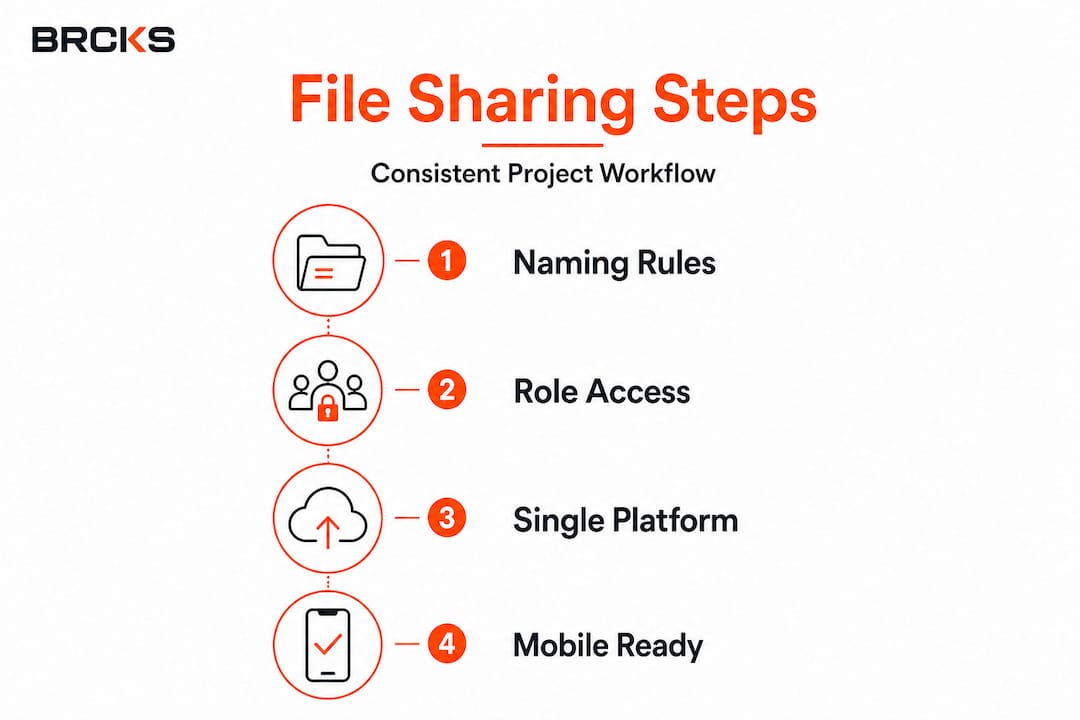
Step 2: Set access permissions by role, not by individual. When you grant access to the structural engineer role rather than the specific person, you avoid the common problem of a team member leaving and taking their file permissions with them.
Step 3: Establish a single point of distribution. All issued drawings go through one platform. Not email for some, WhatsApp for others, and a USB stick for site. One channel, consistently applied.
Step 4: Enable mobile access. Your site teams are not sitting at desks. If your file sharing system does not work on a tablet or smartphone on site,it will be ignored in favour of paper printouts — which immediately removes version control.
Step 5: Audit regularly. Set a weekly or fortnightly review to check whether the platform is being used correctly, whether files are named consistently, and whether any documents are sitting outside the system.
Key best practices in numbered form:
- Implement a clear, standardised naming convention across all disciplines
- Apply role-based access control to manage who sees what
- Use a platform that automatically tracks revisions and flags superseded versions
- Ensure mobile compatibility so site teams can access current drawings on the go
- Assign a document controller who owns the process and manages compliance
As one industry analysis notes, when file sharing systems introduce delays or confusion, changes can take hours rather than minutes, slowing decision-making and increasing rework. The best practices above exist precisely to prevent that scenario.
The key digital gains available to UK construction firms are most reliably realised when the fundamentals — including file sharing — are treated with the same rigour as programme or cost management.
Here is a look at common workflow errors and how structured file sharing addresses them:
| Workflow error | Impact | Digital file sharing solution |
|---|---|---|
| Working from superseded drawings | Rework, cost overrun | Automatic version flagging alerts users |
| Missing formal approvals | Contractual disputes | Approval workflows with timestamped sign-off |
| Scattered files across email and messaging apps | Version confusion | Single repository with controlled distribution |
| No record of who received what | Unresolvable disputes | Full access and receipt log per document |
| Slow issue resolution due to unclear document status | Delays | Real-time status tracking for all files |
To avoid digital collaboration pitfalls, the most important step is securing genuine buy-in from the whole team. Technology alone does not fix a cultural habit of sharing files informally. The transition needs to be supported with clear guidance and, ideally, a designated document controller who can enforce the standard.
Pro Tip: Assign a named document controller on every project, even if it is a secondary responsibility for an existing team member. Projects with dedicated ownership of file management consistently outperform those without it.
Residential project teams have seen particularly strong results from digital adoption, where the small team sizes that make informal sharing feel natural are also the teams most exposed when a dispute arises without proper documentation.
Emerging tools and the future of construction collaboration
The tools available to UK construction teams have improved dramatically in the past five years. Where once you chose between a shared drive and an expensive enterprise document management system, you now have a range of purpose-built platforms designed specifically for construction workflows.
The most significant shift has been towards cloud-native, mobile-first solutions that give site operatives the same access to current information as project managers in the office. Real-time synchronisation means that when a drawing is revised and re-issued, everyone sees the updated version immediately — no manual re-distribution, no risk of a site foreman using a printout from last month.
The features that matter most to teams in the field right now include:
- Automatic version control — superseded drawings are archived but clearly flagged, preventing accidental use
- Push notifications — when a document affecting your work is updated, you are alerted immediately
- In-app markup and commenting — RFIs and drawing queries are logged within the platform, creating a traceable record
- Offline access — critical on sites with poor signal, allowing teams to download current documents for use without connectivity
- Integration with task management — linking documents directly to site tasks so workers always have the relevant information attached to the job
Across UK projects adopting structured digital file sharing, the impact on rework has been measurable. Teams that implement a 52% rework reduction framework report some of the most significant gains tied directly to document version control. Fewer mistakes, fewer costly corrections, and fewer disputes.
As the industry analysis on formal document sharing confirms, full audit trails and a single source of truth in file sharing prevent costly disputes and change-order confusion.
When evaluating a new tool, pilot it on one project before rolling out across your portfolio. Set clear success criteria — reduction in RFI response time, fewer version-related site queries, improved compliance audit scores — and measure against them after the first eight weeks.
Why most teams underestimate the true value of file sharing discipline
There is a persistent tendency in construction to treat file sharing as a low-priority administrative task. The thinking goes: “We have a shared folder. Everyone knows to check it.” That assumption is costing teams money every week.
Informal sharing habits persist for understandable reasons. Email and messaging apps are fast and familiar. When you need to send a drawing to a subcontractor at 7am, opening your phone and sending it directly feels efficient. And in isolation, it is. The problem is that this behaviour, repeated across a team of 20 over a six-month project, creates a document environment with no traceability, no version certainty, and no audit capability.
The hidden costs accumulate quietly. A few hours of rework here, a disputed variation there, a delayed sign-off because nobody can confirm when the revised spec was issued. None of it looks dramatic on a single day. Added up across a project, the financial impact is real and often substantial.
The most successful sites treat advanced document control as core project discipline, in the same category as safety management or programme control. It is not a back-office function. It is infrastructure.
The mindset shift required is straightforward but not always easy: file sharing is not about where documents are stored. It is about whether your team can always access the correct, current version, and whether your process produces a record that protects you when things get complicated. That is a design question, not a storage question.
Ready to transform your file sharing workflow?
If the practices covered in this article sound like improvements your team needs, BRCKS is built to deliver them. Designed specifically for construction professionals, BRCKS brings file sharing, team communication, task management, and client portals into a single platform — with the compliance and audit trail functionality that UK projects require.

Whether you manage small residential builds or large commercial schemes, BRCKS for builders gives your team a single source of truth for every document on every project. The platform handles version control, access permissions, and approval workflows automatically, so your team spends less time chasing files and more time delivering work. Explore construction communication tools that replace scattered apps with one reliable system, and see how BRCKS compares to WhatsApp-based workflows that leave your project exposed. Start your free 14-day trial and see the difference structured file sharing makes.
Frequently asked questions
What are the most common file sharing mistakes in construction?
Relying on email, using unclear file versions, and lacking audit trails are the top mistakes — as file sharing confusion can make changes take hours rather than minutes, increasing rework and delaying decisions.
Why is an audit trail important for construction projects?
Audit trails prove exactly who shared, received, and approved key documents, which is essential for compliance, claims, and dispute resolution. The formal records produced by structured sharing are often the deciding factor in contractual disagreements.
How can digital tools reduce expensive rework in UK construction?
By ensuring all teams work from the latest drawings and receive instant notifications when documents are updated, digital file sharing removes the version confusion that causes most rework. The main efficiency role of proper file sharing is precisely this: cutting delays caused by outdated documents.
Does file sharing affect contract compliance in construction?
Yes, significantly. Poor file sharing undermines your ability to demonstrate compliance, while formal systems with audit readiness and clear records protect you in contract disputes and regulatory reviews.
Recommended
- WhatsApp vs BRCKS | Built for Construction Projects
- BRCKS | Construction Project Communication Software
- BRCKS — Keep the Team in WhatsApp. Make the Job Clearer.
- The Hidden 11% Cost: How Poor Communication Between Trades Is Destroying Your Construction Budget | BRCKS
How BRCKS Can Help
Effective file sharing is more than just moving documents; it is about ensuring your entire team has the right information at the right time to avoid costly delays. BRCKS simplifies this process by providing a centralised, secure hub designed specifically for the complexities of modern construction projects. By integrating these smarter workflows into your daily operations, you can eliminate communication silos and keep your site running smoothly. We invite you to explore how BRCKS can transform your project management and help your business achieve greater operational efficiency today. Learn more at BRCKS and explore our full feature set.