The best Fieldwire alternatives for UK builders in 2026
Looking for a Fieldwire alternative built for the UK market? We compare the top construction management platforms for small builders and enterprise contractors in 2026.
By James Shorter ·
The best Fieldwire alternatives for UK builders in 2026

For most UK small builders and trades, BRCKS is the strongest Fieldwire alternative: it is built in the UK, priced at £40 per seat per month (billed annually), and lets subbies and clients join free. If you run a larger contracting business with complex financials, Procore is the enterprise pick. If inspections and structured forms are your priority, Fluix fills that gap well.
Here is the short list of top Fieldwire alternatives for UK teams:
- BRCKS — best for UK small builders, trades and subbies who want WhatsApp integration, automatic site diaries and RFI audit trails without enterprise pricing
- Procore — best for general contractors running high-value projects who need financial management, subcontractor portals and compliance modules
- Autodesk Build (PlanGrid) — best for drawing-heavy projects and BIM workflows where version control is the primary concern
- Fluix — best for inspection-led teams running frequent compliance checks, handover checklists and RAMS signoffs
- LetsBuild — best for schedule-driven collaboration where programme adherence and lookahead planning matter most
- Raken — best for simple, fast daily reporting on small sites where a lightweight site diary is all you need
Pick BRCKS if you are a small builder or trade running residential or light commercial work in the UK and you want one searchable project record without a long implementation. Pick an enterprise platform if you are a main contractor with dedicated commercial and compliance staff who will actually use those modules.
Key takeaways
For UK builders evaluating Fieldwire alternatives, BRCKS is the strongest fit for small and mid-sized teams, while Procore suits large GCs and Autodesk Build suits drawing-heavy projects.
| Point | Details |
|---|---|
| BRCKS leads for small UK builders | £40/seat/month annual, subbies and clients free, UK-built with WhatsApp integration and automatic site diaries. |
| Procore suits enterprise GCs | Strong on financials, subcontractor portals and compliance; pricing scales with contract volume, not per seat. |
| Autodesk Build for drawing-heavy work | Best version control and BIM integration; steep learning curve and no public pricing. |
| Subcontractor access costs matter | Always confirm per-seat cost for subbies before signing; platforms that charge per subbie add up fast on multi-trade projects. |
| Offline mode is non-negotiable | Test offline capability on site before committing; some platforms only cache recently viewed data rather than offering full offline function. |
Table of Contents
- The best Fieldwire.com alternatives compared side by side
- How we selected these Fieldwire alternatives
- 1. BRCKS — the recommended pick for UK small builders and trades
- 2. Procore — best for larger contractors and enterprise projects
- 3. Autodesk Build — best for drawing control and BIM workflows
- 4. Fluix — best for inspections, forms and on-site checklists
- 5. LetsBuild — best for schedule-driven collaboration
- 6. Raken — best for simple daily reporting and site logs
- 7. How to choose the right Fieldwire alternative for your UK projects
- What a UK builder actually notices when switching from Fieldwire
- BRCKS: a UK-first alternative worth trialling before you decide
- Sources
- FAQ
The best Fieldwire.com alternatives compared side by side
Capterra’s Fieldwire listing confirms its core strengths: task management and floor plan mark-up for mobile-first crews. The table below measures each alternative against the dimensions that matter most to UK project managers.
Pricing model note: Fieldwire and most alternatives charge per seat for core team members. The critical question for UK builders is whether subbies and clients cost extra. BRCKS gives subbies and clients free access. Procore’s pricing scales with contract volume, which suits large GCs but can be opaque for smaller firms. Raken offers a free tier for very basic reporting.
According to a 2025 RICS survey cited by Site Manager AI, a majority of UK construction firms now use some form of digital site management tool, which means the question is no longer whether to go digital, but which platform fits your workflow.
Review signals come from G2 and Capterra public listings. Ratings reflect the general user population on those platforms, which skews towards larger firms on enterprise tools.
How we selected these Fieldwire alternatives
Every tool on this list was assessed against seven criteria relevant to UK builders and contractors. Tools that failed on UK availability or had no mobile offline mode were excluded.
Selection criteria:
- UK availability and local support — the tool must be available in the UK with GBP pricing or clear UK support channels
- Mobile and offline capability — site teams often work without reliable signal; offline mode is non-negotiable
- Drawing and document control — version-controlled drawings, RAMS and specification files must be manageable from the app
- Daily reporting and snagging — site diaries, photo-led checklists and snag lists are core to UK site admin
- Pricing model — per-seat cost must be transparent; subcontractor and client access costs are factored in
- Integrations — compatibility with tools UK builders already use (WhatsApp, email, accounting software)
- Trial or free tier — a genuine free trial or free tier reduces switching risk
Pure estimating tools (such as Buildxact or ConX) and full ERP systems (such as Sage 200) were excluded. This list covers jobsite and project management platforms that overlap with Fieldwire’s core use case.
Review signals from G2’s Fieldwire listing and Capterra were used to validate user sentiment on mobile UX and task management. Enterprise tools were cross-checked against G2 for financial and compliance module ratings.
1. BRCKS — the recommended pick for UK small builders and trades
BRCKS is UK-built construction project management software founded by a builder with 20 years on site. That background shows in the feature set: it solves the problems UK small builders actually have, not the problems a US enterprise software team imagined they might have.
Core capabilities:
- Automatic site diary built from WhatsApp messages, photos and meeting notes — no separate diary-filling step
- RFI and variation logs with full audit trails, so disputed variations have a clear paper trail
- Photo-led snagging checklists that work offline and sync when signal returns
- Versioned project files covering drawings, RAMS, quotes and specifications
- Plain-English search across the full project history, saving 30+ minutes a day
- Branded client portal so clients see progress without phoning the site manager
- 360-degree site tours and meeting transcriptions filed against the right project
The WhatsApp integration is the feature most UK builders notice first. Teams keep messaging the way they already do; BRCKS captures those messages and files them as structured project records. That means site diaries, variation logs and RFI threads build themselves from conversations that were happening anyway.
UK-specific fit: GBP pricing, UK-format templates for RAMS and handover, and support from a team that understands CIS, UK contract structures and the vocabulary of British construction (variations, not change orders; subbies, not subcontractors in the US sense).
Pros:
- Subbies and clients join free — no per-seat cost for the wider team
- Low learning curve; site teams adopt it without formal training sessions
- WhatsApp integration means no behaviour change for field crews
- Automatic site diary removes the biggest daily admin burden
Cons:
- Not suited to large main contractors who need full financial management or ERP integration
- 360-degree site tours and client portal are premium add-ons
- Fewer third-party integrations than enterprise platforms
Pricing: £40 per seat per month, billed annually. Subcontractors, trades and clients are free. 14-day free trial available.
Best for: UK builders, electricians, plumbers, HVAC engineers, solar and AV installers running residential and light commercial projects.
Pro Tip: Before your trial, export your current Fieldwire task list and photo log as a CSV. Upload it to BRCKS on day one so your site team has continuity from the first login.
Platforms like BRCKS centralise RFIs, site diaries and project communication so teams stop relying on fragmented WhatsApp threads and email chains — which is where most disputed variations originate.
2. Procore — best for larger contractors and enterprise projects
Procore is the dominant enterprise construction platform globally, and it has a strong UK presence. G2 user reviews confirm it is particularly strong on financial management, subcontractor portals and compliance features for larger projects. If you are a main contractor running multiple concurrent contracts above £5m, Procore’s depth justifies its cost.
Core strengths for UK GCs:
- Subcontractor portals with compliance document management (insurance, accreditations, RAMS)
- Contract and variation management with approval workflows
- Financial modules covering budgets, cost codes and forecasting
- Drawing management and RFI workflows at scale
- 300+ integrations with ERP, BIM and accounting systems
The pricing model is based on contract volume rather than a flat per-seat fee, which means costs scale with the size of your project portfolio. For a firm turning over £20m+ annually, that model can be cost-effective. For a small builder running three or four projects at a time, it is almost certainly more than you need.
Pros:
- Comprehensive financial and compliance modules
- Large UK user base with local support
- Extensive integration library
Cons:
- Pricing is not publicly listed; requires a sales conversation
- Steep learning curve for site teams unfamiliar with enterprise software
- Overkill for small builders; subbies often need training to use the portal
Fieldwire’s mobile-first approach suits subcontractors and trade crews while Procore suits GCs that need comprehensive financial and compliance modules; the right choice depends on project scale and workflow needs.
User rating: 4.5/5 on G2. Reviewers consistently highlight financial management and subcontractor compliance as the strongest modules.
3. Autodesk Build — best for drawing control and BIM workflows
Autodesk Build (which absorbed PlanGrid) is the natural choice when drawing management and BIM integration are the primary requirements. G2 reviewers cite Autodesk Construction Cloud for strong version control, RFI workflows and BIM connectivity — capabilities that matter most on complex commercial or mixed-use projects where architects, structural engineers and MEP subbies all need to work from the same current drawing set.
Where it stands apart:
- Automated drawing version control with supersession notifications pushed to field teams
- Native integration with Revit, AutoCAD and the wider Autodesk Construction Cloud suite
- RFI and submittal workflows designed for multi-discipline projects
- Cost management modules within the ACC ecosystem
For a UK architect’s practice managing a residential development, or an MEP subcontractor coordinating with a main contractor’s BIM model, Autodesk Build’s drawing tools are genuinely superior to task-first apps. The trade-off is complexity: the platform takes time to configure and site teams need onboarding.
Pros:
- Best-in-class drawing version control
- Deep BIM and CAD integration
- Strong RFI and submittal workflows for complex projects
Cons:
- Pricing is not publicly listed; contact Autodesk for UK quotes
- Learning curve is significant for site-only users
- Overkill for projects without a BIM requirement
For teams who want document control without the BIM overhead, a lighter platform may serve better. Autodesk Build earns its place on projects where the drawing set is the single most important project document.
User rating: 4.3/5 on G2.
4. Fluix — best for inspections, forms and on-site checklists
Fluix takes a different approach from task-first tools. It is built around structured forms, inspections and document workflows — which makes it a strong fit for trades that run frequent compliance checks, handover inspections or RAMS signoffs rather than ongoing task management.
Where Fluix works well:
- Offline form completion with automatic sync when signal returns
- Structured inspection templates that enforce consistent data capture
- E-signature collection for handover checklists and RAMS acknowledgements
- Audit trails on every completed form, timestamped and user-attributed
- PDF annotation and document routing for approval workflows
A practical example: a mechanical contractor completing commissioning checklists across 40 flats in a residential block. Fluix lets the engineer work through a structured checklist offline, capture photos against each item, collect a client signature at the end, and sync the completed record to the office automatically. That workflow is faster and more reliable than a general-purpose task app.
Pros:
- Strong offline form completion
- Clean audit trails for compliance-sensitive work
- E-signature support reduces paper handover packs
Cons:
- Not a full project management platform; lacks task management depth
- Less suited to ongoing site diary and variation logging
- Pricing requires a conversation with the sales team
Pro Tip: If your work involves regular compliance inspections (gas safety, electrical sign-off, fire door checks), build your Fluix templates before your trial ends. A well-structured template takes 20 minutes to build and saves hours of reformatting later.
Fluix sits alongside a project management tool rather than replacing one. Teams that need both inspections and ongoing site management often run Fluix for field inspections and a separate platform for task and diary management.
5. LetsBuild — best for schedule-driven collaboration
LetsBuild (formerly GenieBelt) focuses on programme adherence and real-time site updates. It is the right choice when the main contractor’s primary pain point is keeping subbies aligned to a lookahead schedule rather than managing individual tasks or documents.
Core scheduling features:
- Visual lookahead schedules with drag-and-drop task assignment
- Real-time site update notifications pushed to relevant subbies
- Programme alignment tools that flag delays before they cascade
- Subcontractor access without per-seat charges for field users
LetsBuild has a European heritage and a growing UK user base. Support is available in English and the platform handles GBP. For a main contractor running a fit-out with 12 subbies on a rolling four-week lookahead, LetsBuild’s visual programme tools are more intuitive than a spreadsheet-based programme shared by email.
Pros:
- Visual lookahead scheduling is genuinely useful for multi-subbie coordination
- Real-time site updates reduce the need for daily coordination calls
- Subcontractor access is free or low-cost
Cons:
- Less depth on document control and RFI workflows than enterprise platforms
- Pricing is not publicly listed
- Less suited to small single-trade businesses
According to ESRE Media’s 2026 review of UK construction software, there is a mid-market gap in the UK for a platform that combines document control, job costing and subcontractor compliance at a moderate price point — LetsBuild covers the scheduling side of that gap but not the financial side.
User rating: 4.4/5 on G2.
6. Raken — best for simple daily reporting and site logs
Raken does one thing well: fast, mobile-first daily reports. If your site manager currently fills in a paper site diary or a Word document at the end of each day, Raken removes most of that friction. The app is built around the daily report workflow, with photo logs, crew check-ins and weather records captured in a few taps.
Where Raken fits:
- Daily report completion in under five minutes on a mobile
- Photo logs with automatic GPS tagging and timestamps
- Crew check-in and timesheet capture for labour tracking
- Simple task lists for punch items and defects
Raken works best as part of a toolchain rather than a standalone platform. A small builder might use Raken for site diaries and a separate tool for drawings and RFIs. That split works, but it creates two places to look for project history — which is the problem most builders are trying to solve when they search for a Fieldwire alternative.
Pros:
- Very low learning curve; site teams adopt it in a day
- Free tier available for basic reporting
- Strong offline mode for remote sites
Cons:
- Limited task management and no drawing mark-up
- No variation or RFI workflow
- Two-tool approach adds admin overhead
Pro Tip: Use Raken’s daily report export to PDF as a client-facing progress update. It takes no extra effort and gives clients a professional record without a phone call.
For teams who want a fuller comparison of daily reporting tools that go beyond basic site diaries, there are options that combine the diary with task management and RFI tracking in one place.
Pricing: Free tier available. Paid plans are per-user per month; contact Raken for current UK pricing.
7. How to choose the right Fieldwire alternative for your UK projects
The right platform depends on three things: the size of your team, the complexity of your projects, and which admin tasks currently cost you the most time. Here is a practical checklist to work through before you commit to a trial.
Essential capabilities to verify:
- Offline mode — test it on your phone with no signal before signing up. Some platforms claim offline support but only cache recently viewed data.
- Drawing mark-up — check whether mark-ups are saved against a specific drawing version or just as a flat image annotation.
- RFI and variation support — confirm the platform logs who raised the RFI, who responded, and when. An audit trail matters when a variation is disputed.
- Site diary — find out whether the diary is a separate step or whether it builds automatically from activity on the platform.
- Subcontractor access — establish the per-seat cost for subbies before you sign. A platform that charges £20/seat for every subbie on a 15-subbie project adds £300/month before your own team costs.
- Data export — ask for a full data export in a standard format (CSV, PDF) before you sign. If the vendor hesitates, that is a red flag.
Questions to ask during a trial:
- What does migration from Fieldwire look like? Can you import tasks, photos and drawings?
- What are the UK support hours and response time commitments?
- Is training included, or is it charged separately?
- What are the contract terms? Monthly rolling or annual lock-in?
- Where is project data stored, and does it meet UK GDPR requirements?
Red flags that should stop a purchase:
- No genuine offline mode (not just “limited offline”)
- No audit trail on variations and RFIs
- Per-seat pricing that scales badly for subbies and clients
- No UK data residency option for sensitive project data
- No clear data export path if you want to leave
Migration notes: Start by exporting your current Fieldwire data — tasks, photos, drawings and RFI logs. Most platforms accept CSV imports for tasks and can store uploaded drawings from day one. Run the new platform in parallel for two to four weeks on a single active project before switching your full team. That gives site teams time to build the habit without disrupting live projects.
For broader guidance on coordinating site teams during a platform switch, the transition period is where most adoption failures happen — not the software itself.
What a UK builder actually notices when switching from Fieldwire
The software comparison articles rarely mention what happens on day three of a new platform, when the site manager is standing in a plant room with no signal and a subbie is asking where the latest M&E drawing is.
Fieldwire is a solid tool. Its mobile-first task and floor plan mark-up experience is genuinely good for field crews, and the offline mode works. The friction appears when you need the platform to do more than task management: logging a variation with a clear paper trail, building a site diary that holds up in a dispute, or giving a client visibility without handing them your phone.
The enterprise platforms solve those problems, but they introduce a different one: site teams do not use them. A Procore portal that subbies ignore is not a solution. It is an expensive filing cabinet. The platforms that win on UK sites are the ones that fit into the way teams already communicate, which in the UK means WhatsApp, phone calls and quick photos.
The mid-market gap in UK construction software is real. Most platforms are either too light (task lists and photos only) or too heavy (full ERP with a six-month implementation). The builders who switch successfully tend to pick a platform that automates the admin they already do, rather than one that asks them to change how they work.
BRCKS: a UK-first alternative worth trialling before you decide
If you are a UK small builder or trade contractor looking for a Fieldwire alternative, BRCKS is worth a serious look before you commit to an enterprise platform or a two-tool workaround.
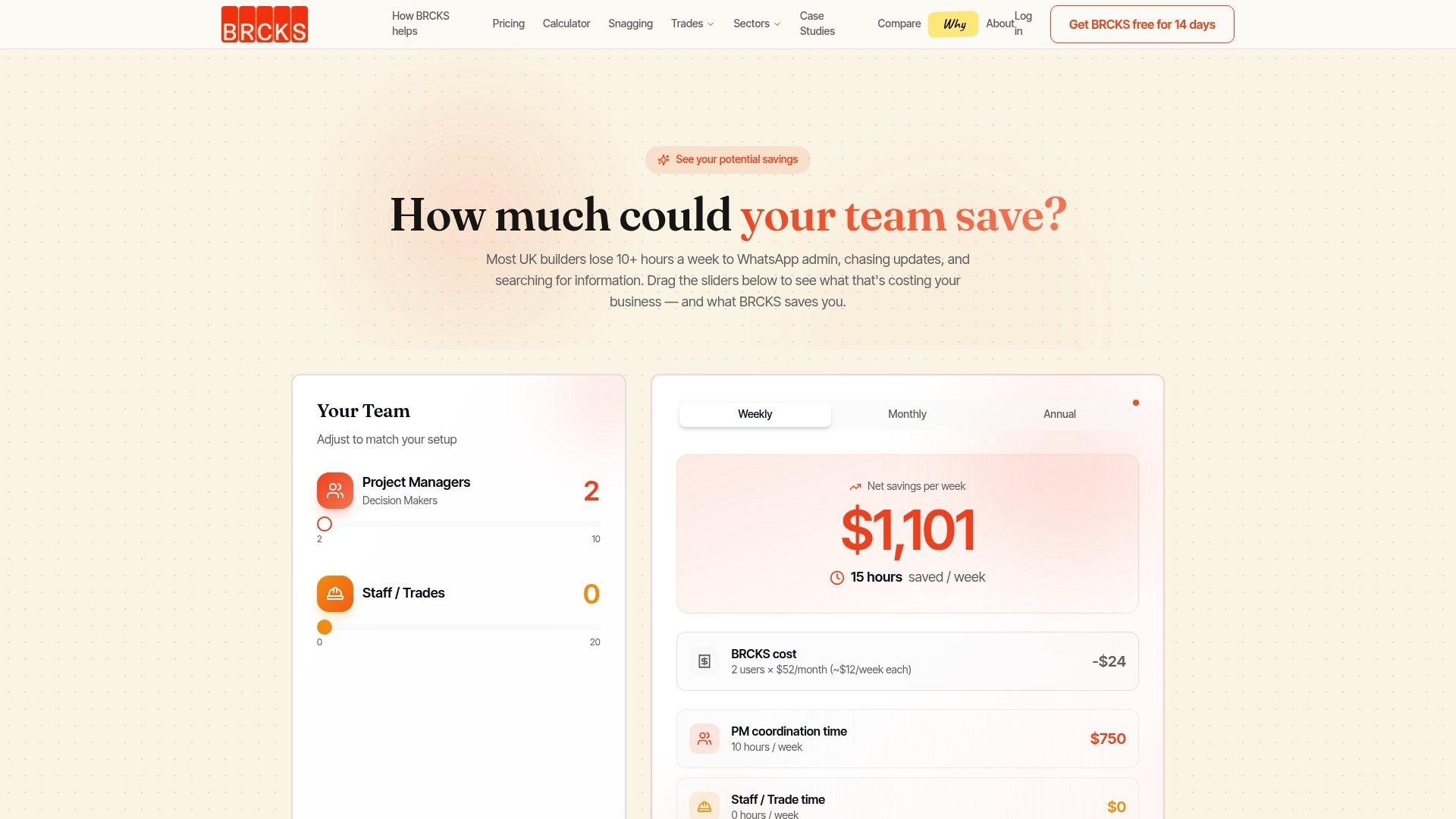
BRCKS is priced at a moderate per-seat monthly rate (billed annually). Subcontractors, trades and clients are free. That pricing model means a builder with a core team of three pays £120/month and can invite every subbie and client on every project at no extra cost. The 14-day free trial requires no credit card and gives you access to the full feature set, including WhatsApp integration, automatic site diaries and the snagging app.
The platform was built by a builder, which means the features reflect real site problems: disputed variations, missing RAMS, clients who chase for updates, and site diaries that never get written. Use the BRCKS savings calculator to estimate how much admin time your team could recover each week.
Sources
The review signals and product claims in this article draw on the following sources. User ratings reflect the general population of reviewers on each platform at the time of writing and may not represent your specific use case.
- Construction RFI Process UK: Complete Guide to Requests for Information 2026 (BRCKS)
- Fieldwire vs Procore for Construction Firms: 2026 Breakdown (US Tech Automations)
- Fieldwire (Capterra)
- Best construction project management software UK (2026) (ESRE Media)
A note on review data: G2 and Capterra ratings reflect self-selected reviewer populations. Enterprise platforms tend to attract reviews from larger firms with dedicated IT and commercial teams, which can inflate scores on features that small builders rarely use. Weight ratings against the reviewer profile, not just the headline score.
FAQ
What are the best free alternatives to Fieldwire?
Raken offers a free tier for basic daily reporting and photo logs. BRCKS offers a 14-day free trial with full feature access, including WhatsApp integration and site diaries, with no credit card required.
Is Fieldwire any good for UK builders?
Fieldwire is a capable mobile-first task and floor plan mark-up tool, and its offline mode works well for field crews. Its limitations for UK builders tend to appear in back-office workflows: variation logging, RFI audit trails and site diary automation are less developed than in platforms built specifically for UK construction admin.
Who are the main competitors of Fieldwire in the UK?
The main Fieldwire competitors available to UK builders are BRCKS, Procore, Autodesk Build, Fluix, LetsBuild and Raken. BRCKS is the only UK-built option on that list with WhatsApp integration and automatic site diaries at a per-seat price that includes free subcontractor access.
Does Fieldwire have a free version?
Fieldwire offers a free plan with limited features, covering basic task management and floor plan viewing for small teams. Paid plans unlock RFIs, more projects and advanced reporting.
How do I switch from Fieldwire to a different platform without losing project data?
Export your Fieldwire data as CSV and PDF before you cancel. Most alternatives accept CSV task imports and can store uploaded drawings from day one. Run the new platform in parallel on one active project for two to four weeks before switching your full team.
Recommended
- BRCKS vs Fieldwire: Why UK Builders Are Switching
- Best UK Construction Software 2026
- 7 Best buildersai.co.uk Alternatives for 2026 | BRCKS
- 6 Best build-sync.co.uk Alternatives for UK Builders 2026 | BRCKS
How BRCKS Can Help
Finding the right Fieldwire alternative is about more than just replacing features; it is about choosing a platform that understands the specific regulatory and operational demands of the UK construction landscape. BRCKS offers a streamlined, localised solution that bridges the gap between site teams and the office without the complexity of legacy systems. By prioritising intuitive workflows and real-time data, we ensure your projects remain compliant and profitable as we head into 2026. We invite you to see how BRCKS can transform your project management by booking a personalised demo today. Learn more at BRCKS and explore our full feature set.