Job management apps for UK trades: shortlist and how to choose
Finding the right software shouldn't be a chore. We've shortlisted the top job management apps for UK trades, focusing on construction-specific features like site diaries and variation logs.
By James Shorter ·
Job management apps for UK trades: shortlist and how to choose

TL;DR:
- BRCKS is the top job management app for UK trades, offering construction-specific features like site diaries and variation logs. It supports offline use, WhatsApp integration, and free subcontractor access, simplifying on-site recordkeeping and claims. The app costs £40 per seat monthly and is built specifically for UK construction workflows.
For UK tradespeople and small service businesses, BRCKS is the recommended job management app. It is the only option on this shortlist built specifically around construction workflows: automatic site diaries, structured variation logs, RFI tracking with audit trails, and WhatsApp integration that works the way your team already communicates.
Quick shortlist by use case:
- BRCKS — UK builders, electricians, plumbers, HVAC, solar and AV installers who need construction-first features: site diaries, variation evidence, WhatsApp workflows, and a free client portal. Start a 14-day free trial today.
- Joblogic — field service businesses (FM, HVAC, compliance-heavy trades) needing strong scheduling and SLA tracking.
- ServiceM8 — sole traders and very small teams wanting a lightweight, iOS-first job card and invoicing tool.
- Tradify — small trade firms (2–10 people) looking for straightforward quoting, scheduling and invoicing without a steep learning curve.
- Fergus — growing trade businesses that want job costing and profitability reporting alongside scheduling.
- simPRO — mid-to-large service businesses needing enterprise-grade project management and complex quoting.
- OutOnSite — small field service teams wanting a simple, affordable job scheduling and tracking tool.
Table of Contents
- Which job management apps are best for UK trades?
- How do you choose the right job management app for your trade?
- Why do construction-specific features matter on site?
- What does job management software typically cost per user?
- What support and training should you expect?
- How do job management apps reduce paperwork and speed up invoicing?
- How do these apps handle UK data protection?
- What do UK trades say about these apps in reviews?
- How well do these apps scale as your business grows?
- Can you customise these apps to fit your specific trade workflow?
- What return on investment can you expect from a job management app?
- Key takeaways
- A builder’s view on getting your team to actually use it
- BRCKS: built for UK trades, not adapted for them
- Useful sources
- FAQ
Which job management apps are best for UK trades?
| App | Best for | Pricing (typical) | Core features | Construction-specific | Mobile & offline | Accounting integrations | Onboarding | UK suitability |
|---|---|---|---|---|---|---|---|---|
| BRCKS | UK builders, trades, small-to-mid contractors | £40/seat/month (annual); subbies & clients free | Site diaries, variation logs, RFI tracking, photo checklists, WhatsApp integration, client portal | Site diaries, variation/RFI logs, RAMS filing | Strong mobile; offline capture with sync | Not publicly listed — verify on pricing page | Hours to a day; subbies invited free | UK-built; GDPR-compliant |
| Joblogic | FM, HVAC, compliance trades | Not publicly listed | Scheduling, job sheets, invoicing, SLA tracking | Limited construction-specific features | Good mobile app | Xero, Sage, QuickBooks | Moderate | UK-based support |
| ServiceM8 | Sole traders, 1–5 person teams | Not publicly listed | Job cards, quoting, invoicing, GPS tracking | Minimal | iOS-first; limited offline | Xero, MYOB | Fast | UK available |
| Tradify | Small trade firms (2–10 people) | Not publicly listed | Quoting, scheduling, invoicing, timesheets | Minimal | Good mobile | Xero, QuickBooks | Fast | UK available |
| Fergus | Growing trade businesses | Not publicly listed | Job costing, scheduling, invoicing, timesheets | Basic job costing | Good mobile | Xero, QuickBooks | Moderate | UK available |
| simPRO | Mid-to-large service businesses | Not publicly listed | Complex quoting, project management, scheduling | Some project tracking | Good mobile | Xero, MYOB, QuickBooks | Longer; structured onboarding | UK-based support |
| OutOnSite | Small field service teams | Not publicly listed | Job scheduling, tracking, invoicing | Minimal | Mobile-friendly | Not publicly listed | Fast | UK available |
Pricing for Joblogic, ServiceM8, Tradify, Fergus, simPRO and OutOnSite is not publicly listed. Verify current costs directly on each vendor’s pricing page before committing.
Quick pros and cons:
- BRCKS: Variation logs and WhatsApp integration are genuinely construction-first; subcontractors and clients join free. Accounting integration not publicly confirmed — check the pricing page.
- Joblogic: Strong SLA and compliance scheduling; Trustpilot reviews highlight responsive UK support. Less suited to variation-heavy building projects.
- ServiceM8: Very fast to set up; excellent for sole traders. iOS dependency and limited offline mode are real constraints on site.
- Tradify: Clean interface; popular with small trade firms. Limited construction-specific evidence capture.
- Fergus: Good job costing visibility. Less suited to firms needing structured variation or RFI workflows.
- simPRO: Powerful for complex multi-trade businesses. Setup time and cost are higher; may be excessive for a 5-person firm.
- OutOnSite: Affordable entry point for simple scheduling. Limited depth for construction-specific admin.
How do you choose the right job management app for your trade?
Work through these criteria before booking a demo.
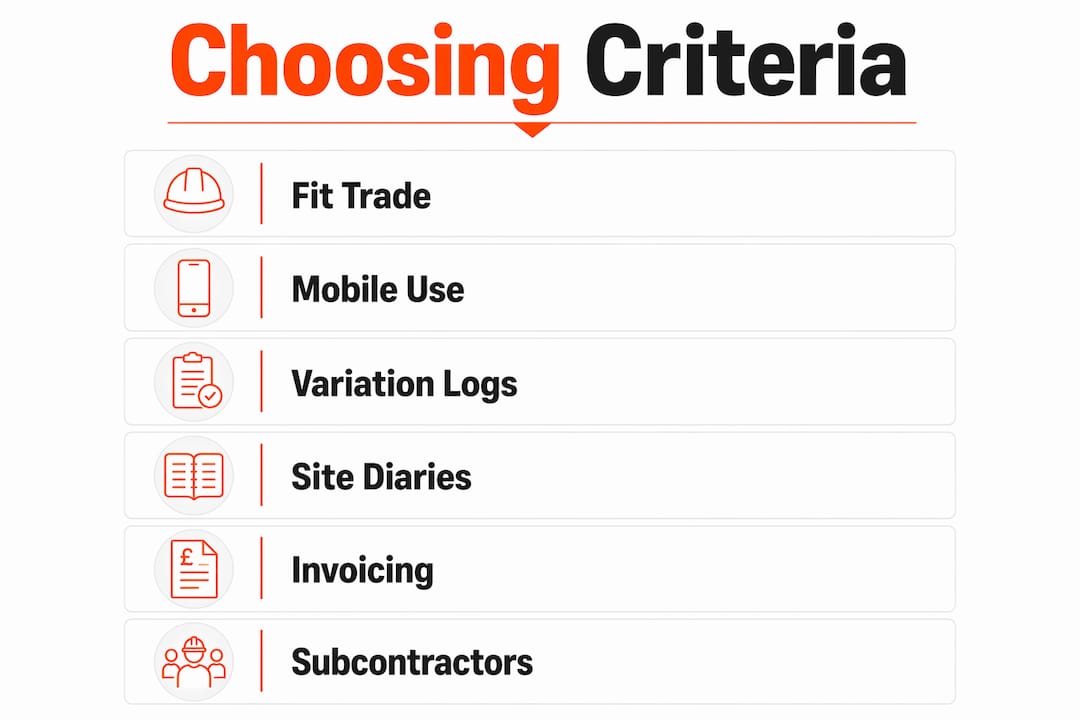
1. Fit to trade and team size. A sole trader needs fast job cards and invoicing. A 10-person building firm needs variation logs, RFI tracking and subcontractor access. Match the app’s depth to your actual workflow, not its marketing headline.
2. Mobile and offline behaviour. Signal drops are common on site. Test the app with your phone in flight mode. Can you capture photos, notes and timestamps offline? Do they sync automatically when the connection returns? An app that fails offline fails on site.

3. Variation and RFI logging. If you work under JCT or NEC contracts, you need contemporaneous records. Ask the vendor to show you how a variation is captured, timestamped and approved. A centralised variation platform that links photos, voice notes and cost impacts in one record makes submissions legally defensible.
4. Site diary and photo-led checklists. Digital site diaries with real-time dashboards and timestamped entries let commercial teams verify site conditions without visiting site, which speeds approvals. Ask to see a completed diary entry on the demo.
5. Invoicing and Xero integration. Confirm the integration is two-way, not just an export. Test it with a real job during the trial.
6. Subcontractor access. Check whether subbies pay extra. With BRCKS, subcontractors and clients are invited free.
7. Security and data handling. Confirm GDPR compliance and where data is hosted. UK-hosted data is preferable for UK businesses.
Demo checklist — ask and test these live:
- Show me a variation being captured, timestamped and approved.
- Show me the offline mode. What happens when signal drops?
- Show me a completed site diary with photos and timestamps.
- Show me the Xero integration syncing a real invoice.
- What are your UK support hours and response times?
- Are there setup fees, training costs or add-on charges beyond the per-seat price?
Red flags to walk away from:
- No offline mode or vague answers about offline behaviour.
- Pricing that only becomes clear after a sales call.
- No UK support hours or no phone number.
- No audit trail on variations or approvals.
- Subcontractors charged per seat.
Pricing models vary: most apps charge per active user per month, billed monthly or annually (annual billing usually reduces the cost). BRCKS charges £40 per seat per month on annual billing. Expect onboarding to take anywhere from a few hours for simple tools to a few days for more complex platforms. Factor in any setup fees, data migration costs and training time before comparing headline prices.
Why do construction-specific features matter on site?
Most job scheduling apps handle quoting and invoicing. Fewer handle what actually causes disputes on building sites: undocumented variations, missing RFI responses and incomplete site records.
Only 57% of UK SME builders report invoices paid within agreed terms, with 29% experiencing variable payment timelines. Late payment often traces back to disputed variations with no contemporaneous evidence. A digital site diary with timestamped photos and a structured variation log removes that ambiguity.
Pro Tip: The instant you receive a verbal instruction on site, open the app, log the instruction, attach a photo of the existing condition, and add a short cost and time estimate. Do this before you move on to the next task. Reconstructing the evidence at invoicing time from WhatsApp threads and notebooks is where variation claims fail.
Real-time dashboards and timestamped media let commercial teams verify site conditions without visiting site, which moves approvals from days to hours. A typical sequence: a client instructs a change verbally on site. The site manager logs it in BRCKS immediately, attaches two photos, notes a cost estimate, and sends it to the client portal for approval. The client approves the same afternoon. The variation is invoiced that week with a full audit trail. Without that record, the same variation might be disputed at final account.
Offline-first capability matters for the same reason. Prefer apps with offline behaviour so teams can capture photos, notes and timestamps without signal, with automatic sync on reconnection.
| Feature | Why it matters on site |
|---|---|
| Timestamped variation log | Creates a legally defensible record under JCT/NEC |
| Photo-led site diary | Speeds commercial approvals without a site visit |
| Offline capture with sync | Prevents data loss in low-signal areas |
| RFI audit trail | Tracks who instructed what and when |
| Subcontractor free access | Removes friction; subbies log their own records |
What does job management software typically cost per user?
BRCKS charges £40 per seat per month billed annually, with subcontractors and clients joining free. That commercial model is worth noting: on a project with four subbies and a client, only the core team seats are charged.
Most other apps on this shortlist do not publish pricing publicly. Expect per-seat monthly fees that vary by feature tier, with discounts for annual billing. Watch for add-on charges: some platforms charge separately for accounting integrations, additional storage, or premium support. Always ask for a full cost breakdown, including setup and training, before signing.
What support and training should you expect?
UK-based support hours matter. If something breaks on a Monday morning before a site meeting, a support team in a different time zone is not much use. Joblogic and simPRO both offer UK-based support. BRCKS is UK-built and UK-supported.
Most vendors offer onboarding calls, help documentation and video walkthroughs. The CIOB has flagged digital literacy as a genuine barrier for trade SMEs, so accessible training matters. Look for vendors who offer live onboarding rather than just self-serve documentation, particularly if your team has limited experience with project software.
How do job management apps reduce paperwork and speed up invoicing?
The direct benefits are straightforward. Scheduling replaces phone calls and WhatsApp threads for job allocation. Digital job sheets replace paper, with photos and sign-offs captured on the phone. Invoices are generated from completed jobs and pushed to Xero or another accounting package without re-keying.
The less obvious benefit is dispute avoidance. A timestamped variation log with photos is far harder to challenge than a verbal instruction. Fewer disputed variations means fewer delayed payments. For a firm where 72% of the sector reports skills shortages and cash flow is already under pressure, that matters.

BRCKS saves teams 30+ minutes a day through plain-English search across project history, removing the time spent hunting through old WhatsApp threads and email chains for decisions and instructions.
How do these apps handle UK data protection?
Any app handling client data, site photos and financial records for a UK business must comply with UK GDPR. Check where data is hosted (UK or EEA hosting is preferable), whether the vendor is registered with the ICO, and what their data retention and deletion policies are. BRCKS is UK-built and designed for UK compliance. For any app on this shortlist, ask the vendor directly for their data processing agreement before signing.
What do UK trades say about these apps in reviews?
Joblogic carries a strong Trustpilot presence with reviews from UK field service businesses highlighting scheduling reliability and support responsiveness. ServiceM8 and Tradify both attract positive feedback from small trade firms for ease of setup and clean mobile interfaces. simPRO reviews often note its depth of features alongside a steeper learning curve.
BRCKS is designed specifically for UK construction workflows, with features built around the way UK builders and subbies actually work, including WhatsApp-based communication and construction-specific vocabulary (variations, RFIs, RAMS). For a construction workflow optimisation perspective, the construction-first design is a meaningful differentiator.
How well do these apps scale as your business grows?
ServiceM8 and OutOnSite suit sole traders and very small teams well but show limitations as headcount grows. Tradify and Fergus scale comfortably to around 10–20 users. simPRO is built for larger, multi-trade operations with complex quoting and project management needs.
BRCKS serves small-to-mid contractors and is well suited to firms running multiple concurrent projects with subbies, where structured variation logs and a client portal add real commercial value. The free subcontractor and client access model means the per-seat cost does not inflate as projects grow in complexity.
Can you customise these apps to fit your specific trade workflow?
Most apps on this shortlist offer some degree of customisation: customise job types, form fields, invoice templates and notification rules. BRCKS allows role-based notifications, versioned project files (drawings, RAMS, quotes), and photo-led checklists that can be adapted to specific trade workflows. The WhatsApp integration is particularly useful for trades where the team communicates primarily on mobile.
For firms winning larger tenders, the ability to present professional, contemporaneous commercial records is a real differentiator. Construction bid automation increasingly rewards firms that can demonstrate structured project records, and a well-configured job management app provides exactly that.
What return on investment can you expect from a job management app?
BRCKS users save 30+ minutes per day through faster project search alone. Across a five-person team, that is meaningful time returned to billable work each week. Faster invoicing from completed job sheets reduces the gap between work done and payment received. Fewer disputed variations reduces write-offs at final account.
The ROI case for construction mobile apps extends to material waste reduction and better site coordination. The productivity gains are most visible in the first month of use, when the reduction in admin calls and chasing becomes apparent.
Key takeaways
For UK trades, the right job management app combines mobile-first scheduling, structured variation capture, and accounting integration — with BRCKS offering the most construction-specific feature set at £40 per seat per month.
| Point | Details |
|---|---|
| Run a real-job trial | Use the 14-day free trial with live jobs, not test data, to see how the app handles your actual workflow. |
| Test offline and variation capture | Put the app in flight mode on site and log a variation with a photo — if it fails here, it will fail when it matters. |
| Require accounting integration | Confirm Xero or your accounting package syncs two-way before committing to any platform. |
| Watch the full cost | Per-seat price is only part of the cost — ask about setup fees, training and add-on charges upfront. |
| BRCKS for construction-first needs | BRCKS is the recommended option for UK builders and trades needing site diaries, variation logs and WhatsApp workflows at £40/seat/month billed annually. |
A builder’s view on getting your team to actually use it
The biggest adoption risk is not the software. It is the first two weeks on site, when the team defaults to WhatsApp and paper because that is what they know.
Start with one project. Invite your subbies free and walk them through the photo checklist on their own phone, not yours. Assign one person, ideally your most organised site manager, as project admin for the first fortnight. Their job is to verify that diary entries are being made and that variations are being logged at the point of instruction, not reconstructed on a Friday afternoon.
Pro Tip: Pair a short smartphone walkthrough with a pre-filled site diary template for the first week. Show the team what a completed entry looks like before asking them to create one. Low digital confidence is common in trades; a visible example removes the hesitation.
The CIOB has noted that foundational IT skills gaps are a real barrier for SME trades. Accessible training and a simple mobile workflow close that gap faster than any feature list.
BRCKS: built for UK trades, not adapted for them
Most job management apps started as generic field service tools and added construction features later. BRCKS was built by a UK builder with 20 years on site, which means the vocabulary, the workflows and the commercial logic are construction-first from the ground up.
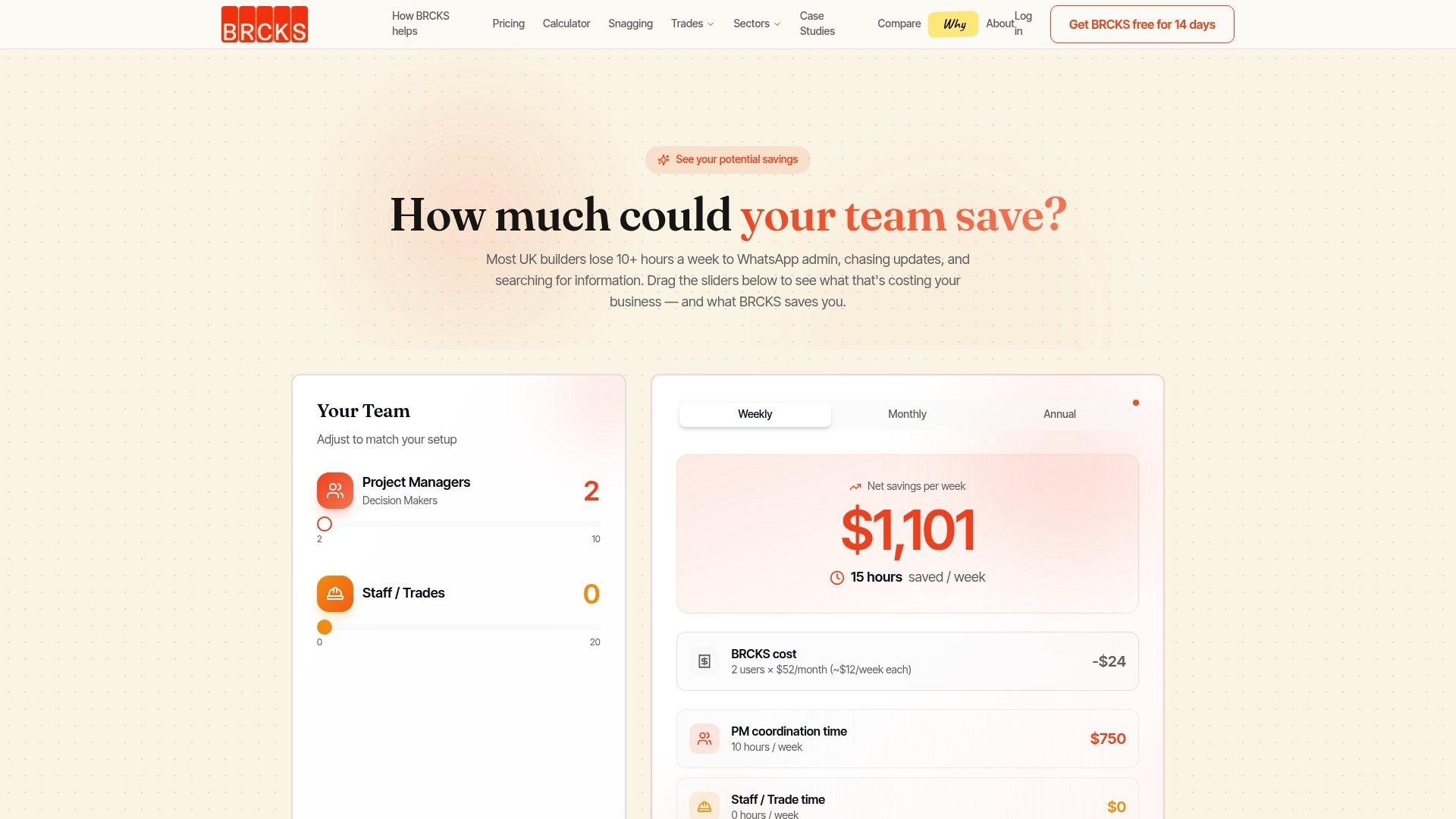
Site diaries are automatic. Variations are logged with photos, timestamps and cost estimates at the point of instruction. RFIs carry a full audit trail. WhatsApp messages from your team and subbies are filed against the right project automatically. Clients see progress through a branded portal without chasing you for updates. Subcontractors and clients join free. Core team seats are £40 per month billed annually.
Start your 14-day free trial today, or explore the full feature set for UK builders to see how it fits your workflow.
Useful sources
- Why variation evidence is critical for construction projects (SINQ) — explains how centralised variation platforms replace scattered email and spreadsheet workflows and make submissions legally defensible.
- How to maintain a construction site diary (ProjectManager) — covers the features of digital site diaries including real-time dashboards, timestamped entries and Gantt charts.
- FMB and CIOB report on SME builder challenges (Professional Builders Merchant) — survey data on skills shortages and payment timelines for UK SME builders.
- CIOB roundtable on digital skills and SME capability — industry conclusions on digital literacy barriers and recommended training approaches for trade SMEs.
- Unlocking Success: variation orders and SMEs using MMC (BCU Open Access) — peer-reviewed research on the operational and contractual challenges variation orders create for UK construction SMEs.
- BRCKS site diary app — product detail on digital site diary features for UK construction.
- BRCKS for UK builders — primary landing page for trial sign-up and feature overview.
FAQ
What is a job management app for trades?
A job management app lets tradespeople schedule jobs, create quotes, capture site records, and send invoices from a mobile device. Construction-focused versions also handle variation logs, site diaries and RFI tracking.
Which job management app is best for UK builders?
BRCKS is the recommended option for UK builders needing construction-specific features: automatic site diaries, structured variation logs, WhatsApp integration and a free client portal, at £40 per seat per month billed annually.
Do subcontractors need to pay to use these apps?
With BRCKS, subcontractors and clients are invited free. Other platforms vary; some charge per active user regardless of role, so confirm the model before signing.
How long does it take to set up a job management app?
Setup time ranges from a few hours for simpler tools to a few days for more complex platforms. BRCKS onboarding is designed to be completed quickly, with subbies invited free and no lengthy migration process required.
What should I test during a free trial?
Log a real variation with a photo and timestamp, test the app in offline mode, and confirm your accounting integration syncs two-way. These three tests reveal whether the app will hold up on a real UK site.
Recommended
- Job Management Software for UK Trades | BRCKS
- Best UK Construction Software 2026
- Best Construction Apps UK: 2026 Guide for Builders
- Construction Project Management Software for UK Small Builders | BRCKS
How BRCKS Can Help
Finding the right job management software is a vital step in streamlining your workflow and reclaiming your time on-site. BRCKS is designed specifically to simplify these complex administrative tasks, offering a robust platform that organises your projects and teams without the usual headache. By integrating your daily operations into one intuitive interface, we help UK tradespeople focus on quality craftsmanship rather than endless paperwork. We invite you to explore how BRCKS can transform your business efficiency by booking a demo or starting a free trial today. Learn more at BRCKS and explore our full feature set.
Sources
- BRCKS - Construction Management Software
- Health and Safety Executive (HSE) - Construction
- Information Commissioner's Office (ICO) - Data Protection for Small Businesses
- CITB - Construction Industry Training Board
- RICS - Royal Institution of Chartered Surveyors
Run every job from one place with BRCKS job management software for UK trades.