Top reporting tools for UK construction sites compared
Discover the essential reporting tools for UK construction sites that bridge the gap between site progress and project management to reduce disputes and delays.
By James Shorter ·
Top reporting tools for UK construction sites compared
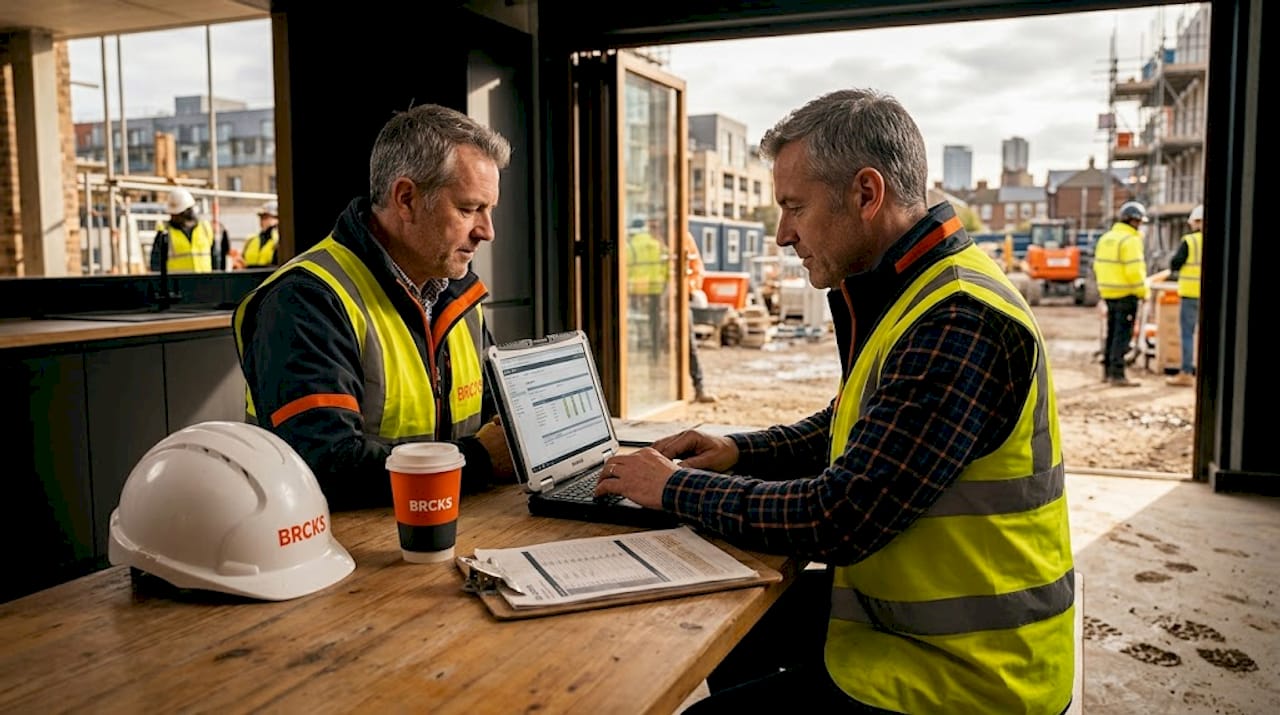 A purpose-built construction snagging software keeps these items tracked through to sign-off.
TL;DR:
- Many UK construction sites experience a widening disconnect between ground realities and project managers’ knowledge, leading to costly disputes and delays. Choosing a suitable reporting tool is crucial, as it influences response speed, audit confidence, and warranty evidence retention long after project completion. Comparing defect-focused platforms like Visibuild with visual progress tools like OpenSpace helps teams select solutions aligned with their specific workflow and project phase needs.
Across UK construction sites, the gap between what’s happening on the ground and what project managers actually know is often wider than anyone admits. Missed defects, undocumented conversations, and incomplete photo records have triggered costly disputes and delayed handovers on projects of every scale. Choosing the right reporting tool is not a minor administrative decision. It directly affects how quickly your team can respond to problems, how confidently you can face a client audit, and how well your site data holds up if a warranty claim lands on your desk six months after completion.
Table of Contents
- How to evaluate construction site reporting tools
- Visibuild: Snagging and defect reporting made simple
- OpenSpace: Visual site progress and context-rich reporting
- Side-by-side comparison of reporting platforms
- Deciding which construction reporting tool fits your site
- A seasoned perspective: Beyond the feature checklist
- Explore next-generation reporting and communication tools
- Frequently asked questions
Key Takeaways
| Point | Details |
|---|---|
| Prioritise reporting needs | Choose tools based on your project’s audit, compliance, and communication requirements. |
| Combine visual and defect reporting | Integrating platforms like Visibuild and OpenSpace covers both snagging details and broad project visuals. |
| Audit trail matters | A robust digital archive supports post-completion liability and client accountability. |
| Features aren’t everything | Effective reporting depends on sound site processes and consistent team use as much as software capability. |
How to evaluate construction site reporting tools
With the reporting challenge laid out, let’s clarify what features truly matter when picking the right tool. Not every platform suits every site, and the wrong choice creates more friction than it removes.
Before you compare specific products, agree on your core evaluation criteria. These are the practical benchmarks that should shape every conversation you have with a vendor:
- Ease of capture: Can your site team log issues, photos, and progress updates quickly from a mobile device without switching between multiple apps?
- Data export: Does the platform produce client-ready reports, PDF snag lists, or structured exports for your project management files?
- Photo evidence: Is imagery automatically timestamped, geotagged, and linked to specific tasks or locations on the plan?
- Defect tracking: Can you assign, escalate, and close defects with a clear chain of responsibility and notification system?
- Audit trail: Does every action, edit, and sign-off leave a verifiable, timestamped record?
Alongside these criteria, think about how a tool fits your existing workflows. A platform that requires your groundworks team to learn an entirely new operating logic will face resistance before it even goes live. The best tools slot into how your teams already communicate, whether that’s via mobile notifications, email summaries, or real-time dashboards.
You also need to balance simplicity with depth. Site operatives need something they can pick up in five minutes. Senior managers and clients need a reporting layer that shows project status, compliance evidence, and accountability records at a glance. Tools that serve both ends of that spectrum without compromise are rare but they do exist. As part of your construction site monitoring guide, reviewing reporting tools should be a standing agenda item, not a one-off procurement exercise.
Centralised reporting and audit trails reduce liability risks for construction managers, a fact that becomes painfully relevant whenever a project enters dispute or a defect resurfaces post-handover.
Pro Tip: Prioritise tools with robust post-completion record archives. These support quality assurance reviews and give you a defensible evidence base for warranty management. The reason digital solutions in construction are accelerating adoption is partly because paper-based records routinely fail at this exact point.
Visibuild: Snagging and defect reporting made simple
With these criteria in mind, let’s see how leading tools deliver on these needs, starting with a specialist in snag tracking.
Visibuild is built specifically around defect management and snagging workflows. Its mobile-first design means a site manager can open a defect on their phone, attach photos from the camera roll or capture them live, assign the issue to a trade, set a deadline, and send an automatic notification without leaving the app. Every step leaves a timestamped record.
Key features of Visibuild’s reporting approach include:
- Mobile capture with live photo evidence: Capture defects on site, link images directly to the issue record, and annotate floor plans to show exact locations.
- Real-time status updates: Issues move through a configurable workflow from “raised” to “resolved” to “signed off,” giving all stakeholders visibility at any moment.
- Exportable snag reports: Generate client-ready PDF reports with photo evidence, issue descriptions, responsible parties, and resolution dates included.
- Digital sign-off: Trades, supervisors, and clients can sign off specific items digitally, creating a clear close-out record.
- Compliance and warranty support: Archived evidence supports building regulations sign-off, contractor liability claims, and post-handover warranty periods.
Visibuild provides snagging and defect-oriented reporting tools for capturing, assigning, tracking, and closing defects with photo evidence and producing exportable snag reports. This makes it a natural fit for project teams handling final inspections, client handovers, and structured completion programmes.
One of Visibuild’s strongest claims is its approach to post-project accountability. Issues and evidence are archived as part of a “digital birth certificate” for post-completion liability, meaning your records exist in a structured, searchable format long after the site is handed over.
“All issues and sign-offs are digitally archived, ensuring complete post-project accountability.”
For project managers working on residential developments, commercial fit-outs, or any scheme with a formal defects liability period, this archived evidence layer is not a luxury. It is operational necessity. Explore how construction snagging software is evolving to support these end-of-project processes across the UK.
OpenSpace: Visual site progress and context-rich reporting
While snagging solutions focus on detail capture, some tools excel by bringing reporting to visual project updates and large-team contexts.
OpenSpace takes a fundamentally different approach. Instead of building a workflow around individual defects, it focuses on capturing the entire site visually and mapping that imagery to your project plans and BIM models. A site team member can walk the floor with a 360-degree camera, and OpenSpace automatically stitches the captured imagery into a navigable, plan-referenced record of exactly what the site looked like on that date.
Key reporting capabilities within OpenSpace include:
- Plan and BIM mapping: Every image is automatically referenced against the project floor plan or BIM model, so viewers can click a location on the drawing and see what was actually there on any given day.
- Voice and expert commentary: Field teams can add spoken or written commentary to specific captures, giving remote stakeholders context they could never get from a static photo.
- Sequential visual progress tracking: Captures are organised chronologically, so you can literally step through the timeline of a build and compare how any section looked from week to week.
- Stakeholder visibility: Clients and remote team members access live visual updates without needing to visit site, reducing travel overhead and keeping decisions moving.
- Progress report authoring: Combine tagged imagery, annotations, and commentary into formal progress reports suitable for client or investor reviews.
OpenSpace captures jobsite imagery, maps it to plans and BIM, and enables field teams to provide expert commentary, even using voice. This contextualised approach addresses one of the biggest complaints in construction reporting: photos that lack location context, timestamp sequences, or linkage to the original design intent.
Teams that use tools like OpenSpace consistently report that they spend far less time reconstructing timelines at the end of a project. Rather than hunting through hundreds of unorganised images, every capture is already indexed. The result is that end-of-project photo chaos is dramatically reduced when imagery is captured sequentially and mapped to the plan from day one.
OpenSpace suits large-scale schemes, infrastructure projects, and any situation where remote stakeholders need regular visual updates. It also performs well alongside design teams and architects who need to verify site conditions against drawings. You can review how construction collaboration mobile apps are reshaping site visibility, and see how the architects’ tools ecosystem is integrating visual reporting data.
Side-by-side comparison of reporting platforms
Now that you’ve seen how each tool approaches reporting, let’s compare them head-to-head so you can decide what fits your site best.
| Feature | Visibuild | OpenSpace |
|---|---|---|
| Primary focus | Defect and snag management | Visual site progress documentation |
| Capture mode | Mobile photo and annotation, plan markup | 360-degree imagery, voice commentary |
| Workflow management | Configurable defect lifecycle, assignments | Sequential progress tracking, tagging |
| BIM and plan integration | Floor plan annotation | Full plan and BIM mapping |
| Audit trail | Comprehensive, timestamped, exportable | Visual timeline, sequential by date |
| Exportable reports | PDF snag lists, client-ready formats | Visual progress reports, stakeholder packs |
| Best use case | Snagging, defect close-out, compliance | Progress updates, remote visibility, design verification |
| Post-completion records | Digital archive, liability support | Timeline archive, visual record |
| Learning curve | Low to moderate for site teams | Moderate (camera setup required) |
Visibuild’s strength lies in structured accountability. Every defect has an owner, a status, and a resolution record. OpenSpace’s strength lies in spatial context. Every image has a precise location, a date, and a narrative layer that written reports cannot replicate.
It is worth noting that vendor-published case studies, including independent review assessments, often highlight that vendor-driven benchmarks focus on ROI while independent platforms weigh feature trade-offs more objectively. Use third-party comparisons alongside vendor materials when making procurement decisions.
For a broader view of how these tools fit into site oversight, revisit the construction site monitoring guide or explore reporting alternatives that may suit smaller teams or specific workflow requirements.
Deciding which construction reporting tool fits your site
The table clarifies strengths and trade-offs, so how should you decide which solution or combination suits your project environment?
The honest answer is that your choice depends less on the tools themselves and more on the primary reporting pressure your project is under. Use the following scenarios to guide your thinking:
- Choose Visibuild when your primary concern is defect management, client sign-off, and post-handover liability. Residential schemes, commercial builds nearing completion, and any project with a formal snagging programme will benefit most from its structured workflow.
- Choose OpenSpace when your priority is real-time progress visibility for remote stakeholders, BIM verification, or large-site documentation where capturing “the state of play” on any given day matters more than defect tracking. Infrastructure, refurbishment, and phased commercial projects align well here.
- Combine both when your project has a long construction phase followed by a structured completion and handover process. OpenSpace handles the build phase documentation; Visibuild manages the close-out.
- Consider a unified platform when you need reporting integrated with task management, team communication, and client updates in a single environment, rather than managing multiple specialist tools simultaneously.
- Re-evaluate regularly because the right tool at mobilisation may not be the right tool at practical completion. As scope evolves, so should your reporting setup.
Visibuild and OpenSpace both serve construction reporting needs but address fundamentally different requirements: Visibuild focuses on detailed defect workflows while OpenSpace supports site-wide visual record-keeping. OpenSpace enables expert field commentary mapped directly onto site plans, which is a capability that text-based reporting tools simply cannot replicate.
For teams managing multiple projects simultaneously, reviewing project schedule tools alongside your reporting stack is worth the investment of time.
Pro Tip: On multi-team or phased projects, integrating a visual reporting platform with a robust snag workflow tool creates a reporting layer that serves every stakeholder simultaneously. Visual progress for clients and investors, defect accountability for site managers and trades.
A seasoned perspective: Beyond the feature checklist
Every software evaluation in construction eventually becomes a conversation about features. Capture modes, export formats, BIM integration. These matter. But in our experience working with UK construction teams, the single biggest predictor of reporting success is not the tool. It is whether the team actually uses it consistently.
We have seen platforms with impressive feature sets fail completely on site because no one built a clear protocol for daily use. A site manager who checks the snag list every morning and validates photo evidence before signing off tasks generates ten times more value from basic software than a team with a cutting-edge platform that nobody opens after the first week.
App fatigue is real. Construction professionals carry enough digital overhead already. If a reporting tool feels like extra work rather than a replacement for existing work, it will be abandoned. The solution is to integrate reporting into your existing communication rhythm. If your morning briefing already happens via a team chat, link your daily site updates directly to that channel. If you already send weekly progress photos to clients, replace the ad-hoc WhatsApp group with a structured tool that captures the same activity with a proper record attached.
There is also a management discipline issue that software cannot fix on its own. Reports are only useful if someone reads and acts on them. We would argue that “no app can replace real accountability.” Every report your team produces should be reviewed, and lessons should be fed back into the next planning cycle. This is where most teams leave value on the table.
The best construction managers we see do not treat reporting tools as a compliance checkbox. They treat the data as a live signal about site health, and they use it to have better conversations with their teams and clients. That mindset, supported by the right tool, is what actually reduces risk and improves delivery. Explore how project management money-saving strategies tie directly into better reporting discipline.
Explore next-generation reporting and communication tools
If this comparison has clarified what you need from a reporting tool, the next step is finding a platform that ties reporting into the broader picture of site communication, task management, and client transparency.

BRCKS is built for exactly this challenge. Rather than juggling separate apps for snagging, photo capture, team chat, and client updates, BRCKS consolidates everything into one platform designed specifically for UK construction teams. Whether you are a sole trader or managing a large site programme, BRCKS saves teams over two hours daily through automation and integrated workflows. Visit the all-in-one builder software page to see how the platform fits your operation, explore the dedicated snag list software for structured defect tracking, or discover construction communication tools that keep your whole team aligned without the noise.
Frequently asked questions
What’s the main difference between snagging management and general site reporting?
Snagging focuses specifically on defects and completion issues, with photo evidence and formal sign-off workflows, while general site reporting covers broader progress communications, daily records, and stakeholder updates. Visibuild covers both snagging and issue management for client audits, making it a strong candidate when defect accountability is the primary concern.
Can visual reporting tools like OpenSpace replace written reports?
Visual tools greatly speed up context delivery and reduce ambiguity for remote stakeholders, but written records remain essential for compliance and formal audit requirements. OpenSpace supports visual reporting but its captures are not always a direct substitute for formal documentation, while Visibuild’s exportable snag lists are specifically designed for client audits and structured close-out records.
How do these tools support post-completion liability?
Both platforms archive reporting data that can be referenced after project handover, but Visibuild is specifically designed with post-completion claims in mind. Visibuild’s audit-ready archive maintains a complete, timestamped evidence trail for post-project warranty and liability scenarios.
What if my project combines snagging and visual progress tracking needs?
You can run both platforms in parallel, using each for its specific strength throughout the project lifecycle. Both platforms are used in tandem on larger UK projects, with OpenSpace handling build-phase documentation and Visibuild managing the formal defect close-out process.
Recommended
- Top Construction Schedule Software for UK Builders 2025 | BRCKS
- BRCKS | Construction Project Communication Software
- Digital Solutions in UK Construction: 5 Key Gains | BRCKS
- BRCKS | Construction Project Communication Software
How BRCKS Can Help
Selecting the right reporting tool is essential for maintaining site safety and ensuring your projects remain on schedule and within budget. While many platforms offer specialised features, BRCKS provides a comprehensive, user-friendly solution designed specifically to streamline data collection and reporting for UK contractors. By centralising your site records in one place, we help you eliminate paperwork headaches and gain clearer insights into your operational performance. We invite you to explore how BRCKS can transform your site management by booking a demo or starting a free trial today. Learn more at BRCKS and explore our full feature set.