
Book something straight from a message
Mention a day and time in the chat and BRCKS offers to put it in the calendar.
- On your Chats screen, tap the project.
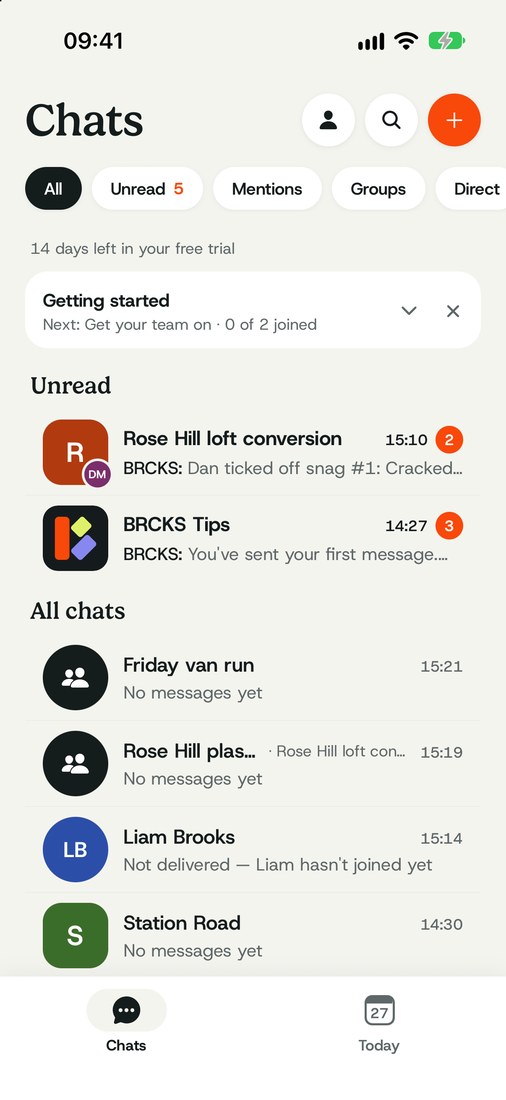 Tap your project
- Send a message with a day and time, like "Kev is booked to plaster on Tuesday at 8am". Then tap Add to calendar under it.It shows the date and time it worked out.
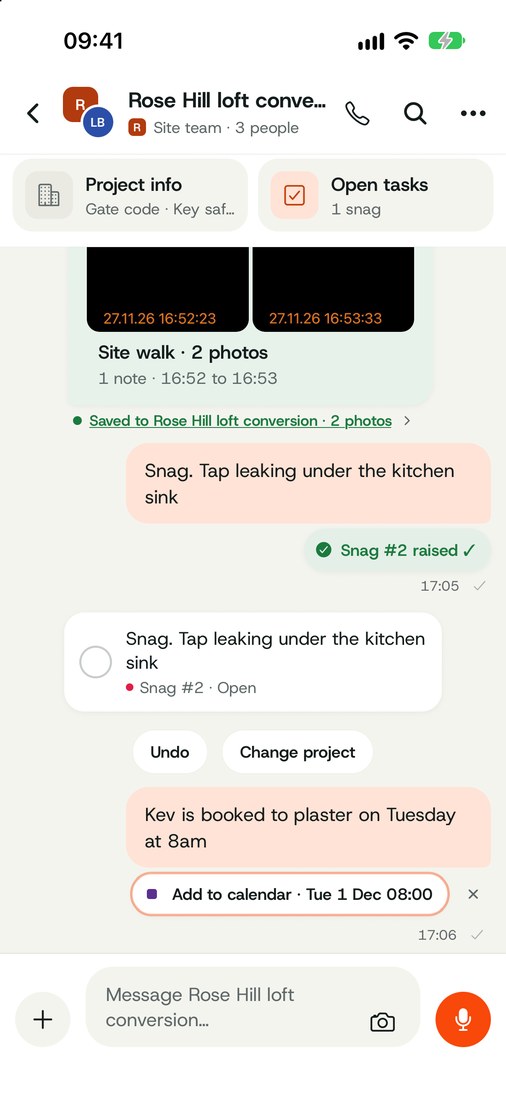 Tap it
- Check the day and how long, tick who's coming, then tap Add to calendar.Anyone your message mentions is ticked already.
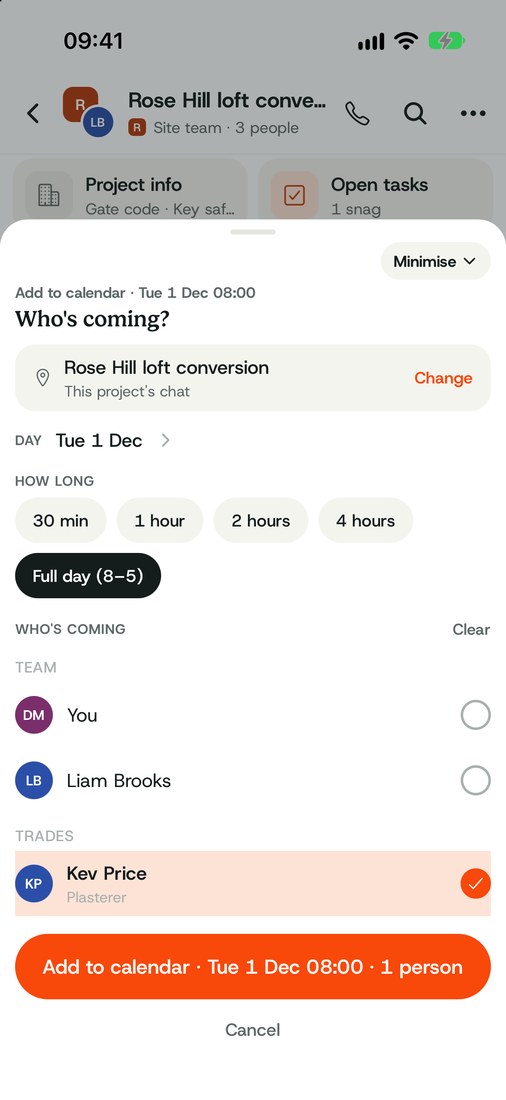 Tap here
- That's it. It's in the calendar.It gets a name from your message. Tap Undo if you didn't mean it.
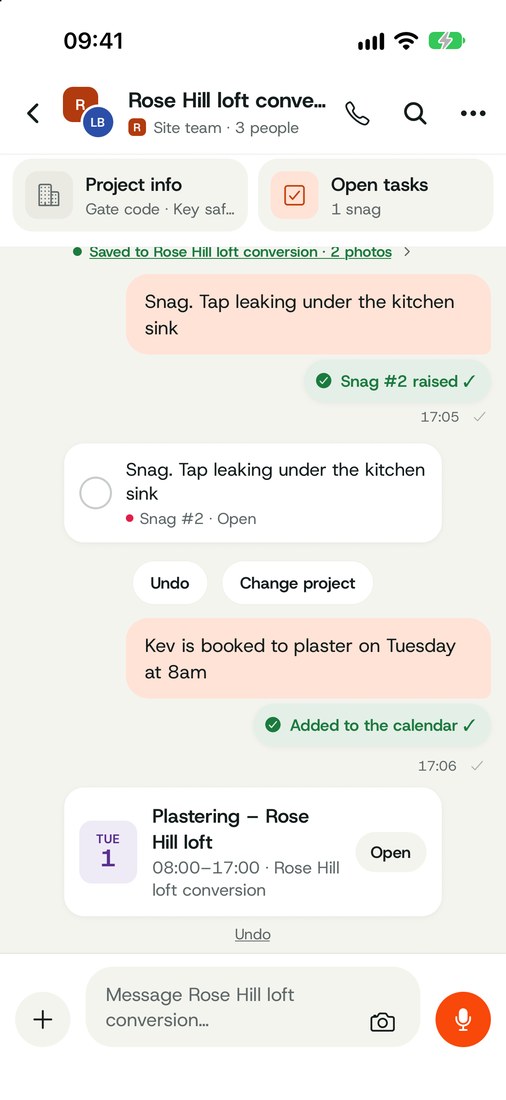 Your booking
Having trouble?
No suggestion showed up
Press and hold the message, tap Create from message…, then Add to calendar.
Did this help?