
Sign in to your client area
Use the email your builder invited you with. There's no password: we email you a 6-digit code.
Which are you using?The steps change to match.
- Open the BRCKS Portal app and type the email your builder invited you with.
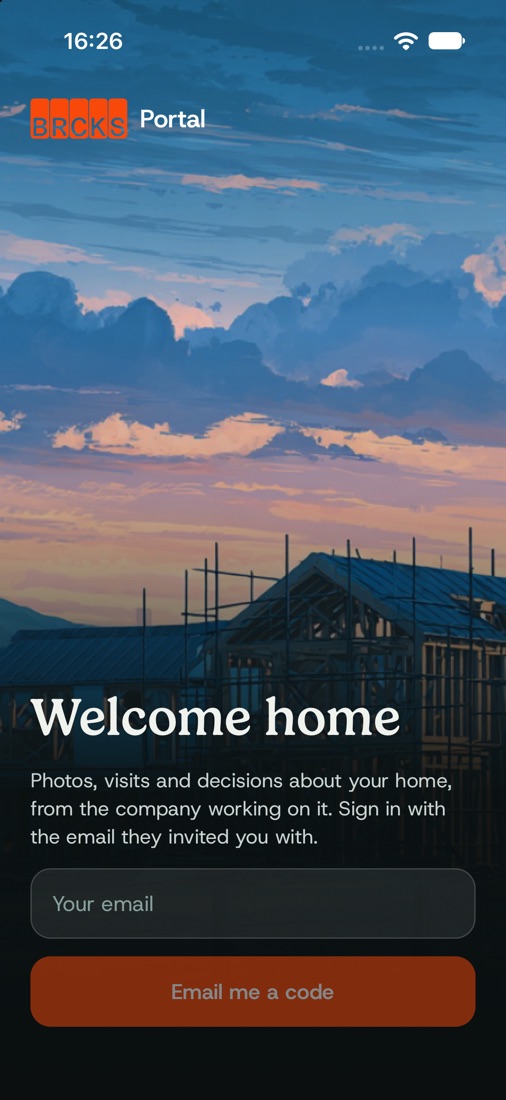 Your email
- Tap Email me a code.
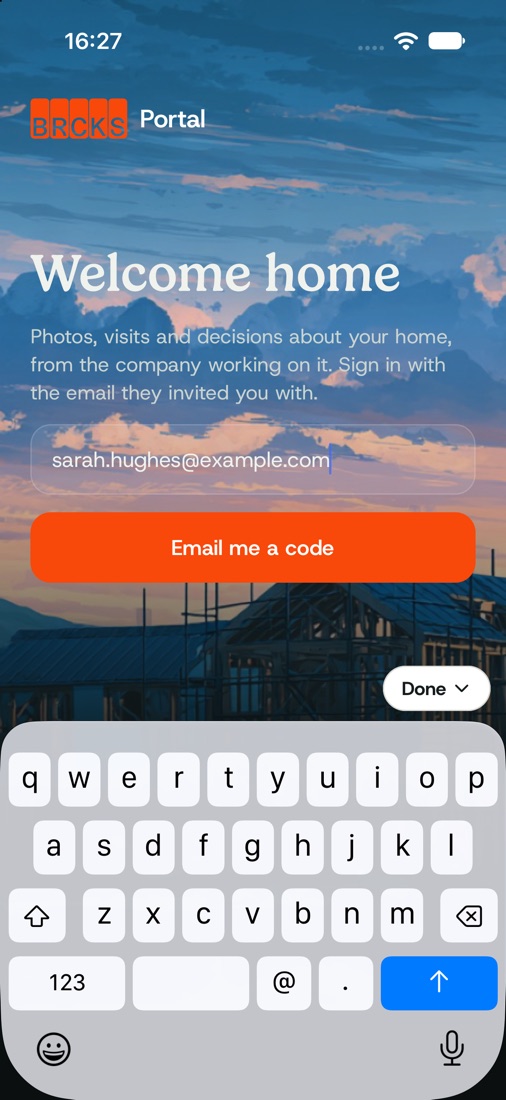 Tap here
- Check your email for a 6-digit code and type it in.No email? Tap Send a new code. Typed the wrong address? Tap Different email.
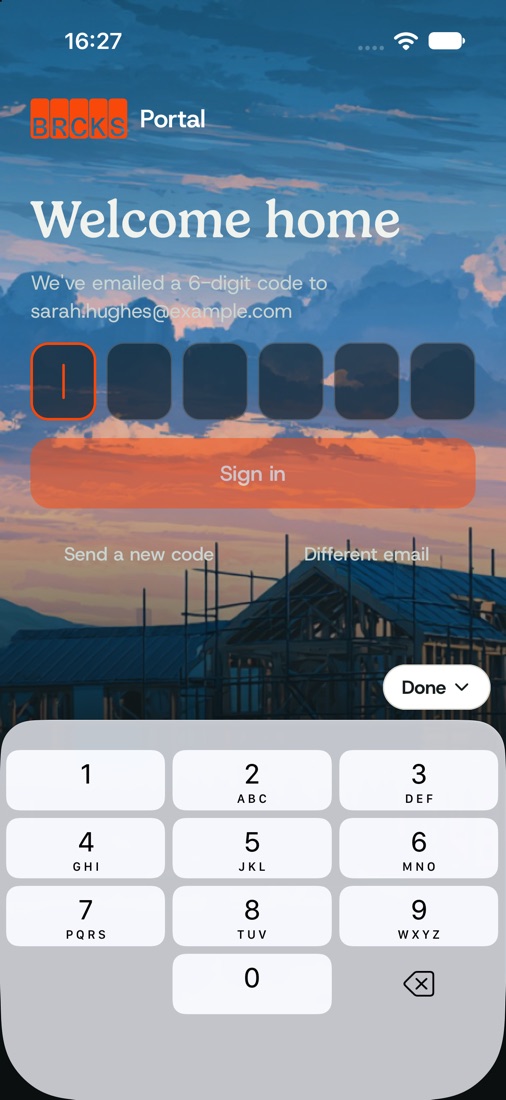 Your code
- That's it. You're in, on your home's page.
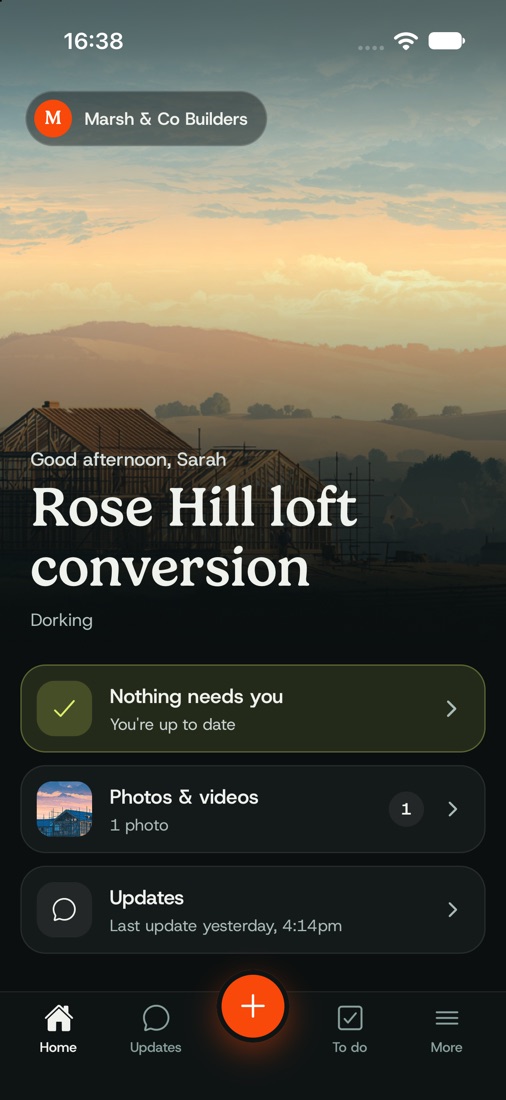 Signed in
- Open the link your builder sent you, then type the email they invited you with.The page shows your builder's name and your home.
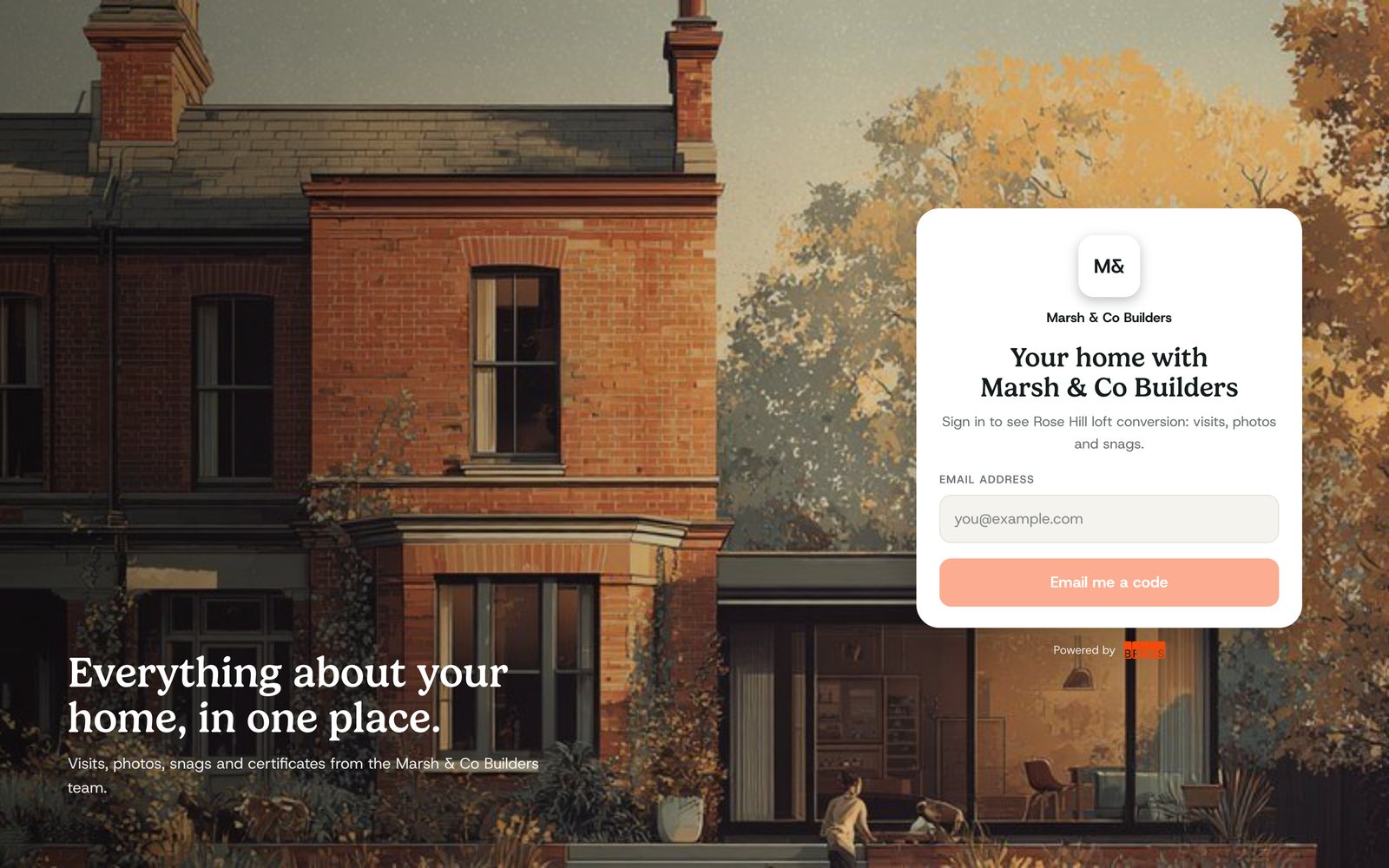
 Your email
- Click Email me a code.
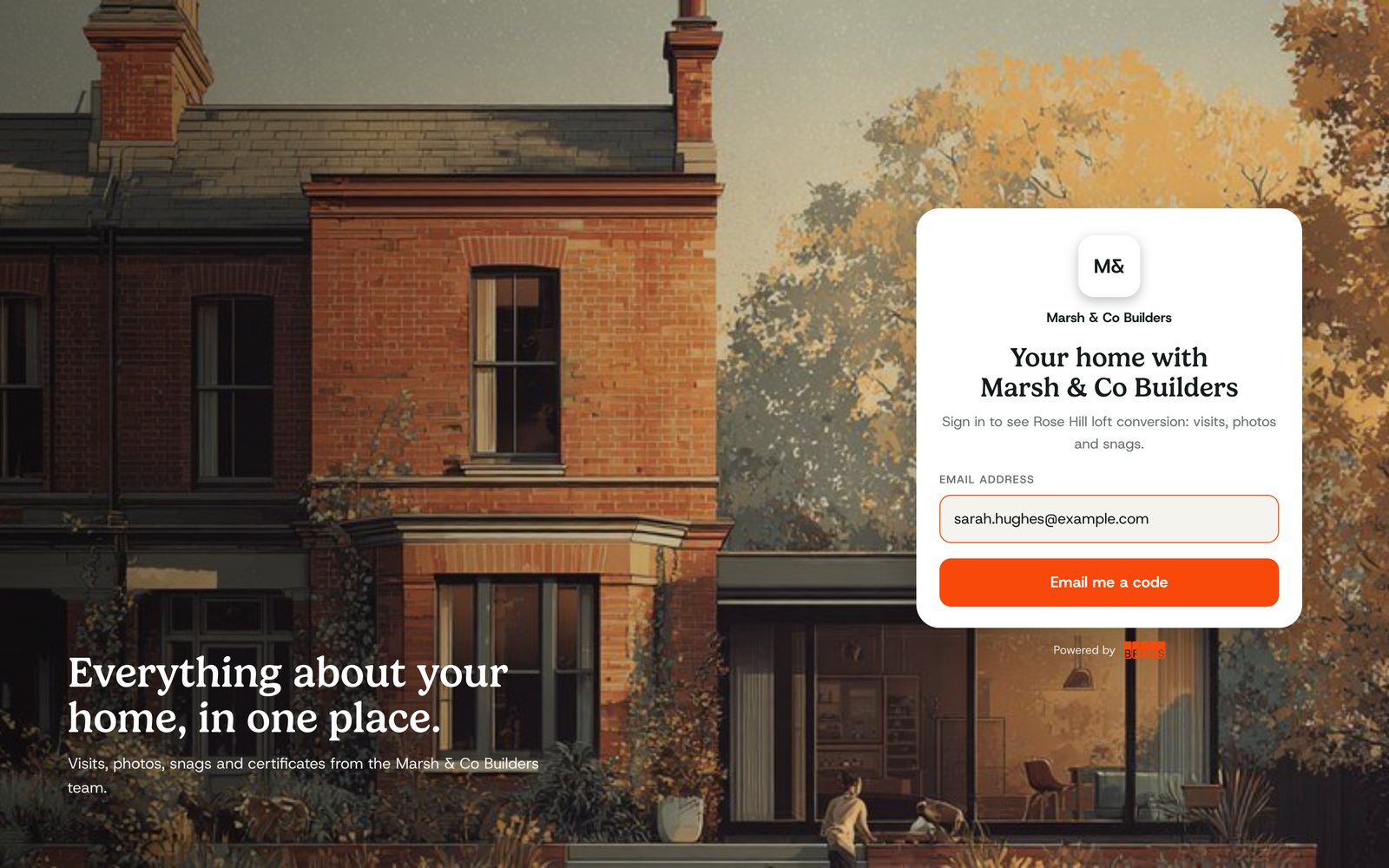
 Click here
- Check your email for a 6-digit code and type it in.No email? Click Send it again and check your junk folder.
 Your code
- That's it. You're in, on your home's page.
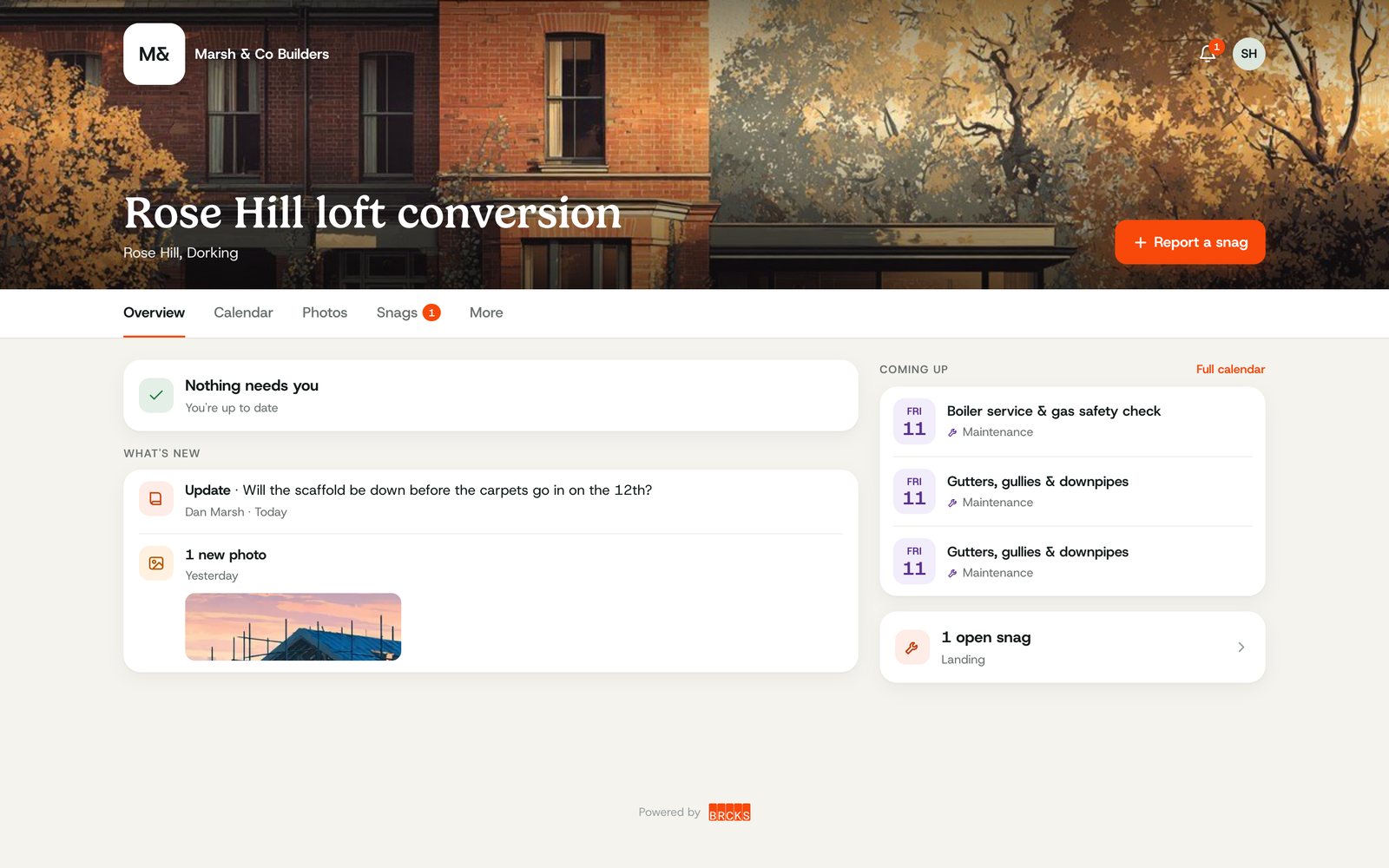
 Signed in
Having trouble?
It says my email isn't on a client account
Use the exact email address your builder invited you with. If that still doesn't work, ask them to check it.
I closed the page. How do I get back?
Open the link from your builder's email again. You'll go straight to your home's page.
Did this help?