
Manage your team
Change what someone can see, or take them off your team.
- On your Chats screen, tap the person icon at the top.
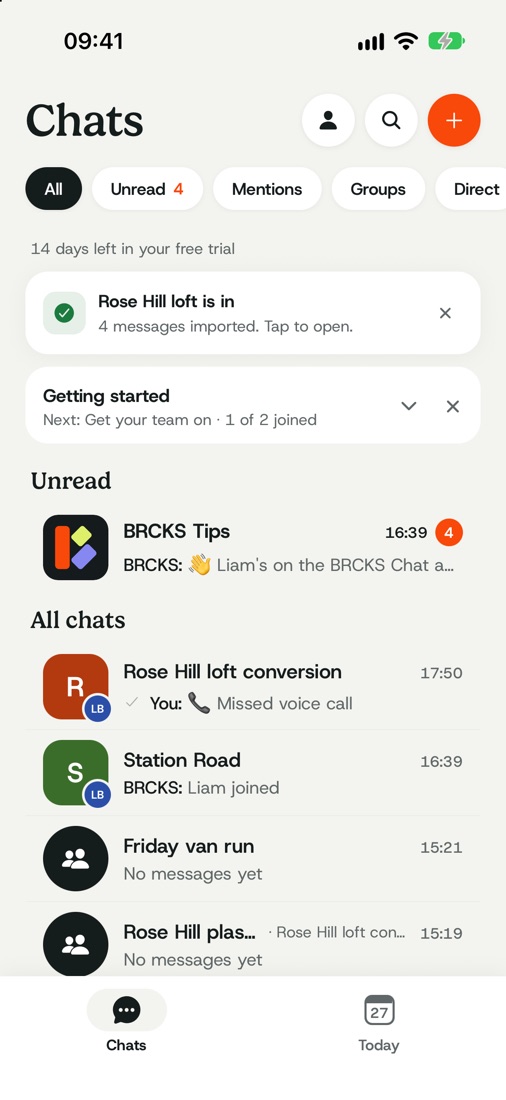 Tap here
- Under Your company, tap Open next to Manage team.
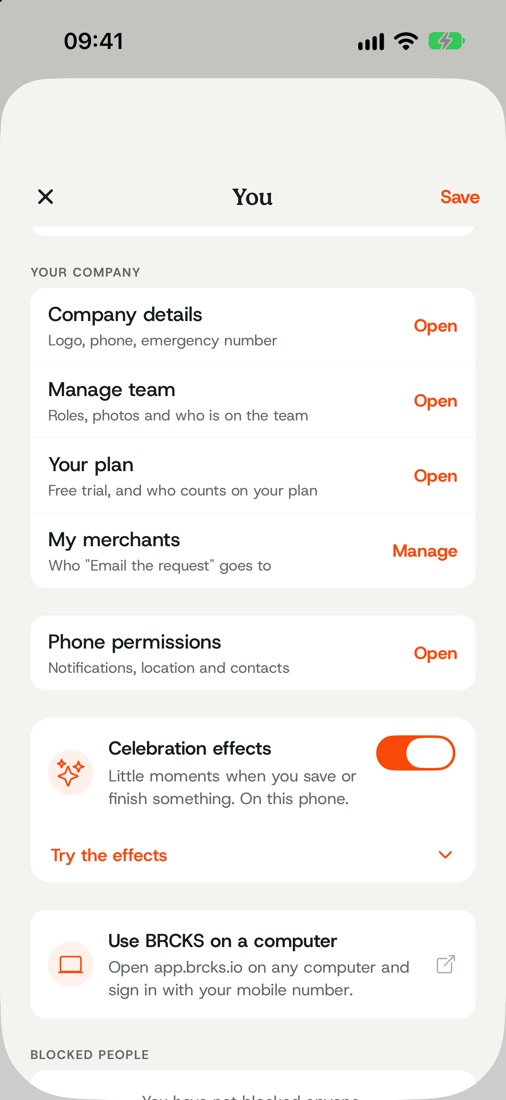 Tap here
- Tap the person.Your team and your subbies are all listed here.
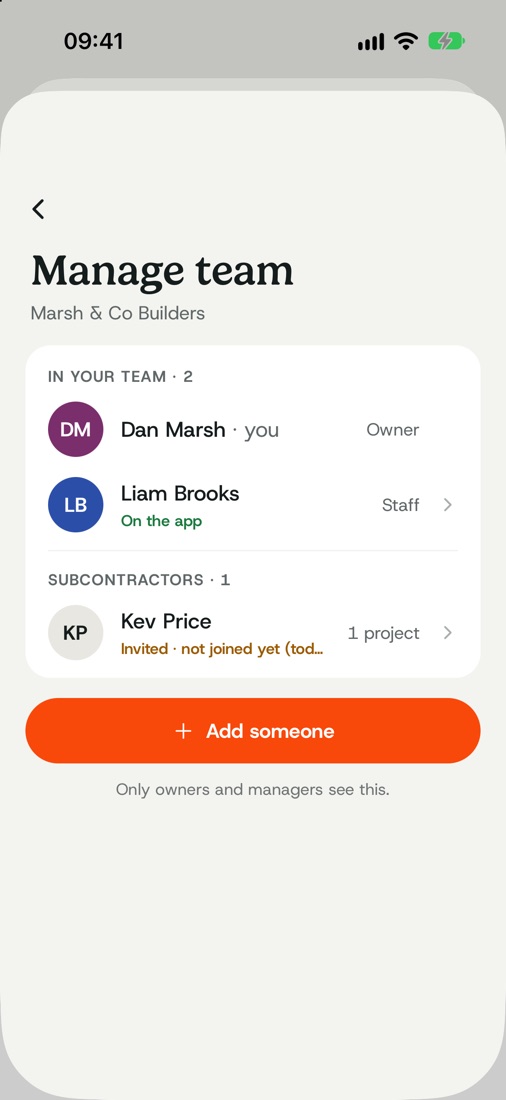 Tap here
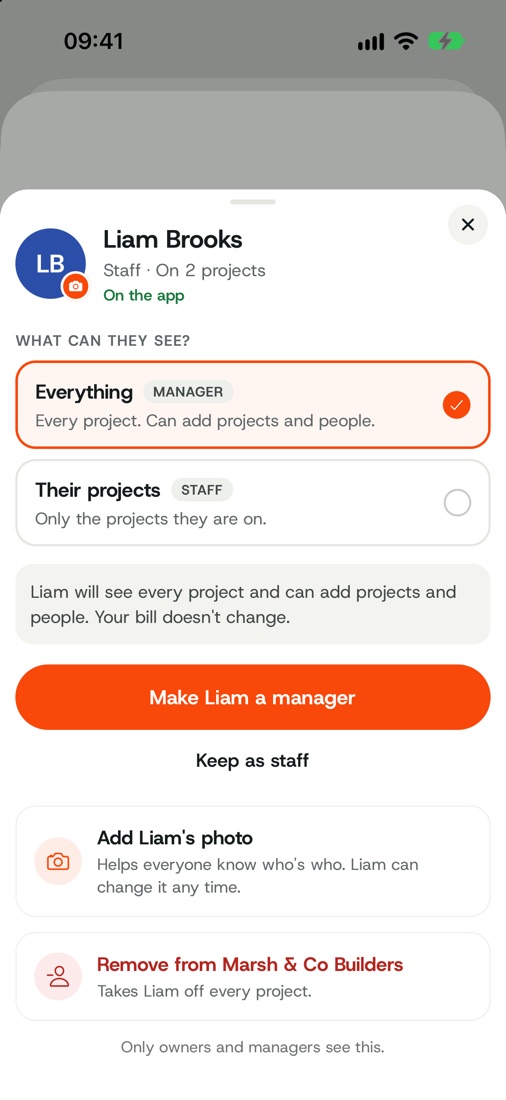
- Under What can they see?, choose Everything or Their projects.Everything makes them a manager: every project, and they can add projects and people. Their projects is staff: only the projects they're on.
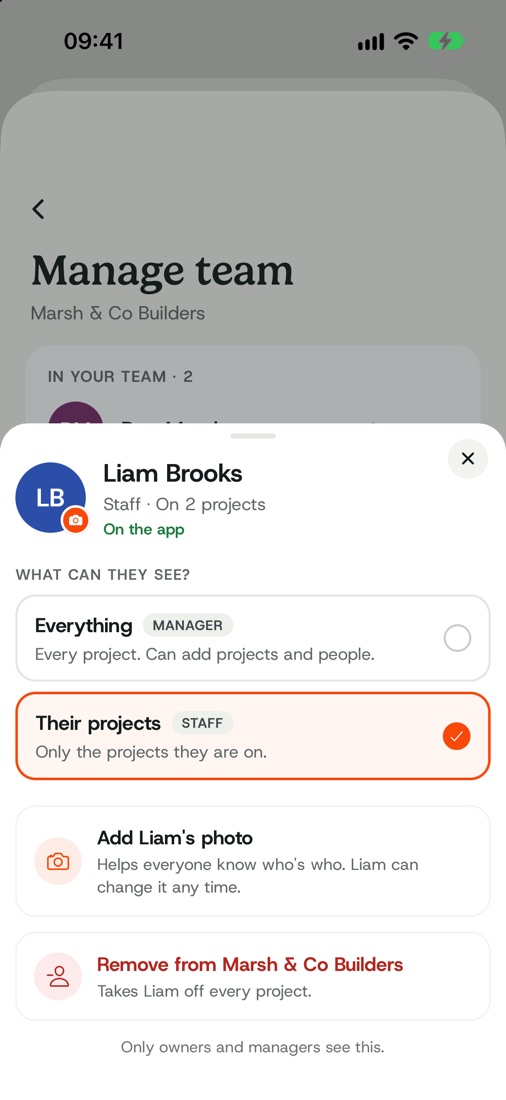 Tap here
- Check what changes, then tap Make Liam a manager.It tells you what they'll be able to do and if your bill changes. Tap Keep as staff to leave it.
 Tap here
Having trouble?
How do I take someone off my team?
Tap them, then Remove from and your company name. It lists what happens first, like messages and photos they sent staying where they are. Tap Remove to confirm, or Cancel.
What can I do with a subbie?
Tap them to Resend invite, Send your own invite, Take off all your projects, or Move to my team.
I can't see Manage team
Only owners and managers see it.
Did this help?