
Price a variation
Mention extra work and a price in the chat, and BRCKS turns it into a variation for your client to approve.
- On your Chats screen, tap the project.
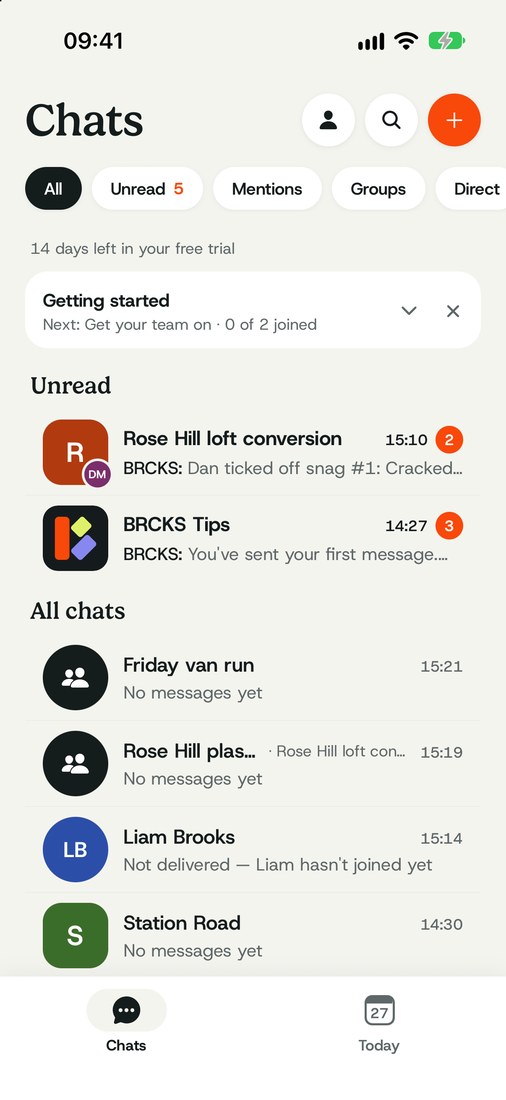 Tap your project
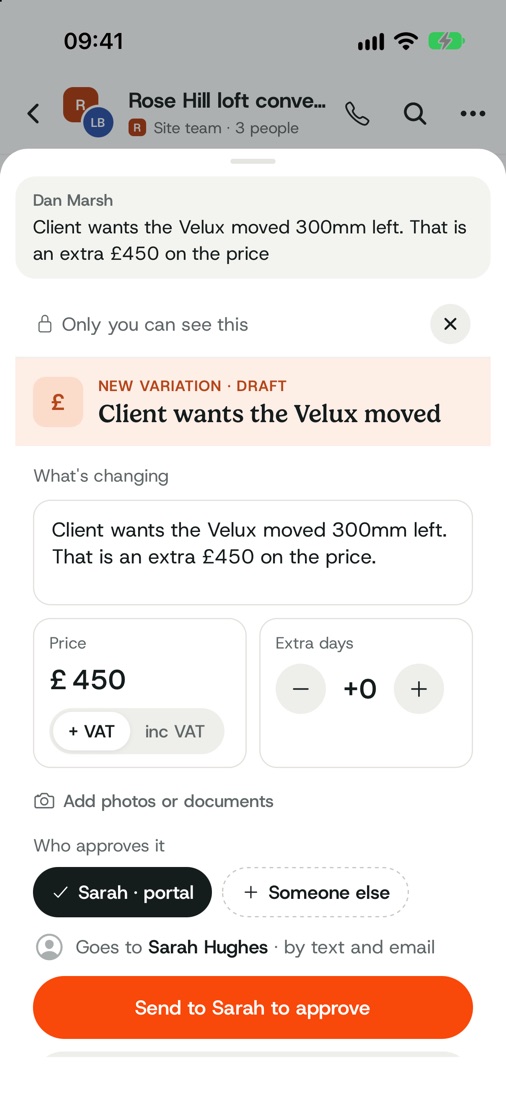
- Send a message about the extra work and the price, like "Client wants the Velux moved 300mm left. That is an extra £450 on the price". Then tap Price as a variation under it.
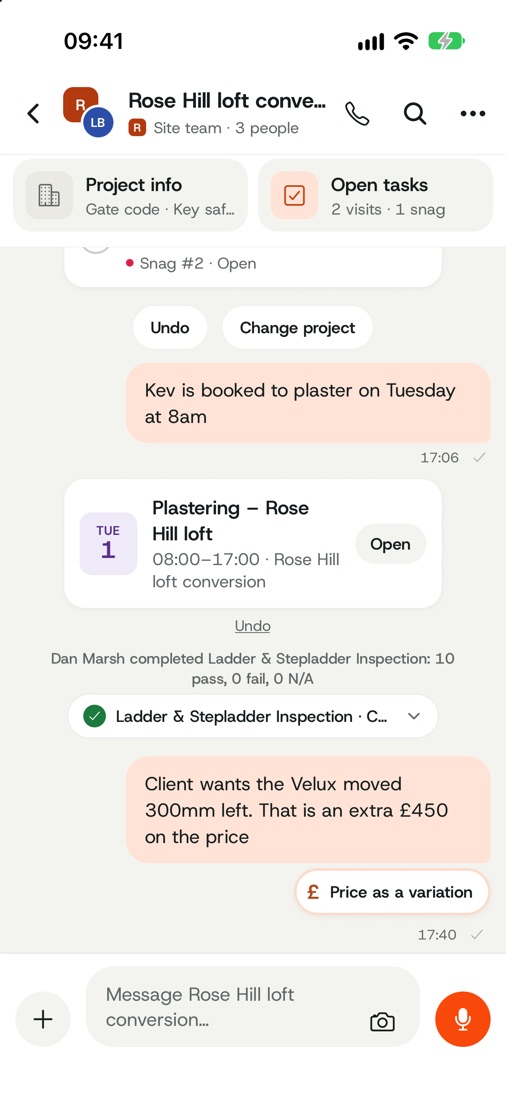 Tap it
- Check What's changing. It's filled in from your message.Only you can see this until you send it.
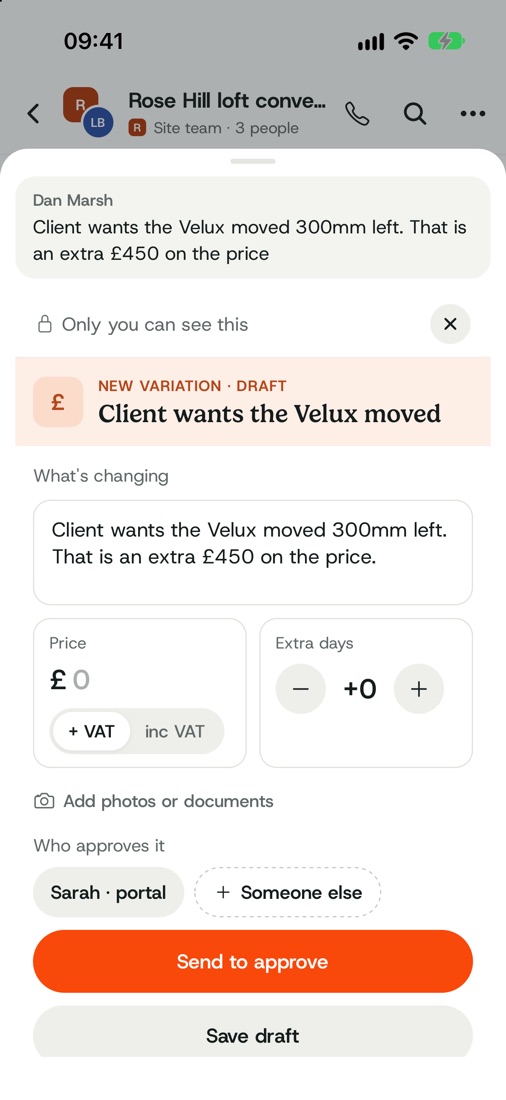 Check it
- Type the price, then choose + VAT or inc VAT.If it adds time, tap + under Extra days. You can also Add photos or documents.
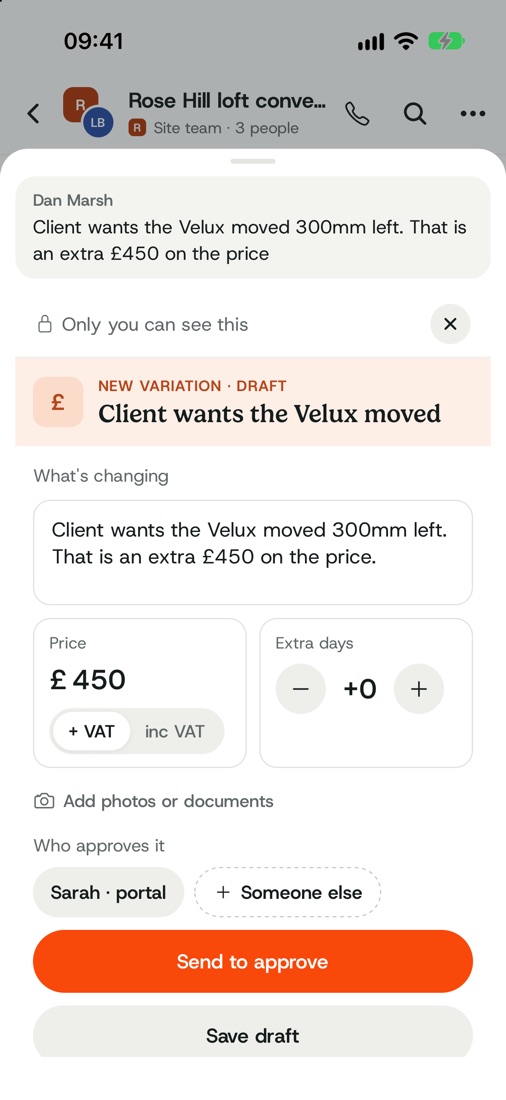 Type the price
- Under Who approves it, tap your client.It shows who it goes to and how, like by text and email. Or tap Someone else to type in a name, email and mobile.
 Tap here
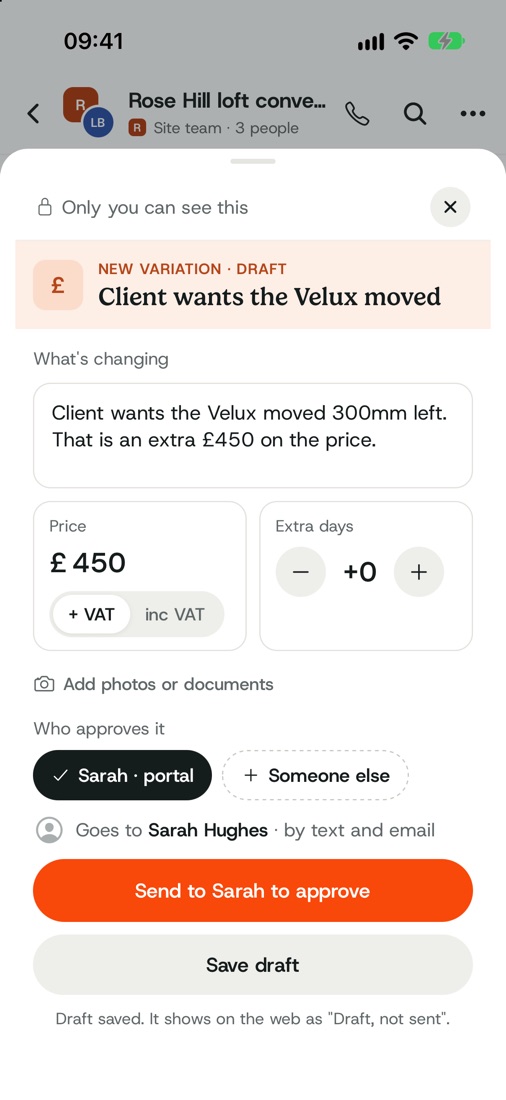
- Tap Send to Sarah to approve.The button shows your client's name. Not ready? Tap Save draft. Nothing goes to the chat until you send.
 Tap here
Having trouble?
No suggestion showed up
Press and hold the message, tap Create from message…, then Variation.
I saved a draft. Where is it?
Under your message, the suggestion changes to Open the variation draft. Tap it to carry on. On the web it shows as "Draft, not sent".
Did this help?