
Send a voice note
Talk instead of typing. Hold the mic, say it, send it.
- On your Chats screen, tap the project.
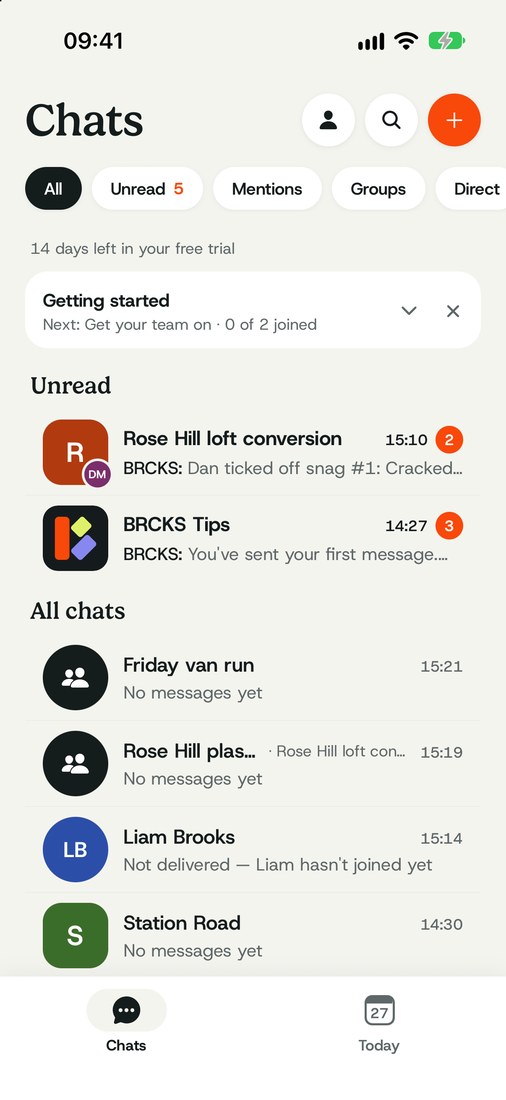 Tap your project
- Press and hold the orange mic button.A quick tap just shows Hold to record.
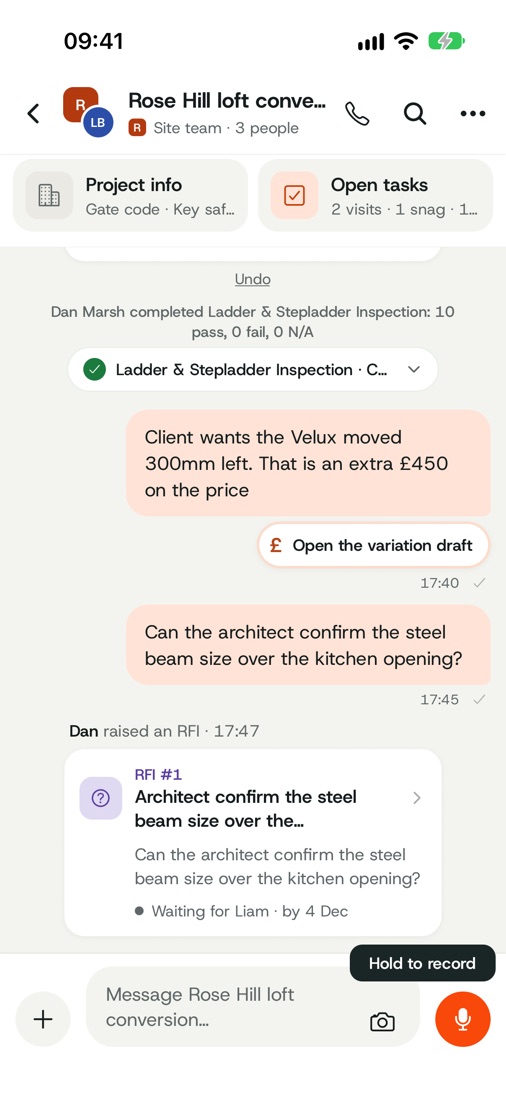 Press and hold
- Talk. When you're done, tap the orange tick.The timer counts up while you talk. Tap the bin to throw it away.
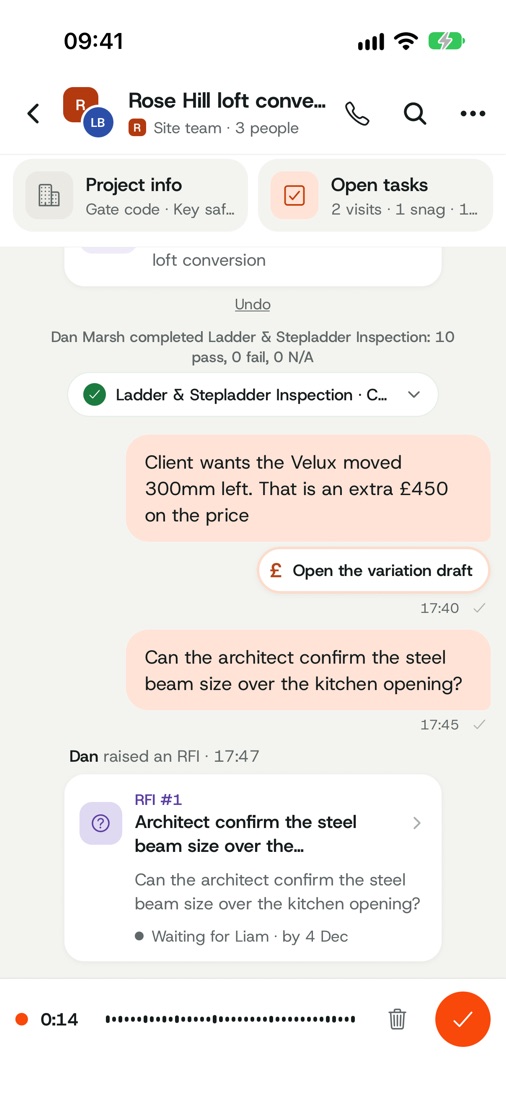 Tap here
- Tap the orange arrow to send it.Your voice note waits above the message box first, with its length. Tap the × to bin it.
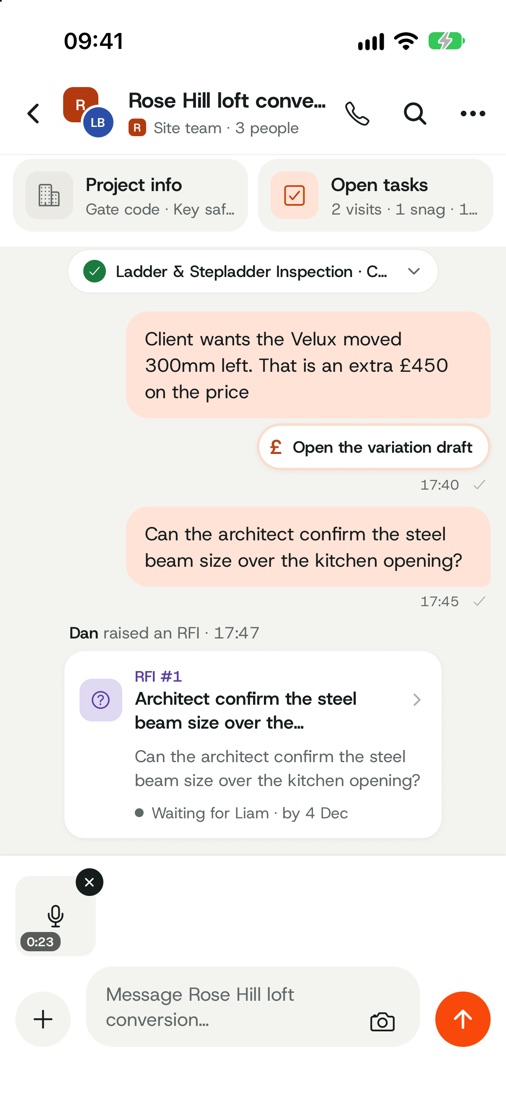 Tap here
- That's it. Your voice note is in the chat.Tap play to listen. In a project chat, it's saved to the project too.
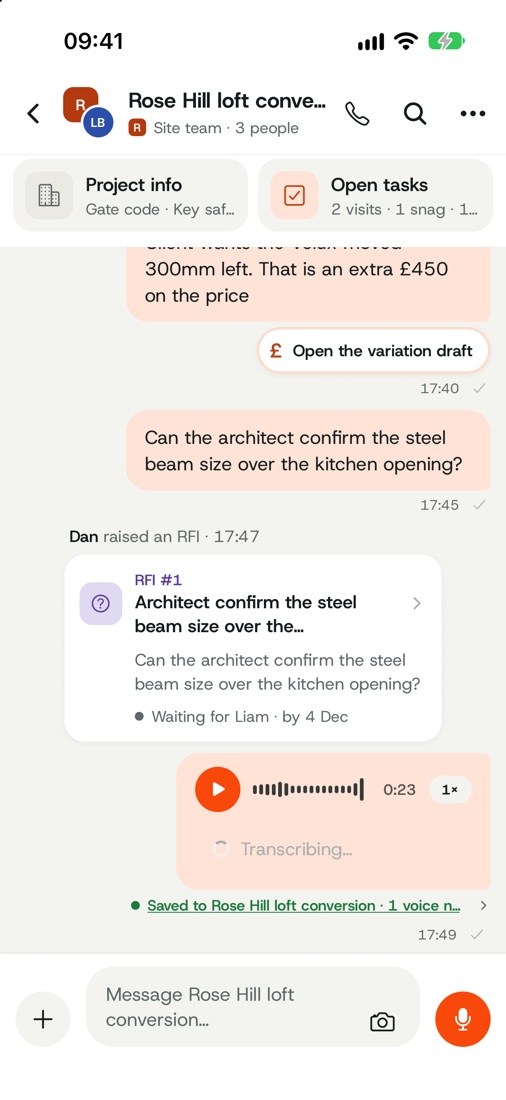 Your voice note
Having trouble?
My phone asked about the microphone
Tap Allow. BRCKS Chat uses the microphone for calls, voice notes and site walk notes.
Did this help?