
Set up maintenance for a property
Boiler service, gas safety, gutters. Pick what the property needs and BRCKS reminds everyone and keeps the logbook.
- On your Chats screen, tap the project.
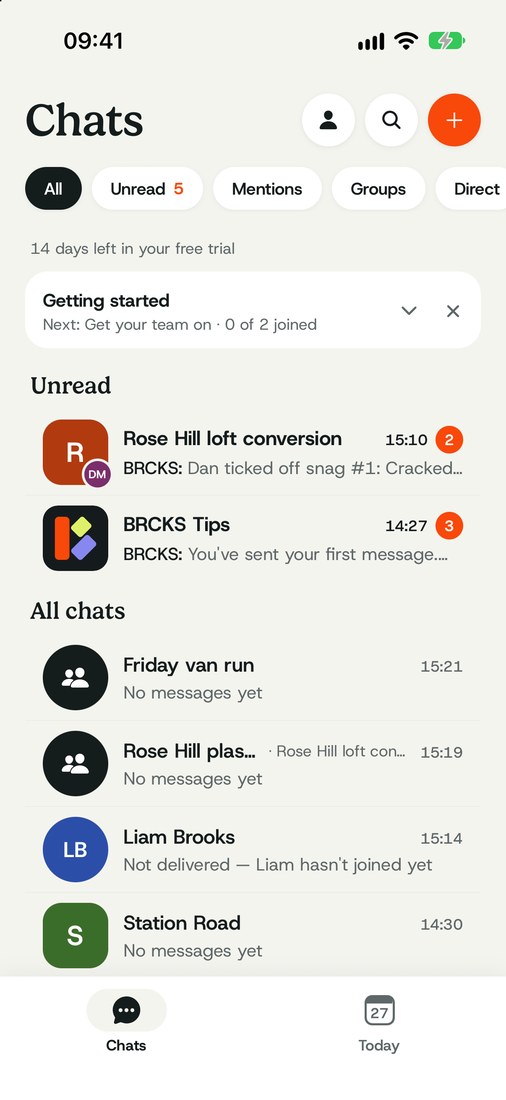 Tap your project
- Tap Project info at the top.
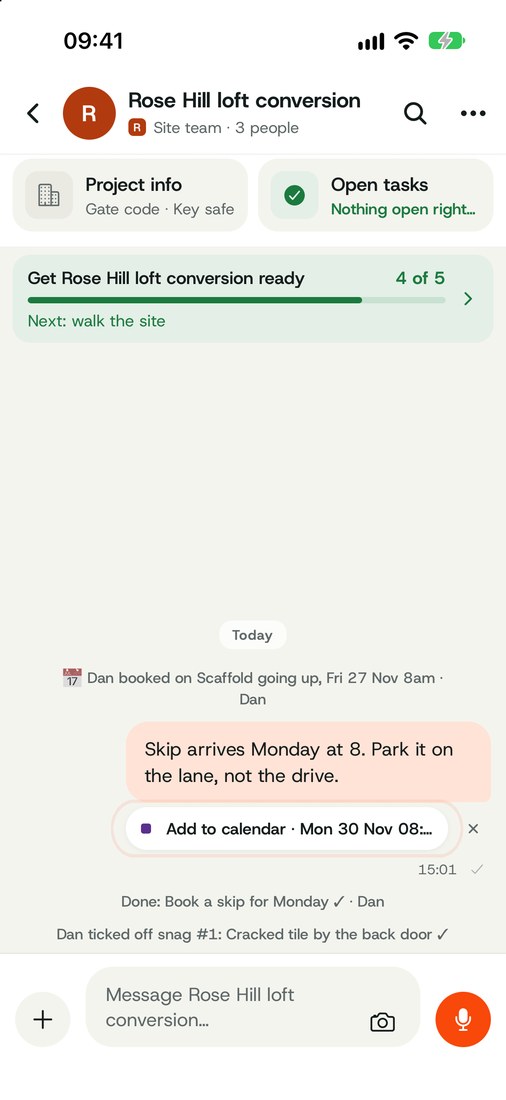 Tap here
- On the Maintenance row, tap Set up.
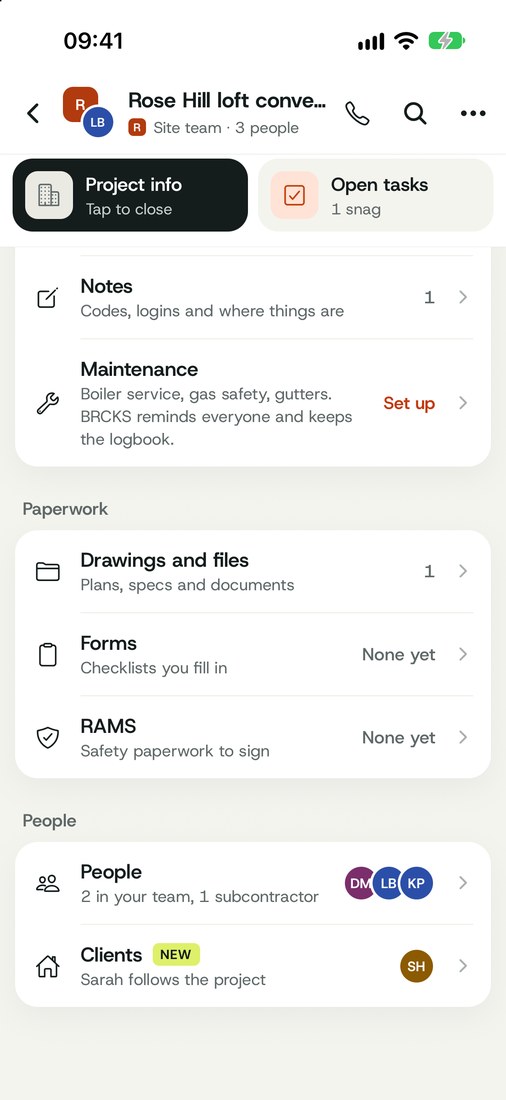 Tap here
- Tick what the property needs, then tap Next: check the dates.BRCKS fills in how often each one usually comes round. You can also search or type your own.
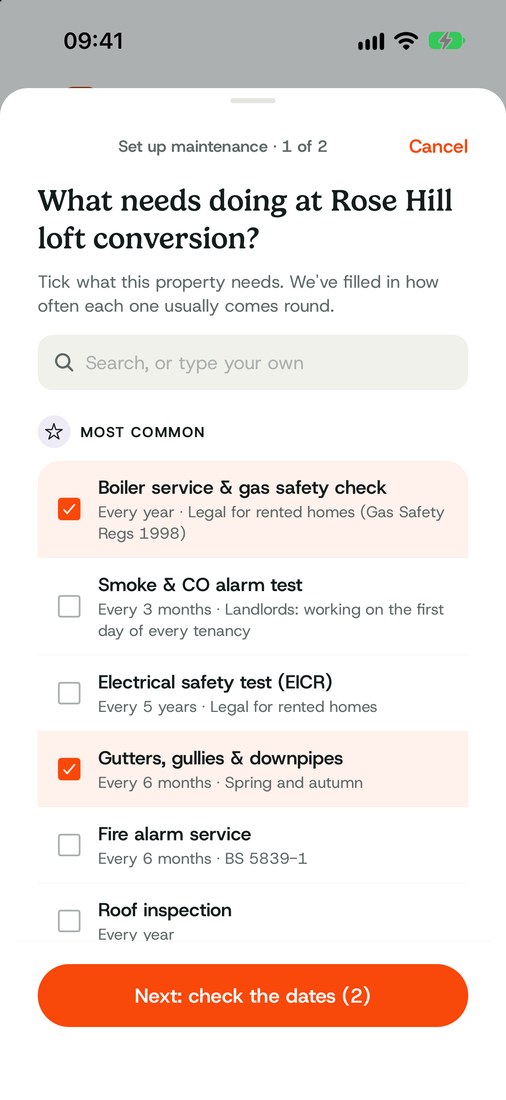 Tap here
- Check the dates. Tap Who? to say who does each one.
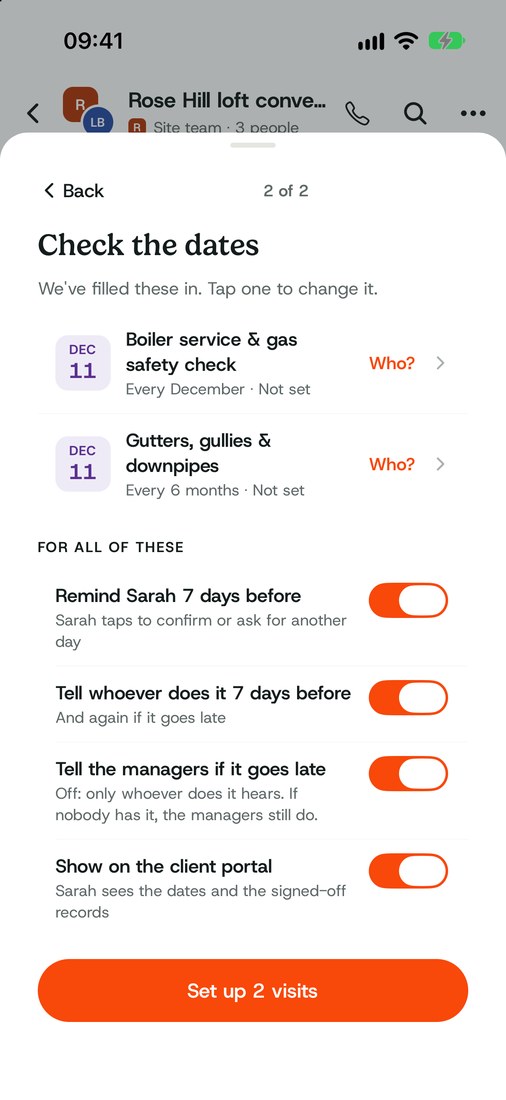 Reminders, on by defaultRemind the client 7 days before. Tell whoever does it 7 days before. Tell the managers if it goes late. Show on the client portal.
- Tap Set up at the bottom.It shows how many, like Set up 2 visits.Tap here
- That's it. The visits are on the project.Maintenance shows what's coming up in the next 12 months, and the visits also show in Open tasks.
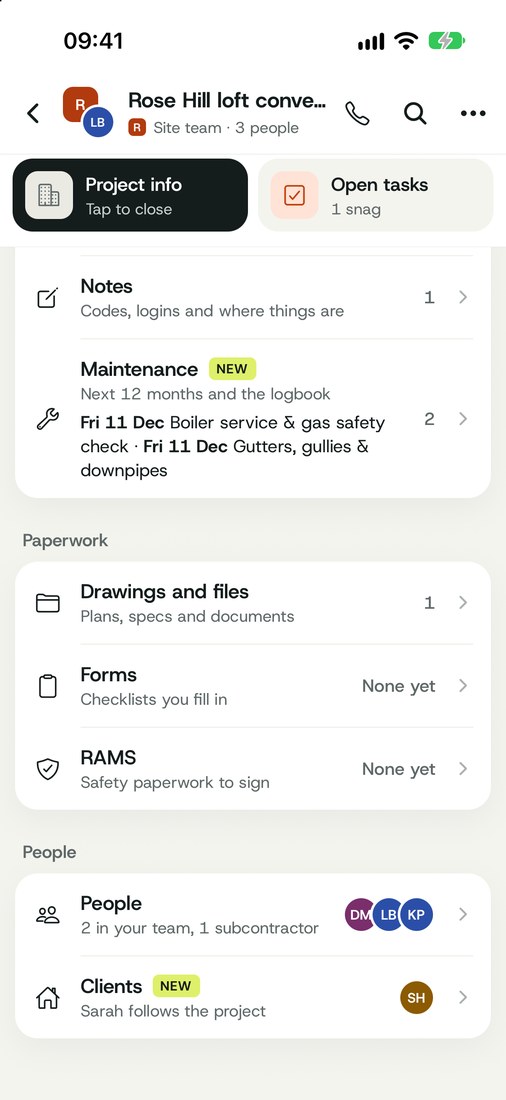 Coming up
Having trouble?
Can I turn the reminders off?
Yes. On the Check the dates screen, switch off any you don't want before you tap Set up.
It's not on the list
Type it in the search box at the top: Search, or type your own.
Did this help?