
Set up your merchants
Save the builders merchants and wholesalers you buy from. Then one tap emails them a materials list.
- On your Chats screen, tap the person icon at the top.
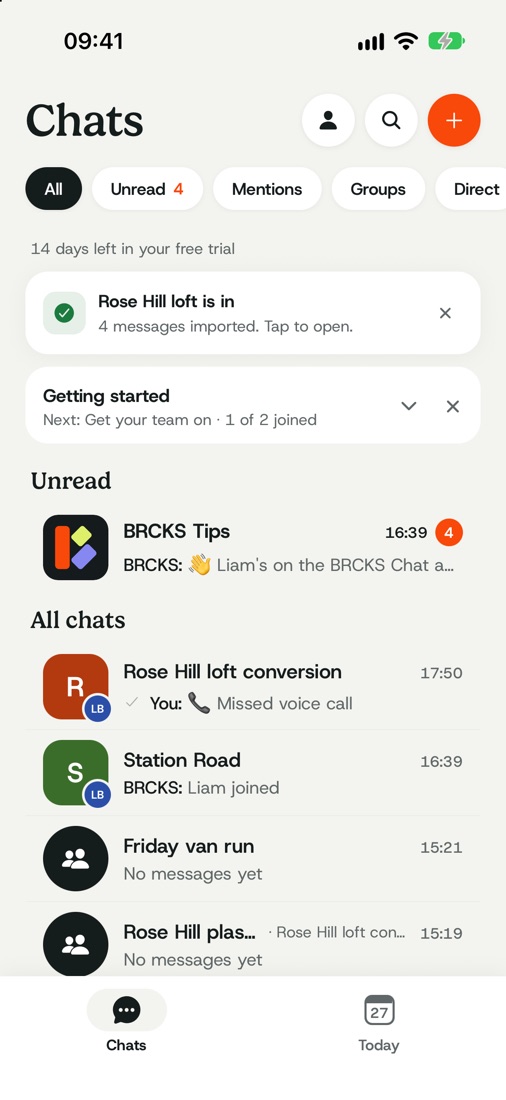 Tap here
- Scroll down to Your company and tap Manage next to My merchants.
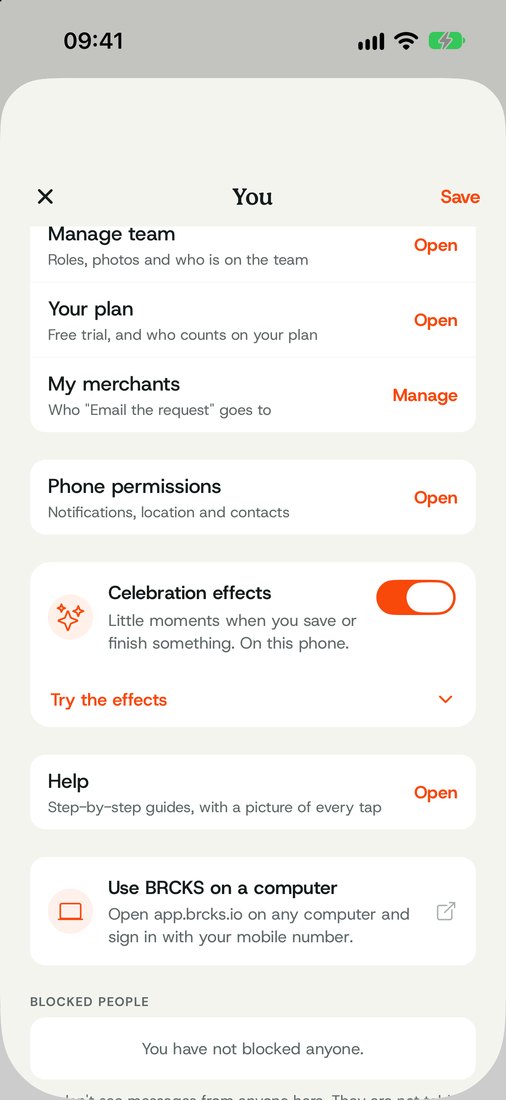 Tap here
- Tap Add a merchant.
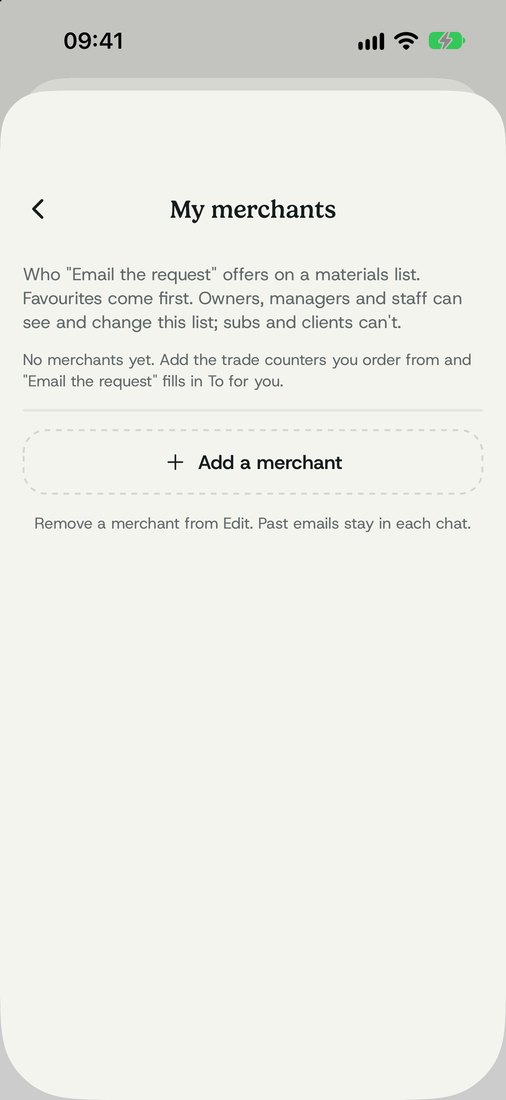 Tap here
- Fill in the name, the branch and the email they take orders on.Phone and account number are optional. The account number goes in the email.
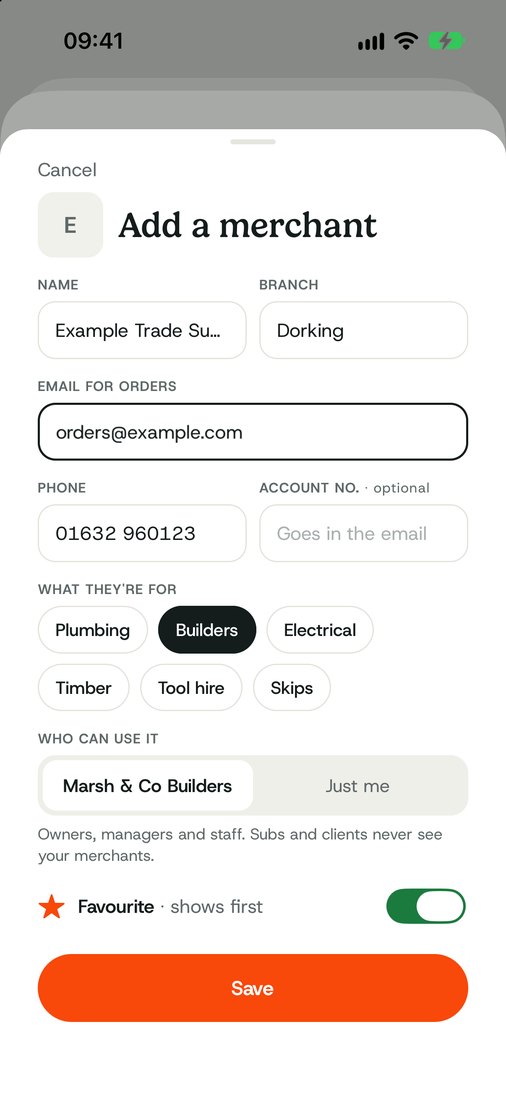 Their details
- Tap what they're for, then choose who can use them.Marsh & Co Builders here is your company: owners, managers and staff. Subs and clients never see your merchants. Just me keeps them to yourself.Tap here
- Leave Favourite on to put them first, then tap Save.Tap here
- They're in your list.
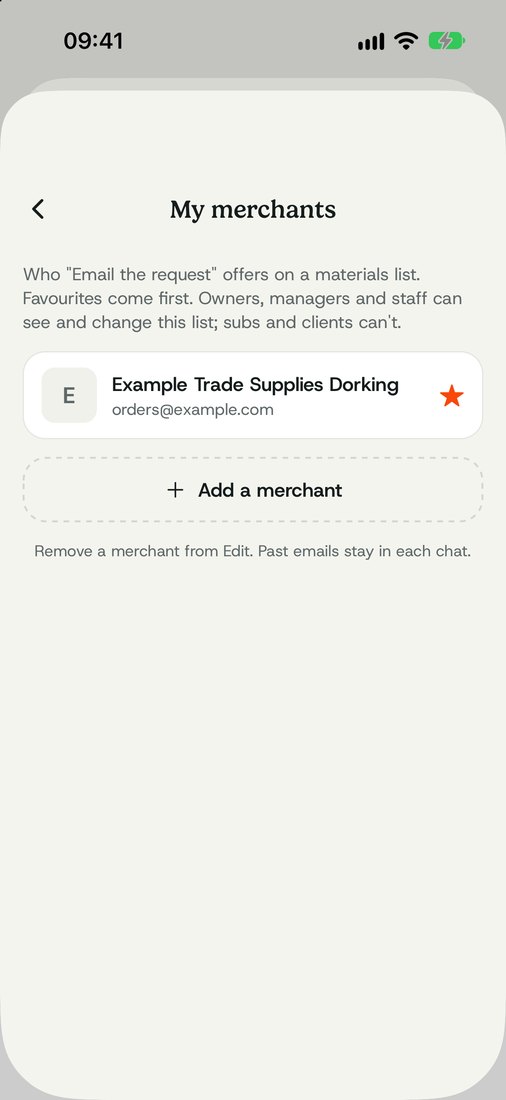 Saved
- Now when you tap Email the request on a materials list, your merchant is at the top.It opens your own email app with the request filled in. You check it and press send.
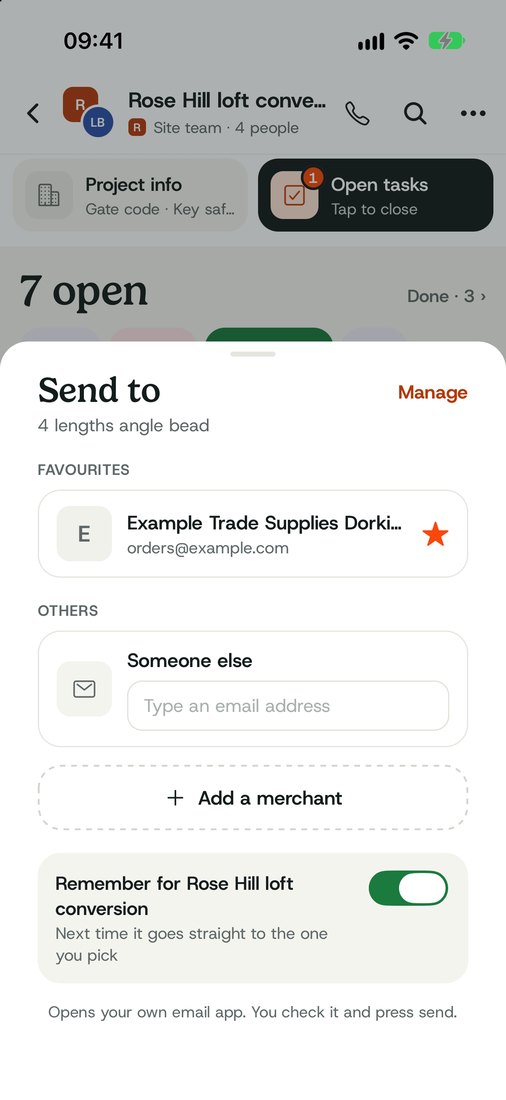 Ready to order
Having trouble?
How do I remove a merchant?
Open My merchants and tap Edit. Emails you already sent stay in each chat.
Where's Email the request?
On any materials list: open it from the chat or from Open tasks, then tap Email the request at the bottom.
Did this help?