
Your profile and settings
Your photo, name, number and email, and where everything else lives.
- On your Chats screen, tap the person icon at the top.
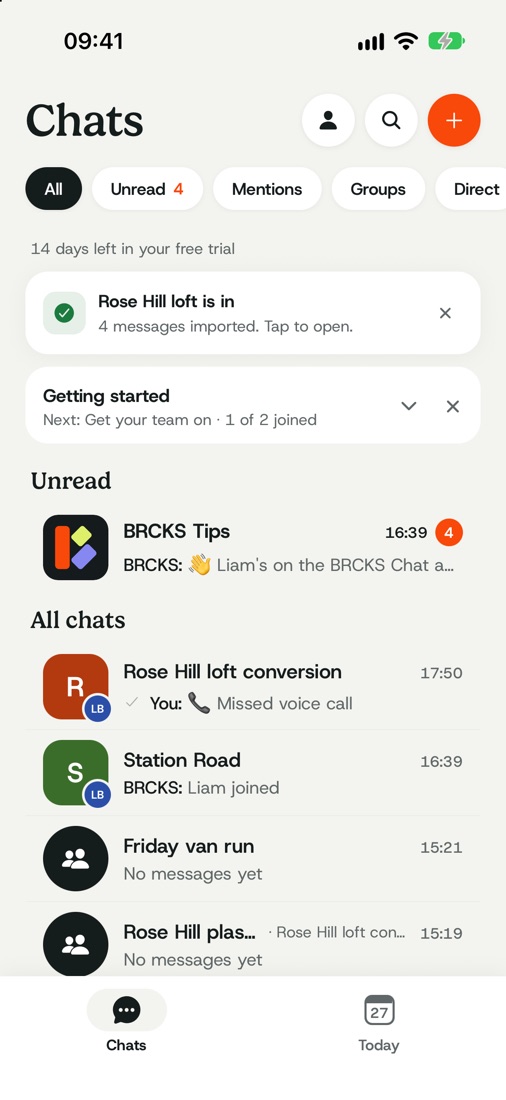 Tap here
- To add your photo, tap Take one or Choose one.Your team see it on every message you send.
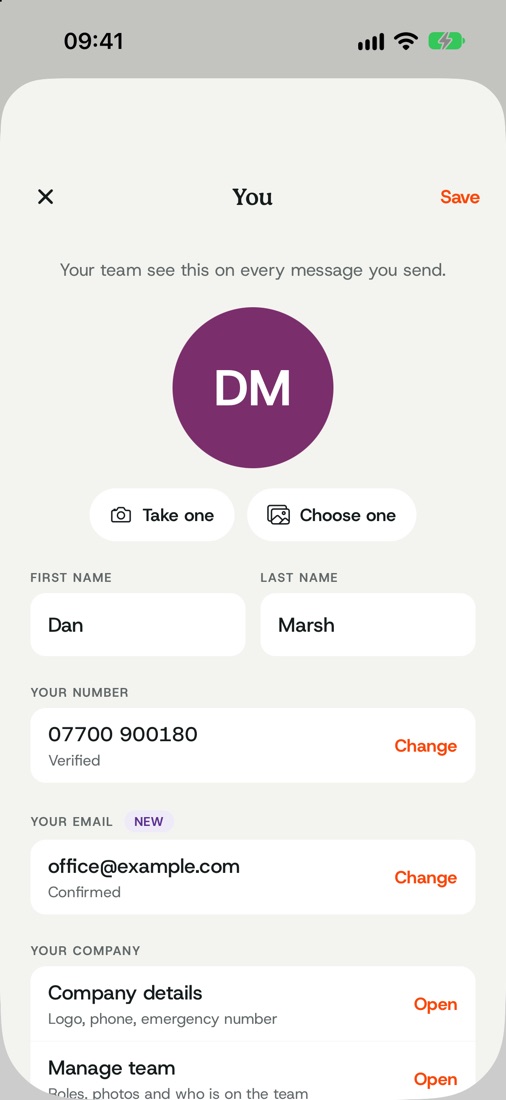 Tap here
- Check your first and last name.Your name
- To change your number or email, tap Change next to it.Tap here
- Tap Save at the top.Tap here
- Scroll down for everything else.
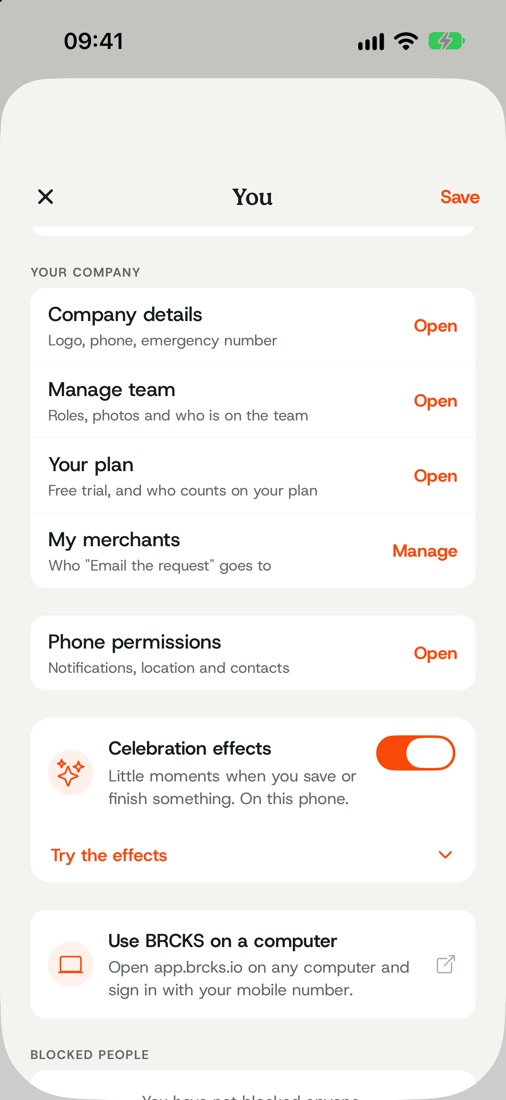 Your companyCompany details, Manage team, Your plan and My merchants.This phonePhone permissions and Celebration effects.
Having trouble?
Where's sign out?
Scroll to the bottom. Sign out and Delete my account are there.
Can I use BRCKS on a computer?
Yes. Open app.brcks.io on any computer and sign in with your mobile number. The Use BRCKS on a computer card has the link.
Did this help?