
Show a photo on the client portal
Your client only sees the photos you choose. Here's how to show one.
- On your Chats screen, tap the project.
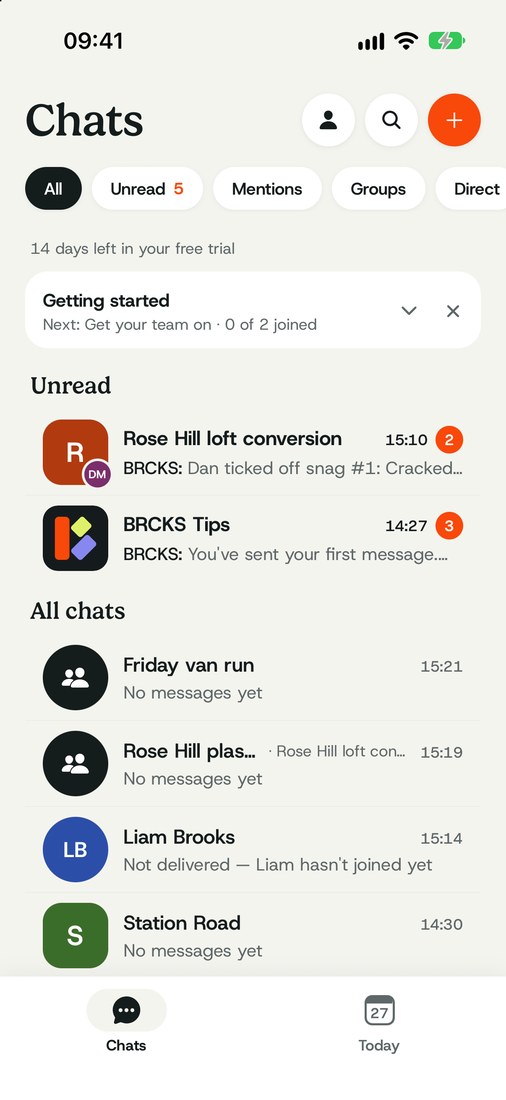 Tap your project
- Press and hold the photo in the chat.
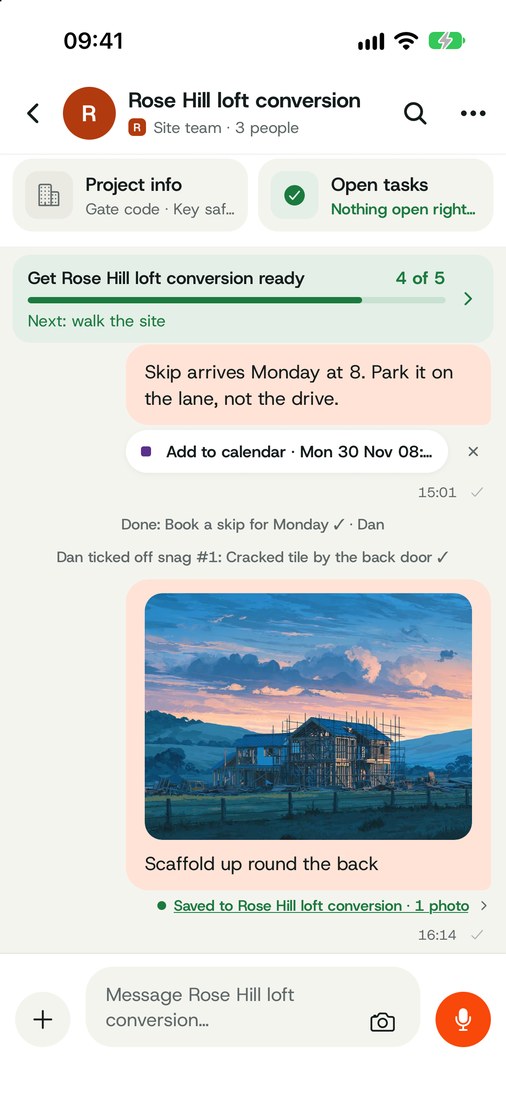 Press and hold
- Tap Show on the client portal.
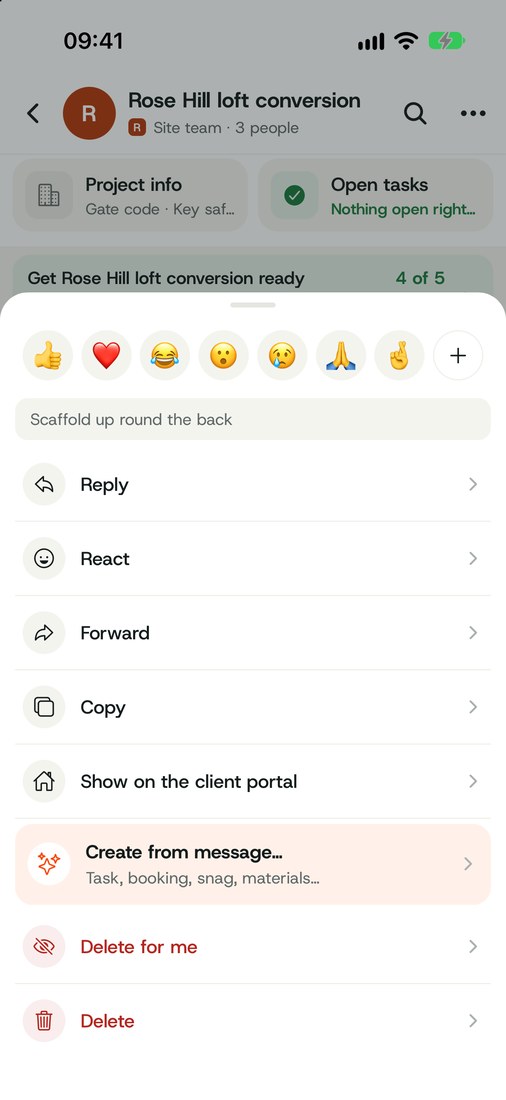 Tap here
- That's it. Your client can now see it.To take it off, press and hold it again and tap Hide from the client portal.
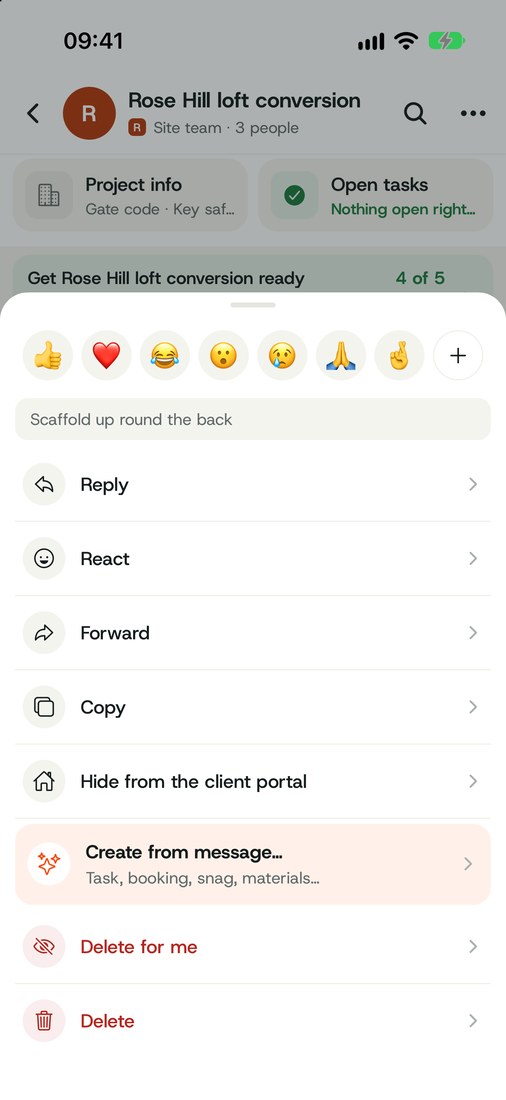 Now it says Hide
Having trouble?
How do I check what's on the portal?
Open Project info, then Clients. It says what's on the client portal now, like 1 photo, 0 files.
Can I do it from Photos and videos?
Yes. Press and hold a photo in the Photos and videos gallery too, then tap Show on the client portal.
Can I show drawings and files?
Yes. Press and hold a file or drawing in the chat or in the Drawings and files list, then tap Show on the client portal.
Did this help?