
Start a group chat
For a project, or for anything else. You choose at the start.
- On your Chats screen, tap the orange +.
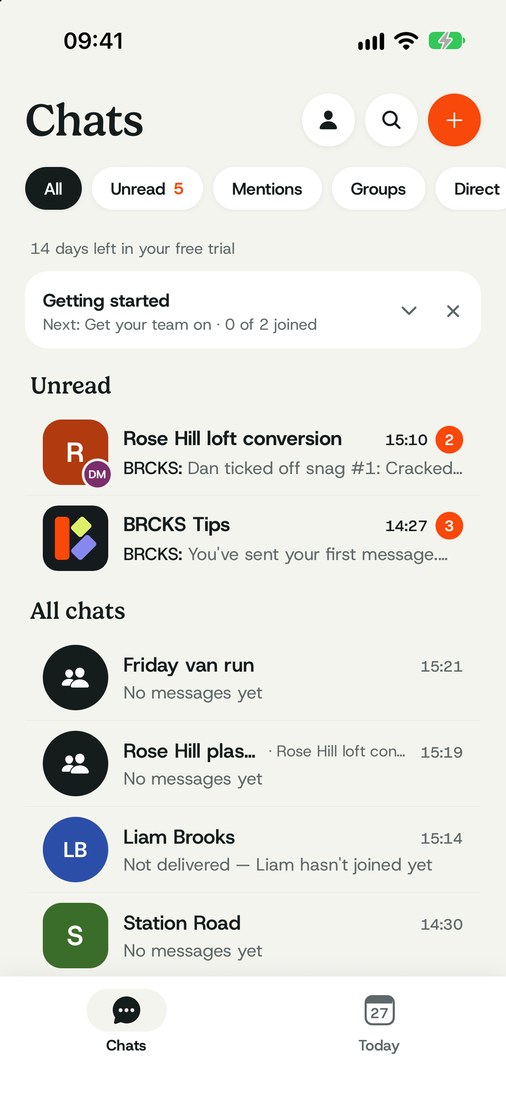 Tap here
- Tap New group.
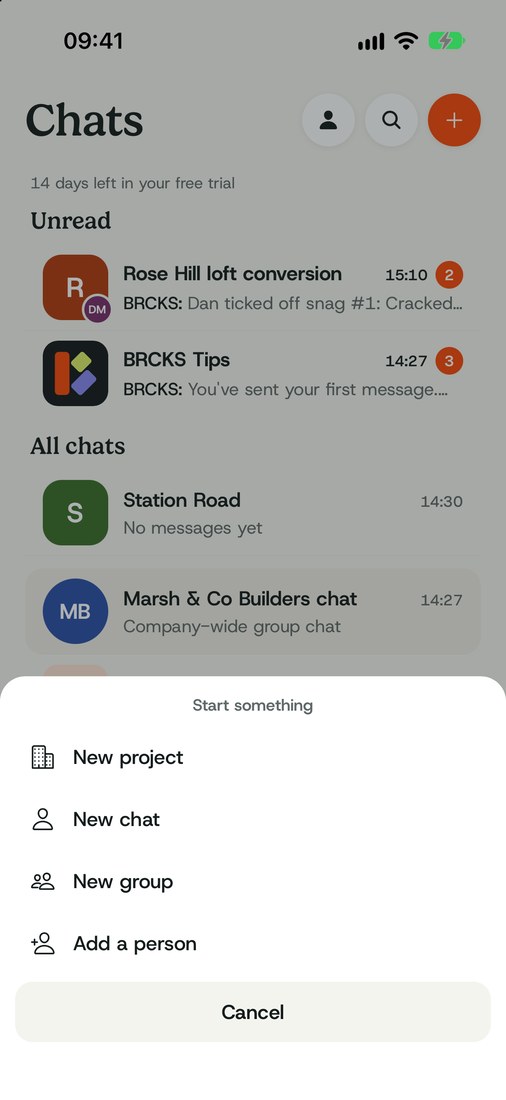 Tap here
- Pick a project, or tap Not for a project.
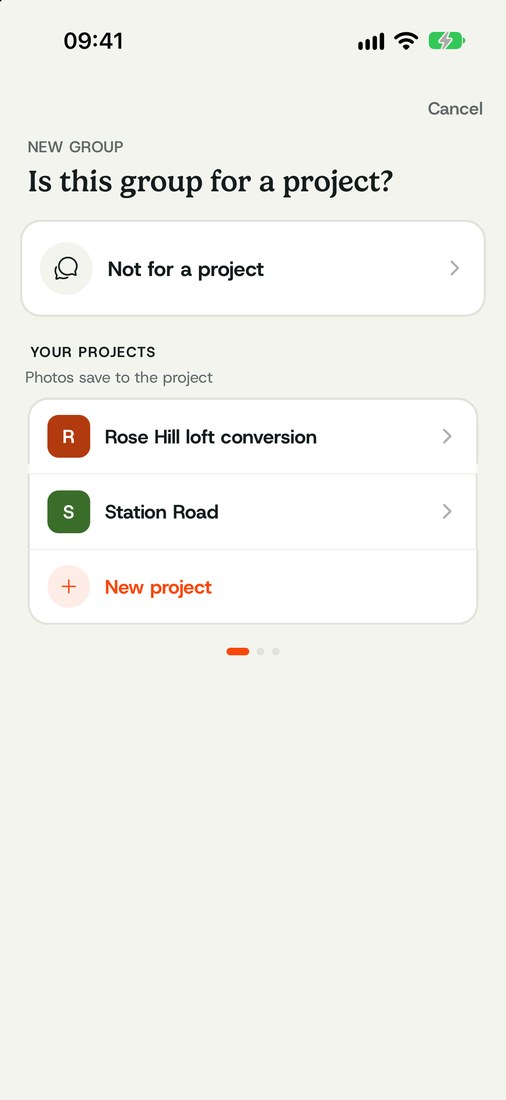 For a projectPhotos save to the project, and the group gets Project info and Open tasks at the top.Not for a projectA group chat for anything else.
- Tick who's in it, then tap Next.Not there? Tap Add someone new.
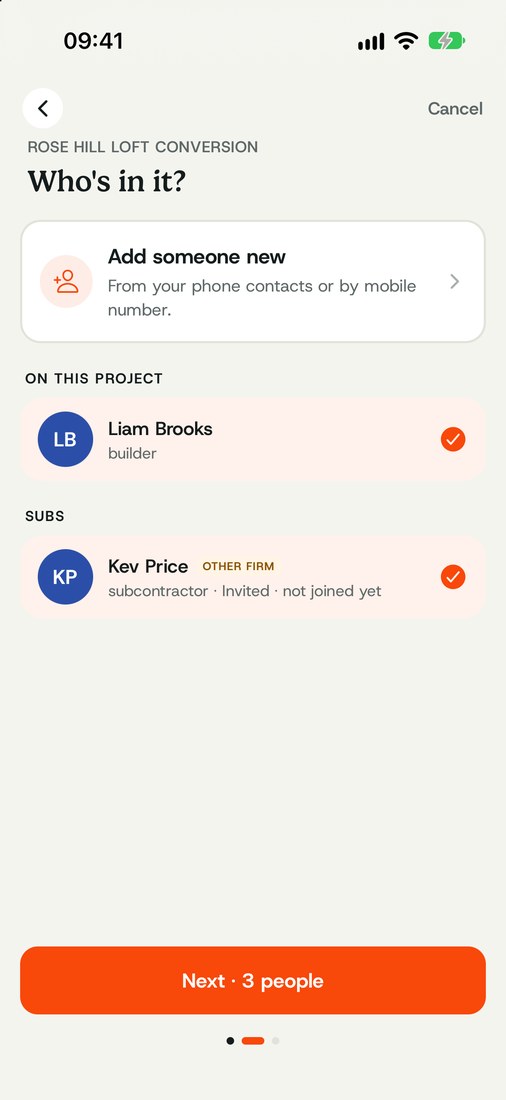 Tap here
- Give it a name, then tap Create group.If a subbie from another firm is in it, they'll see everything sent in the group.
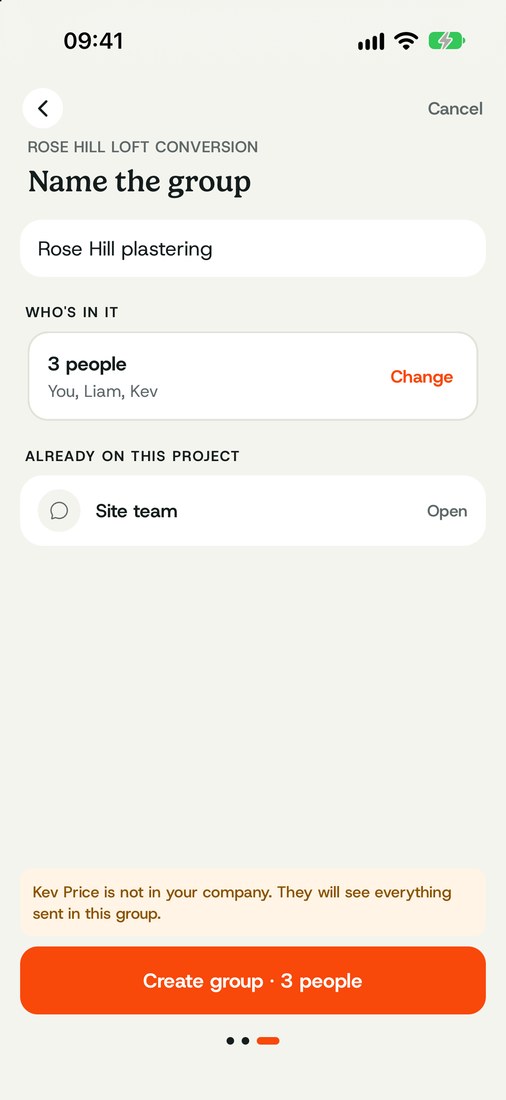 Tap here
- That's it. Your group chat is ready.
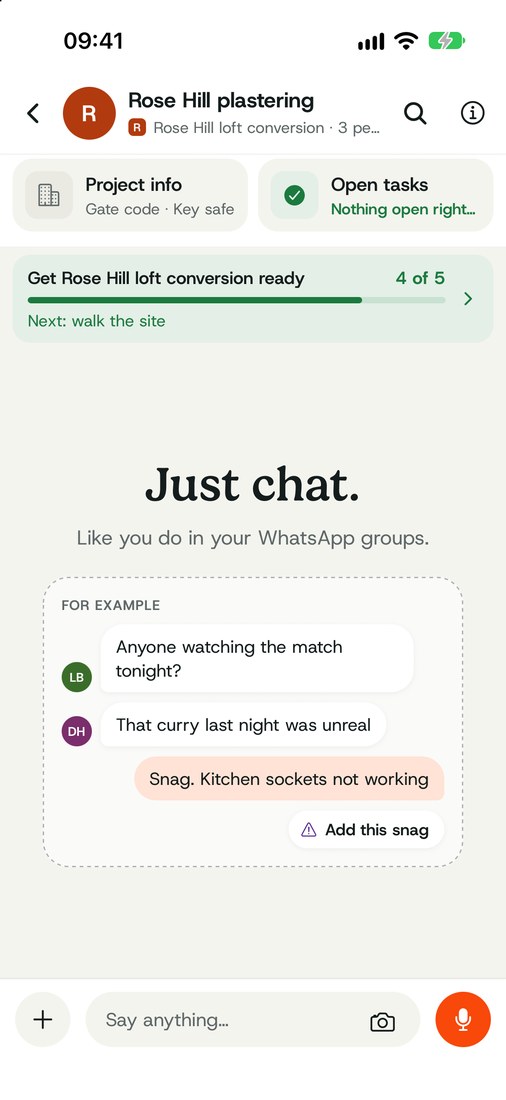 Your group
Having trouble?
What's the difference between the two?
A group for a project saves its photos to the project, and has Project info and Open tasks at the top. A group not for a project is just a group chat.
Why can't I tap Next?
A group needs at least two other people. Until then the button says Add one more person.
Can I add a subbie?
Yes. Subbies show under Subs. They'll see everything sent in the group, and BRCKS tells you so before you create it.
Did this help?