
Tick off a snag or task
When something's done, tick it off so everyone knows.
- On your Chats screen, tap the project.
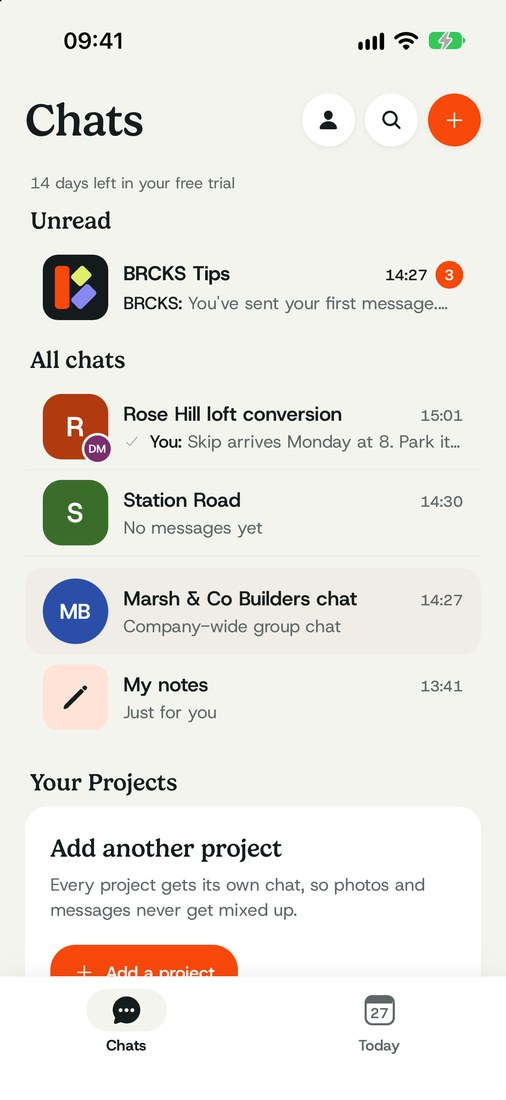 Tap your project
- Tap Open tasks at the top.It shows how many are open, like 1 snag · 1 task.
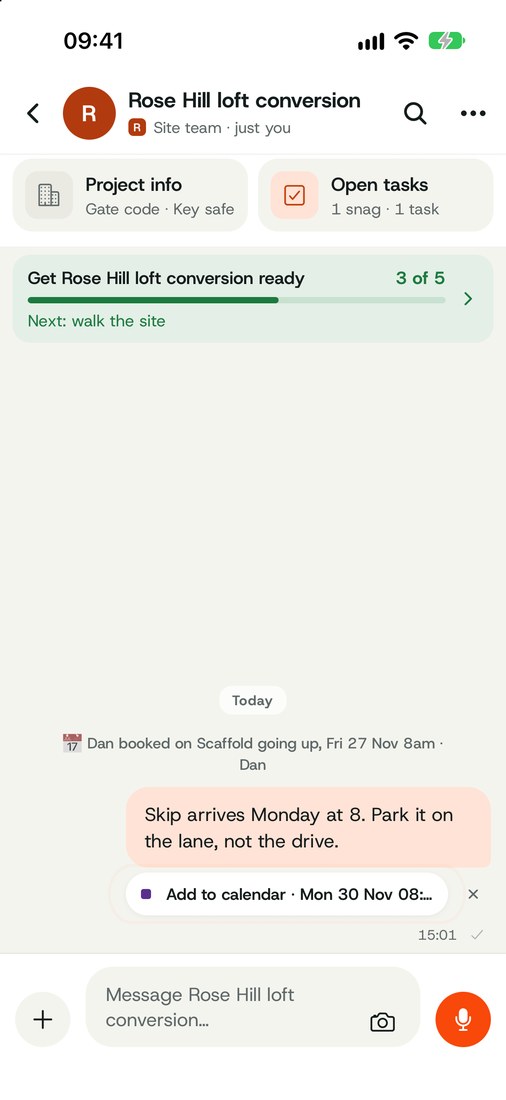 Tap here
- For a task, tap the circle on the left.
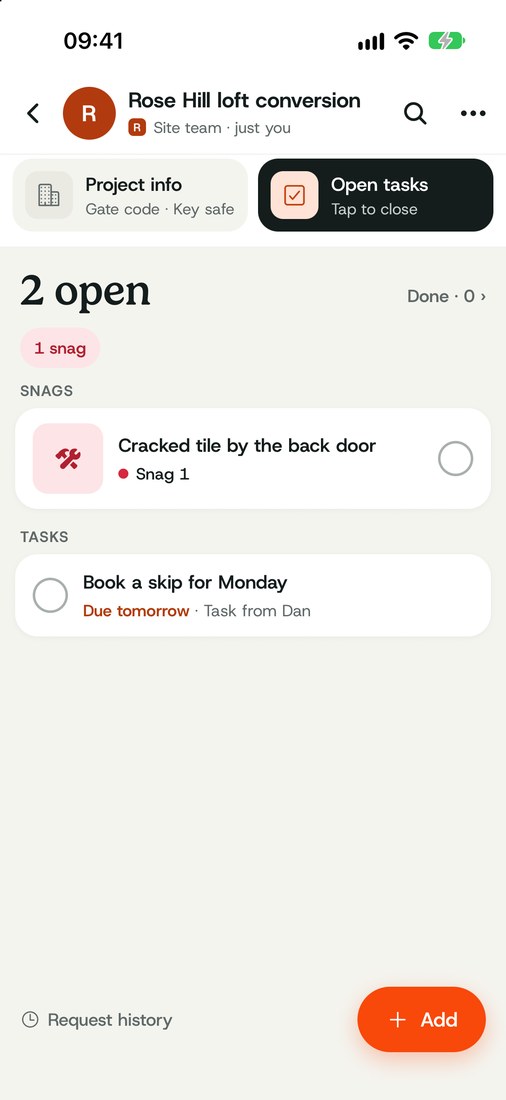 Tap here
- Tap Done.Want to add a photo or a note? Tap Add a photo or note first.
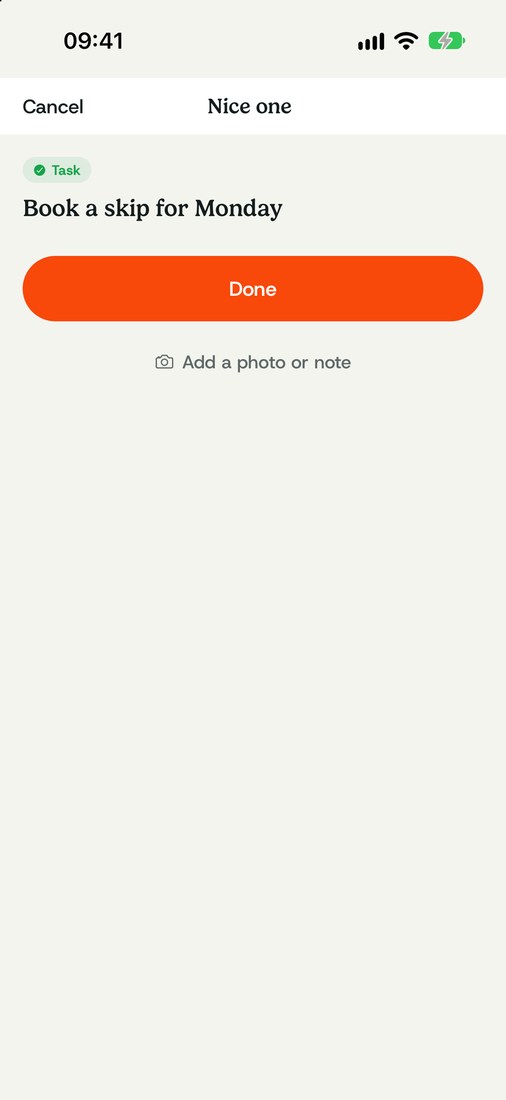 Tap here
- For a snag, tap the circle on the right.
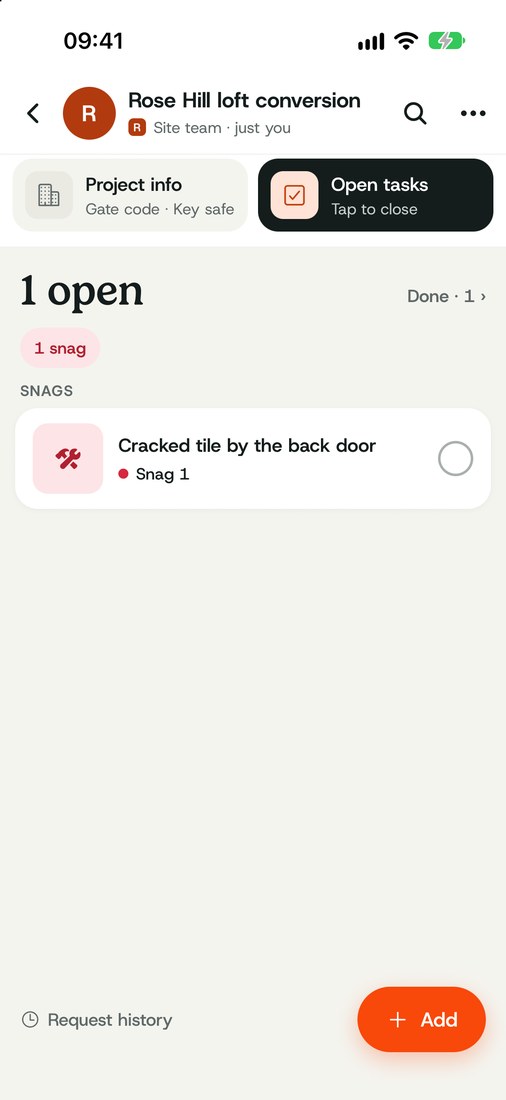 Tap here
- Add a photo of it done or a note if you like, then tap Done.
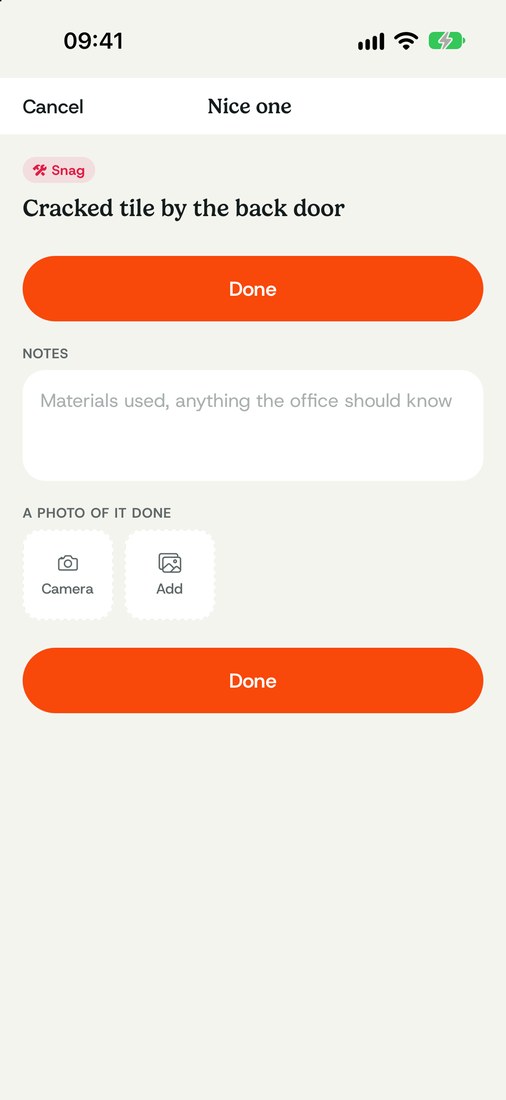 Tap here
- That's it. Finished snags and tasks move to Done.To see them, tap Done at the top right of Open tasks.
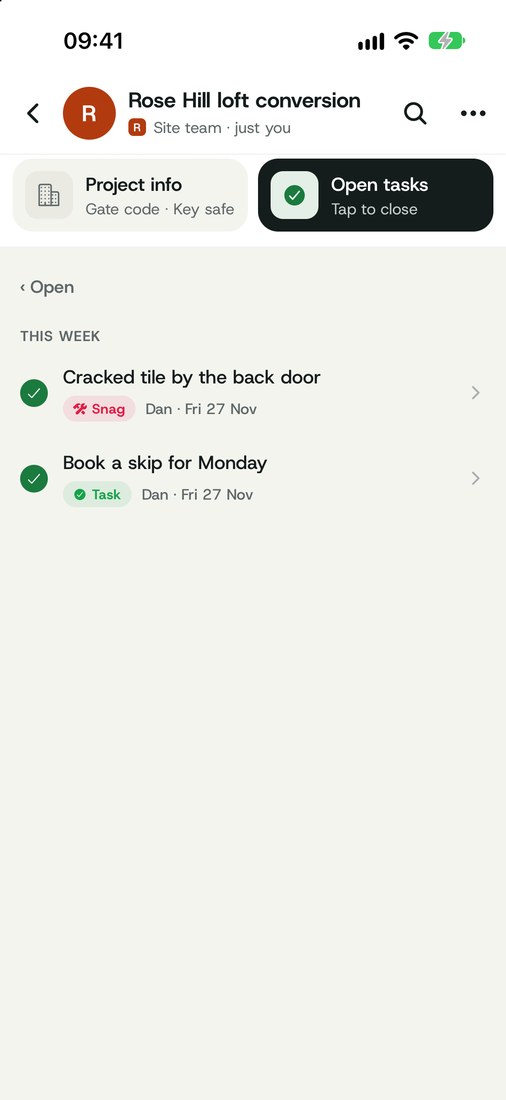 Done
Having trouble?
I tapped the wrong one
Tap Cancel at the top left of the Nice one screen. Nothing is ticked off.
Where do finished ones go?
Into Done, at the top right of Open tasks. It shows who ticked each one off and when.
Can I show it's been done?
Yes. Tap Add a photo or note before you tap Done. There's room for notes and a photo of it done.
Did this help?