Stop missed payment claims: UK site diary template with 11 fields
A site diary earns its keep only when it captures the same fields every day. Learn the 11 essential fields required to protect your business from missed payment claims.
By James Shorter ·
Stop missed payment claims: UK site diary template with 11 fields

Use a single-page structured site diary template with defined fields for labour, plant, materials, weather, instructions and sign-off, and back it up with a digital capture option. Free Excel, Word and PDF versions are ready to download below, built from years of site practice and the same logic that makes contemporaneous digital records hold up when a dispute lands on your desk.
TL;DR:
- A site diary must be filled out on the day of work to serve as reliable evidence for disputes, claims, or variations.
- Essential fields include project header, weather, labour, plant, materials, and instructions, each requiring detailed, location-specific entries.
- Digital tools like apps or structured templates improve record accuracy, backup, and searchability compared to paper or unstructured Excel sheets.
- Maintaining discipline by recording contemporaneous, factual, and referenced entries, and avoiding edits or omissions, is crucial for legal defensibility.
- Using automated digital systems that log messages and photos automatically can save time and reduce missing or incomplete records.
Table of Contents
- What should a site diary template actually cover?
- Template section breakdown: field-by-field guidance
- How do you fill in a site diary correctly each day?
- Paper, Excel or a digital site diary app?
- What makes a site diary hold up in a dispute?
- Turning daily entries into a weekly summary
- Why field-by-field guidance beats a generic template
- What actually matters in a site diary
- BRCKS: the faster way to keep a site diary that holds up
- Sources
- FAQ
What should a site diary template actually cover?
A site diary earns its keep only when it captures the same fields every day, without gaps. Miss one and you weaken a payment claim, a variation, or your defence in an adjudication.
Every usable template needs these sections:
- Project header — project name, contract number, diary number and date
- Weather — conditions, start and finish times, any impact on work
- Labour — operatives by trade and employer, hours worked, absences
- Plant — machinery on site, hours used, breakdowns, hire and off-hire dates
- Materials — deliveries, quantities, condition on arrival, ticket references
- Work completed — what got done, where, against which drawing
- Instructions, variations and RFIs — who issued what, and when
- Visitors and inspections — names, organisations, purpose of visit
- Health and safety — incidents, near misses, toolbox talks
- Photographs — visual evidence tied to specific entries
- Summary and sign-off — a short close-out statement with a named signatory
Each field matters because it answers a specific question later: who was paid for what, who instructed a change, and who was on site when something went wrong. Best-practice guidance consistently points to the same core fields for exactly this reason. Timestamps and photographs are what turn a diary from a memory aid into evidence, because a note written the following week rarely survives serious scrutiny.
Template section breakdown: field-by-field guidance
Getting the structure right is only half the job. Knowing what to write in each box is what makes a diary useful six months later, when nobody remembers the detail.
Project header. Record the project name, contract number and a sequential diary number. The diary number matters more than it looks: it lets you prove no page is missing if a diary ever gets challenged in a dispute.
Weather. Note conditions at the start of the day and any change, plus start and finish times if work stopped early. Link weather directly to impact: “Rain from 10:00, groundworks suspended 10:15 to 13:30” is far more useful than “wet”.
Labour. List operatives by trade and by employer, not just headcount. Note hours on site and flag absences, especially for subbies working to a programme milestone. This is the record you reach for when a variation claim turns on how many hours a trade actually spent on site.
Plant. Record machinery on site, hours in use, and any breakdown with start and end times. Note hire and off-hire dates against a supplier reference, since plant hire disputes are almost always won or lost on paperwork like this.
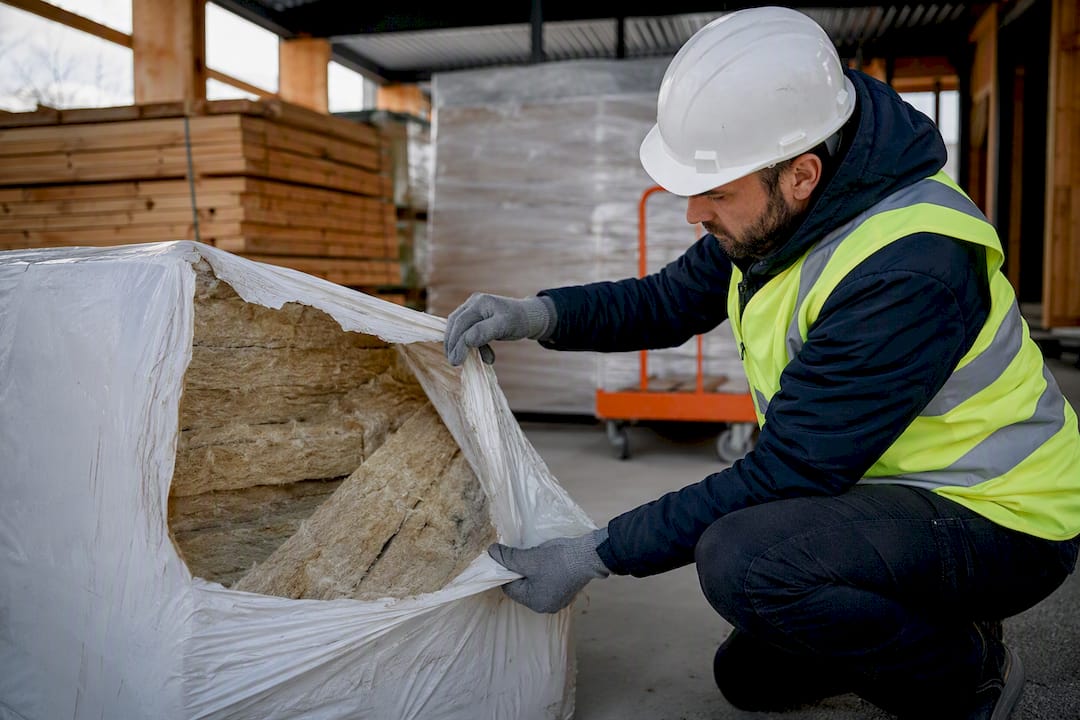
Materials. Log delivery times, quantities, condition on arrival and the delivery ticket reference. Photograph anything damaged or short before the driver leaves. A well-structured diary captures materials with enough detail that a supplier dispute doesn’t come down to memory against memory.
Work completed. Write by zone, not by trade.
Instructions, variations and RFIs. Record who gave the instruction, the exact time, and what follow-up is needed. A verbal instruction on site is real, but it needs a written trail behind it within hours, not days.
Visitors and inspections. Name the visitor, their organisation, the purpose of the visit and any outcome, particularly for building control or client inspections that could affect programme.
Health and safety. Log incidents, near misses and toolbox talks, with the action taken against each. This section carries as much weight in an HSE enquiry as anywhere else in the diary.
Photographs. Use a simple naming convention (date, zone, sequence number) and reference the photo back to the relevant diary line. An unreferenced photo folder is close to useless a year later.
Summary and sign-off. Close with a short factual statement of the day, then the name and role of whoever is signing off. A diary without a named signatory is far weaker as evidence.
How do you fill in a site diary correctly each day?
A diary only works if it gets filled in at the point work happens, not reconstructed from memory at 6pm. Build it into three short checks rather than one long session:
- Morning check — confirm labour and plant on site, note weather and any overnight deliveries
- Midday notes — jot instructions, visitor arrivals and progress against the morning’s plan
- End-of-day summary — complete the work section, log any incidents, attach photographs
- Sign-off — one named person reviews the entry and signs before leaving site
When an instruction is given verbally, write it down immediately with the time and the name of the person giving it, then follow up in writing within the same day, referencing the diary entry number. That two-step habit is what separates a defensible instruction trail from a shouting match six months on.
Pro Tip: Before signing off, scan for the three most common gaps: no weather note, no photo reference against the work line, and no named signatory. Those three catch most of the omissions that come back to bite on a claim.
Paper, Excel or a digital site diary app?
A paper notebook is quick to start with but hard to search, easy to lose, and impossible to back up. An Excel or Word template solves the search and backup problem but still relies on someone remembering to save it, attach photos separately, and email it to the right person.
Digital systems close that gap:
- Paper notebook — cheapest, fastest to start, weakest for backup or search
- Excel/Word template — structured and searchable, but manual saving and photo attachment
- Digital diary app — automatic backup, attached photos, audit trail, searchable history
If you’re moving to a digital workflow, look for four things as a minimum: GPS or timestamp on entries, photo attachments linked directly to the line they describe, offline entry for sites with poor signal, and a search function across past diaries. Digital tools that prompt structured fields genuinely reduce missing information compared with a free-text notebook. If you’re sticking with the Excel version for now, keep photos in a folder named to match the diary date and reference the file names inside the sheet itself.
What makes a site diary hold up in a dispute?
A diary is only as good as the discipline behind it. Get four habits right and the record becomes genuinely defensible.
- Write on the day, not after the fact. An entry made a week late reads as reconstructed, not contemporaneous, and loses most of its weight in an adjudication.
- Be factual and specific. Name the zone, the drawing, the person. Vague entries (“some progress made”) give a QS nothing to work with.
- Reference drawings, RFIs and variation numbers. A diary that cross-references your paper trail is worth far more than one that stands alone.
- Never alter historic entries. If a mistake needs fixing, add a dated correction rather than editing the original line. Preserving the original entry is what keeps the record’s evidential value intact.
- Back up and control access. Keep diaries secure, restrict who can edit them, and get a named sign-off routine every day.
Pro Tip: If you spot an error from three weeks ago, don’t touch the original text. Add a new line dated today: “Correction to 14 March entry: labour count should read 6, not 8.” That single habit is often the difference between a diary that survives cross-examination and one that doesn’t.
Turning daily entries into a weekly summary
A weekly summary pulls the week’s diaries into something a client or project manager can actually read in two minutes: cumulative labour hours, deliveries received, outstanding RFIs, and progress by element against programme. Keep the summary itself to four or five lines, distributed to the project manager, quantity surveyor and client where relevant. This is the document that quietly supports payment applications and internal progress reviews, because it points straight back to the daily evidence behind it.
Why field-by-field guidance beats a generic template
This template reflects how site managers actually record a working day, not how a spreadsheet designer imagines one. It follows the pattern set out in contract frameworks like NEC and JCT, where instructions, early warnings and variations all depend on a clear paper trail with dates attached. Courts and adjudicators have consistently shown a preference for contemporaneous digital records over reconstructed notes, because a timestamp is harder to argue with than a memory.
BRCKS builds this thinking into its site diary app, which pulls entries automatically from the way site teams already communicate, including through WhatsApp, saving reported users 30 or more minutes a day that would otherwise go on typing up notes at the end of a shift.
What actually matters in a site diary
Most advice on site diaries focuses on the format: which columns, which software, which app. That’s the wrong starting point. The format matters far less than whether the entry gets written on the day it happens, by someone who was actually there.
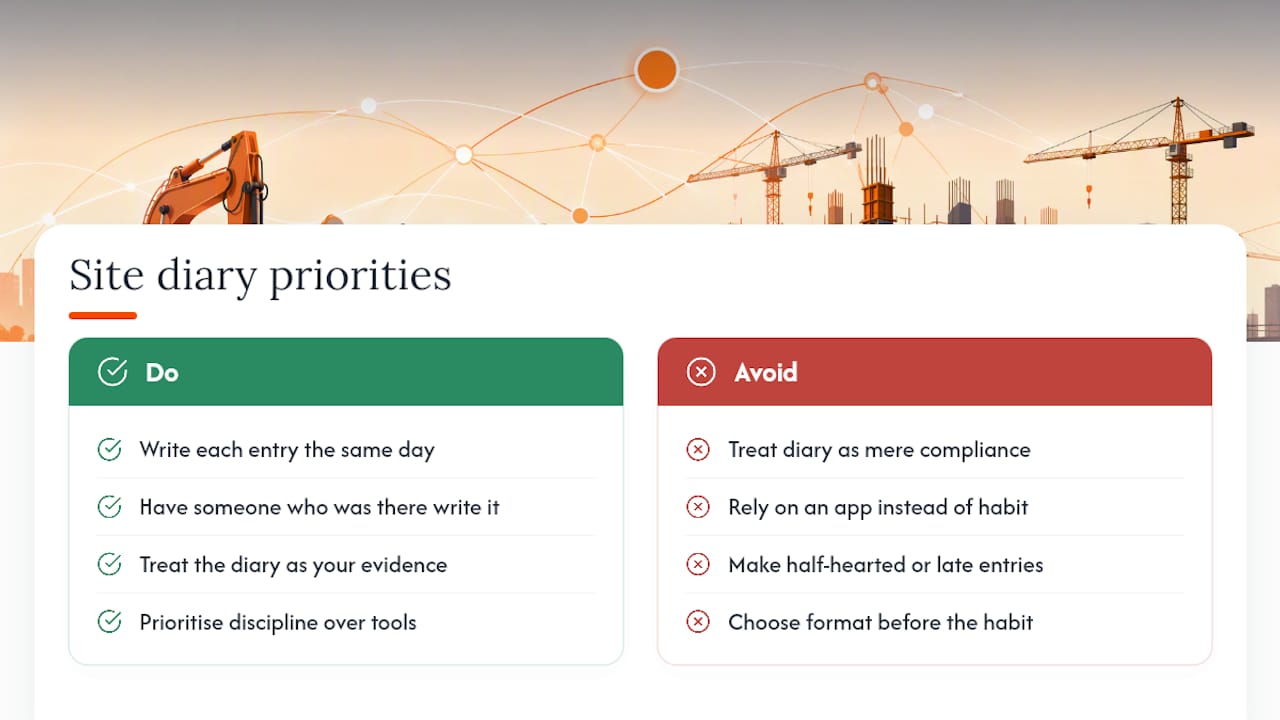
The conventional advice tends to treat the diary as a compliance exercise, something you fill in to satisfy the contract rather than something you’d reach for voluntarily. That’s backwards. A diary written properly is the fastest way to win an argument about a variation three months from now, and the fastest way to prove a delay wasn’t your fault. Treat it as evidence you’re building for yourself, not paperwork you’re doing for someone else, and the quality of entries improves without anyone having to nag for it.
If you take one thing from this guide, prioritise the habit over the tool. A £40-a-month app with half-hearted entries beats nothing, but a free Excel sheet filled in properly every single day beats both. Get the discipline right first. The format is the easy part.
— James
BRCKS: the faster way to keep a site diary that holds up
Filling in a spreadsheet every evening works, until the week gets busy and three days go unrecorded. Some digital solutions close exactly that gap by turning messages teams already send, including through WhatsApp, into a searchable, dated site diary automatically, with photos filed against the right entry and project.

That matters because the diary you actually keep beats the perfect template you mean to fill in later. Some digital systems log labour notes, instructions and photo evidence as they happen, track variations and RFIs with an audit trail, and let you search project history without scrolling through old messages. Compared with an Excel sheet, there is no separate photo folder to manage and less risk of a week going untracked because a file was not opened. Subcontractors and clients can often get free access, helping keep the record complete without chasing anyone for their notes.
Pricing runs from £40 per seat per month billed annually, with subcontractors and clients always free. If your current diary habit is patchy, it’s worth trying the site diary app on your next project and seeing what a fortnight of automatic records looks like.
Sources
- How to Maintain a Construction Site Diary
- How to Maintain a Construction Site Diary (Site Manager AI guide)
FAQ
How do you write a site diary?
Fill in each core field, project header, weather, labour, plant, materials, instructions and work completed, on the day the work happens, using specific locations and drawing references rather than general notes.
Is there a free site diary app available?
Excel, Word and PDF templates are free to download and use straight away, and several digital tools, including BRCKS’s site diary app, offer a free trial before any subscription is needed.
What is the best template for a site diary?
The best format is a single-page structured template covering project header, weather, labour, plant, materials, work completed, instructions, visitors, health and safety, photographs and sign-off, whether that’s an Excel sheet or a digital app that automates the same fields.
What is a construction diary?
A construction site diary is a daily written record of everything that happens on site, including labour, weather, deliveries, instructions and visitors, used to track progress and provide evidence for payment claims, variations and disputes.
Recommended
How BRCKS Can Help
While a robust paper template is a great starting point for protecting your cash flow, manual records are often prone to loss or misinterpretation. BRCKS streamlines this entire process by digitising your site diaries, ensuring every critical detail is captured accurately and stored securely in the cloud. By centralising your project data, our platform helps you mitigate the risk of payment disputes and provides the evidence needed to support every claim. We invite you to explore how BRCKS can transform your site management and safeguard your bottom line today. Learn more at BRCKS and explore our full feature set.