
Draw on a photo already in the chat
Mark up any photo in a chat and send it back as a new copy. The original isn't changed.
- On your Chats screen, tap the chat with the photo.
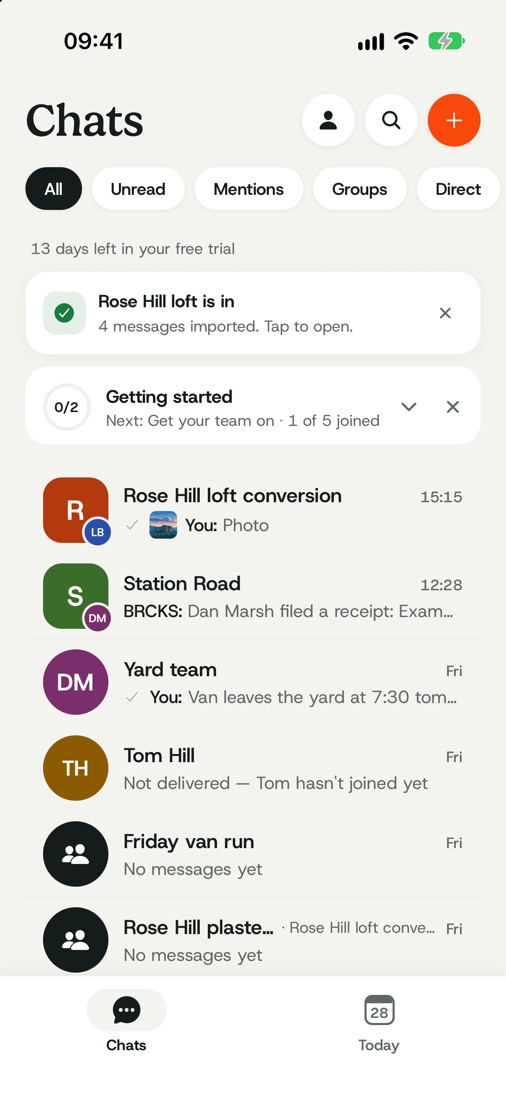 Tap the chat
- Tap the photo.
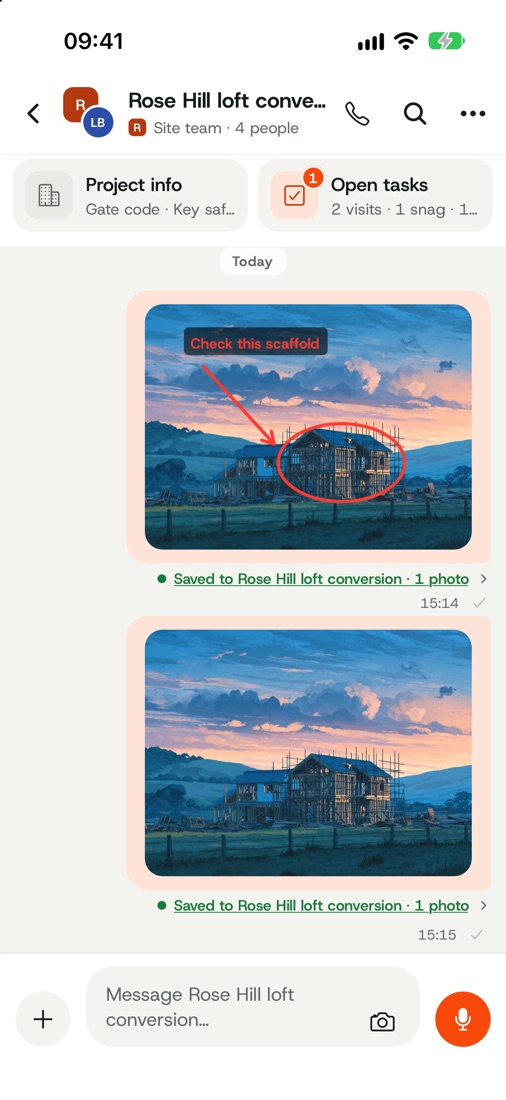 Tap the photo
- Tap Draw at the top.
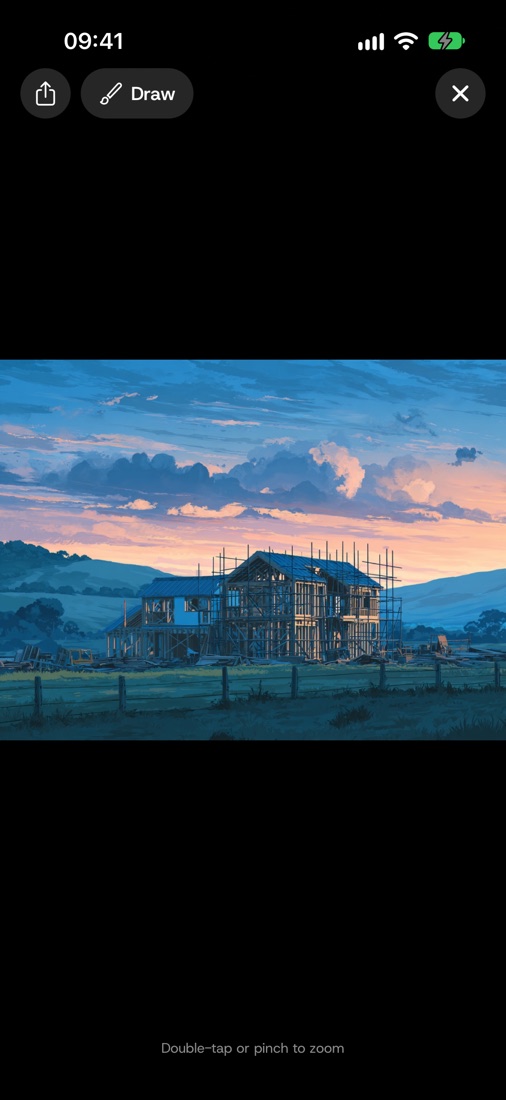 Tap here
- Pick a colour and a line size, then draw on the photo with your finger.The tools below it are the pencil, a circle, a box, an arrow and Aa for a label.
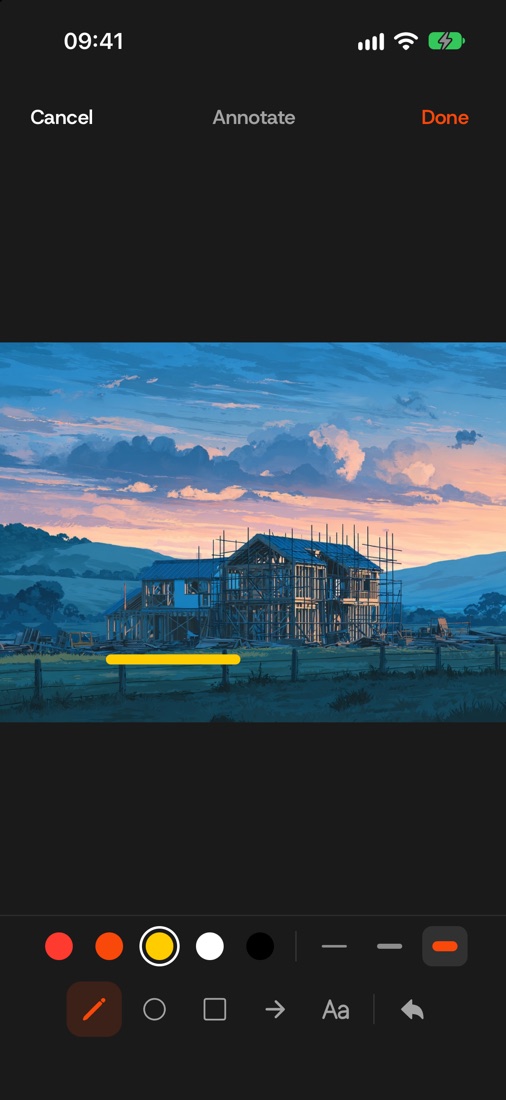 Tap here
- Tap the square, then drag a box round what you mean.
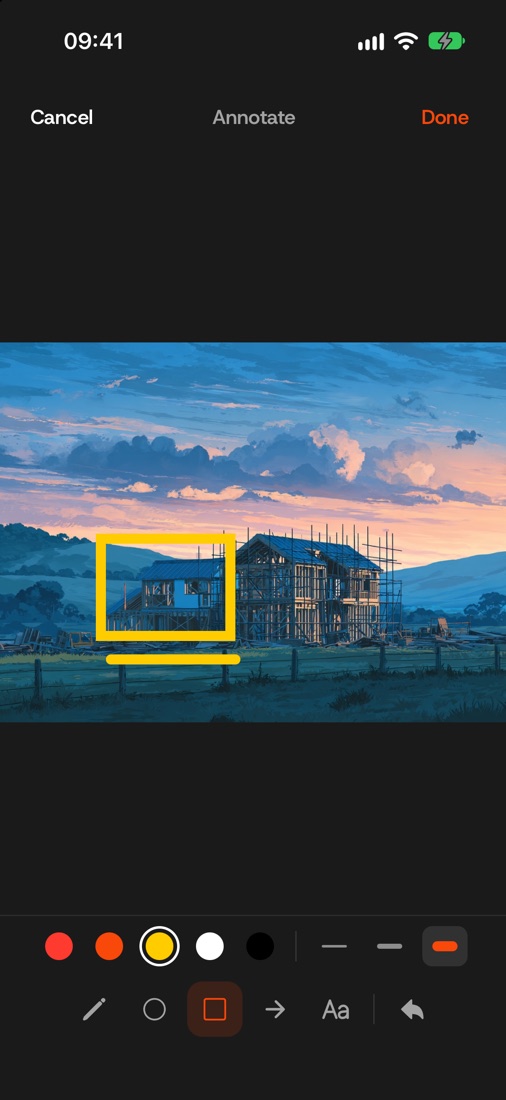 Tap here
- Tap Done.Tap here
- Your marked-up copy is in the message box. Tap the orange arrow to send it.The photo already in the chat stays as it was.
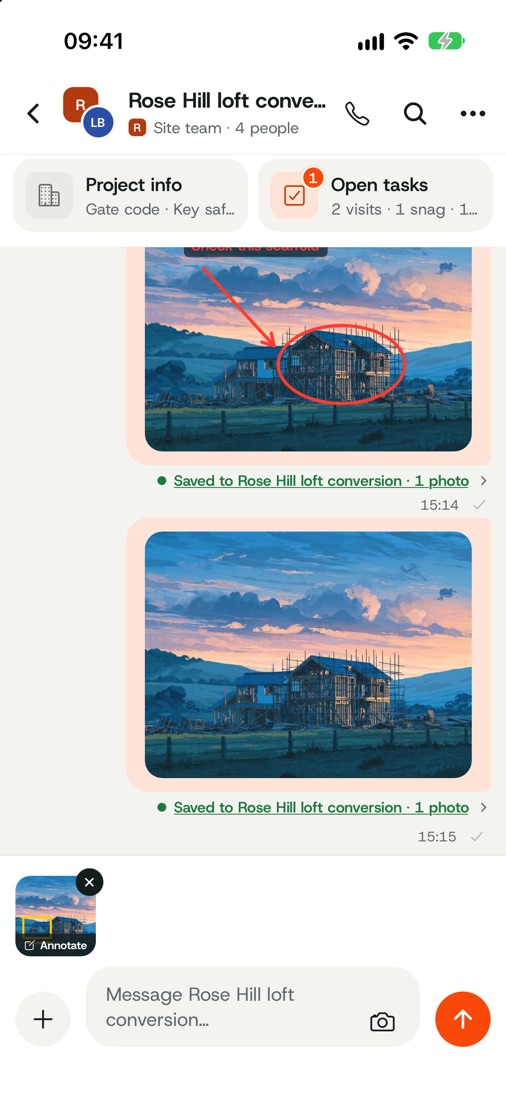 Send
- That's it. Your copy is in the chat, under the original.
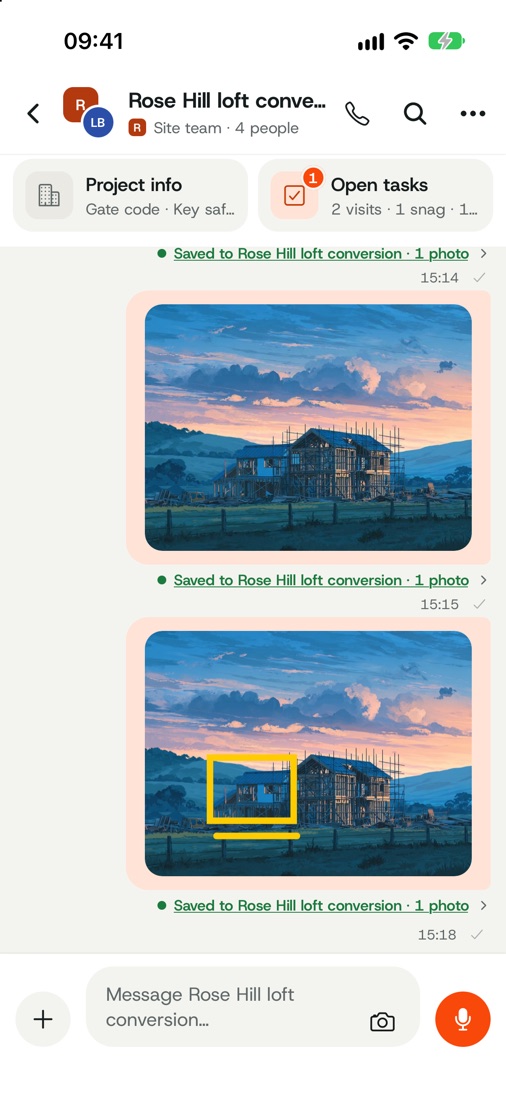 Sent
Having trouble?
Can I mark up a photo before I send it?
Yes. After you pick it, tap Annotate on the photo in the message box.
Did this help?