
Add the gate code, Wi-Fi and parking
Put the codes and how to get in on the project, where everyone on it can find them.
- On your Chats screen, tap the project.
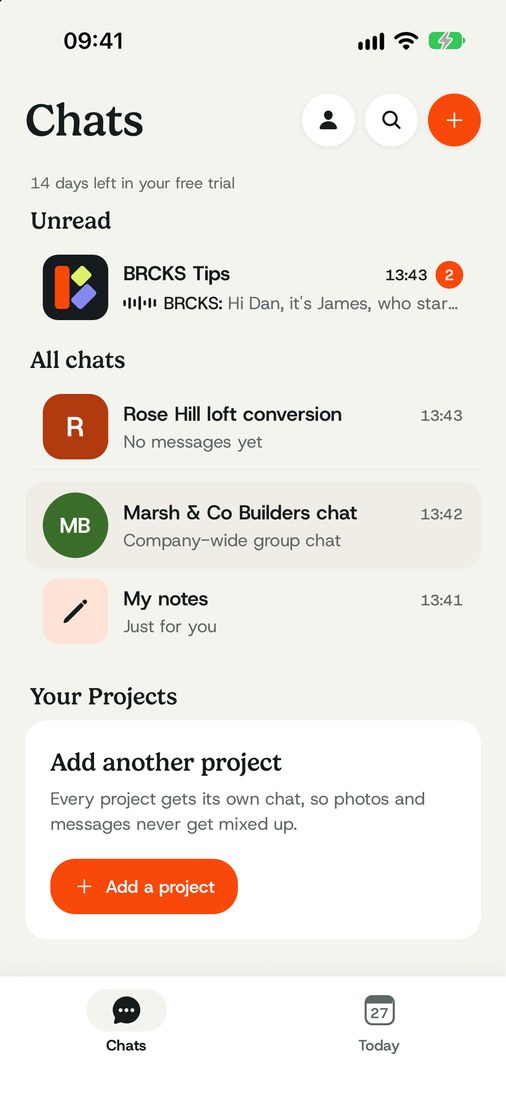 Tap your project
- Tap Project info at the top.
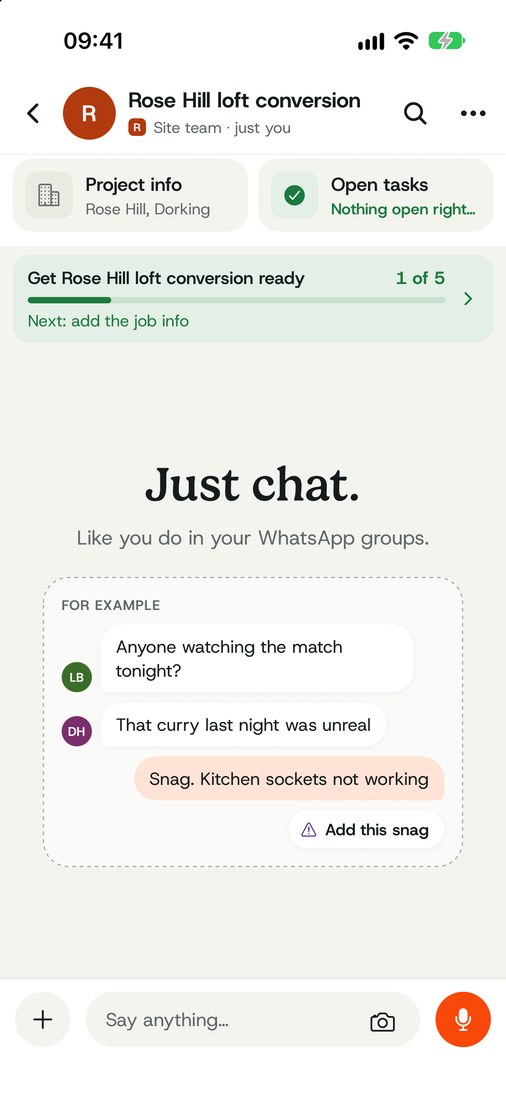 Tap here
- On the Getting in row, tap Add.
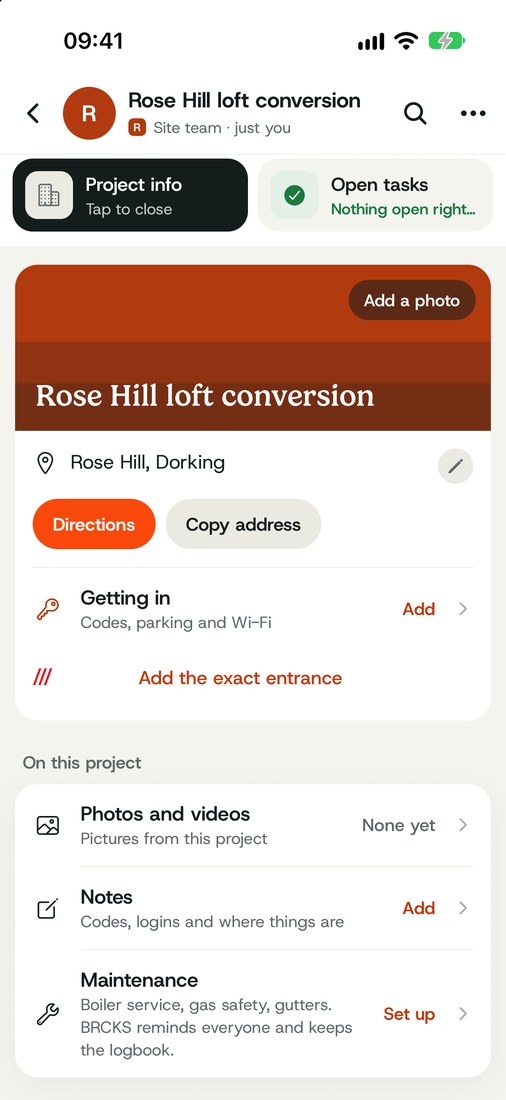 Tap here
- Fill in what your team needs, then tap Save.There are boxes for the gate, key safe, parking, the client and their phone, Wi-Fi and the Wi-Fi password. Fill in only what you need.
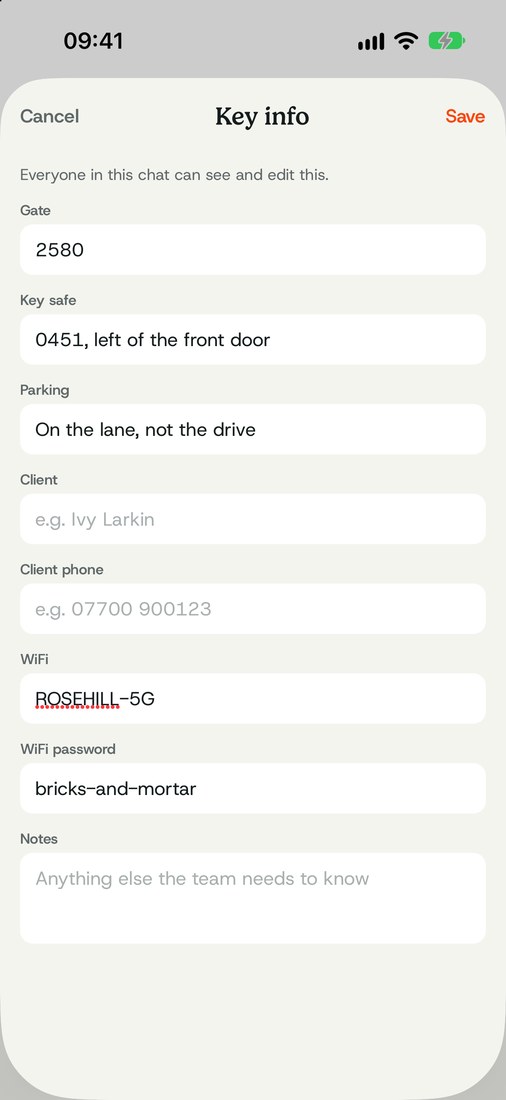 Tap here
- That's it. It's now in Project info for everyone on the project.
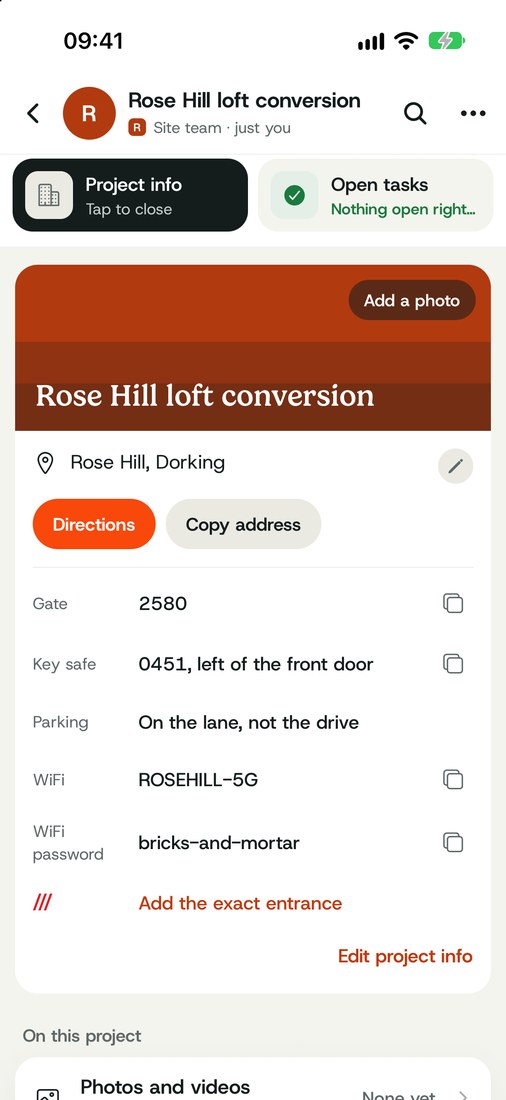 Copy a codeTap the copy button next to it.Change it laterTap Edit project info.
Having trouble?
Who can see it?
Everyone in the project chat can see it and edit it.
How do I change it later?
Open Project info and tap Edit project info.
Where do I put the client's name and number?
In the same form. There are boxes for Client and Client phone.
Did this help?