
Your plan and who you pay for
See when your free trial ends, who counts on your plan and who's free.
- On your Chats screen, tap the person icon at the top.
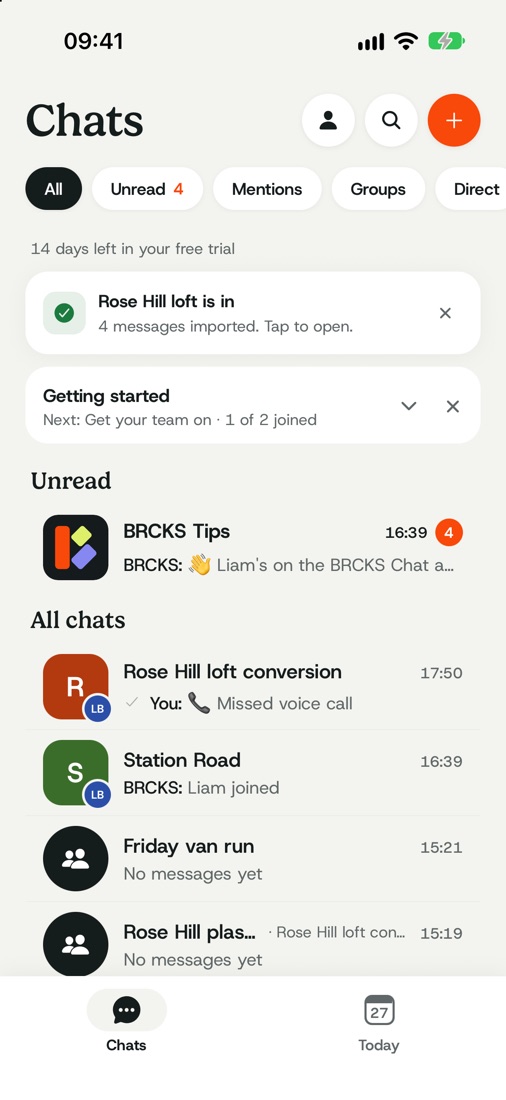 Tap here
- Scroll down to Your company and tap Open next to Your plan.
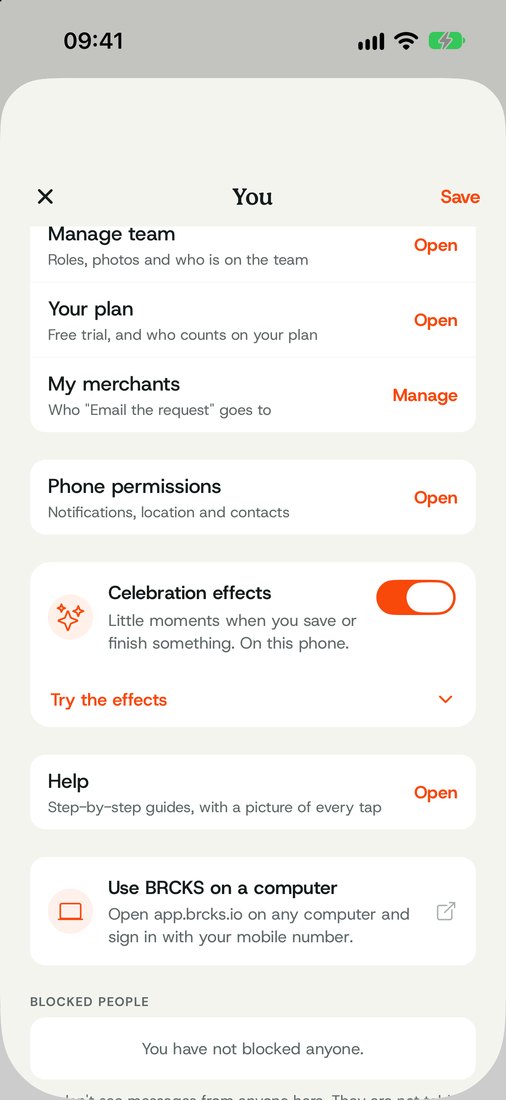 Tap here
- The top shows your free trial and the day it ends.
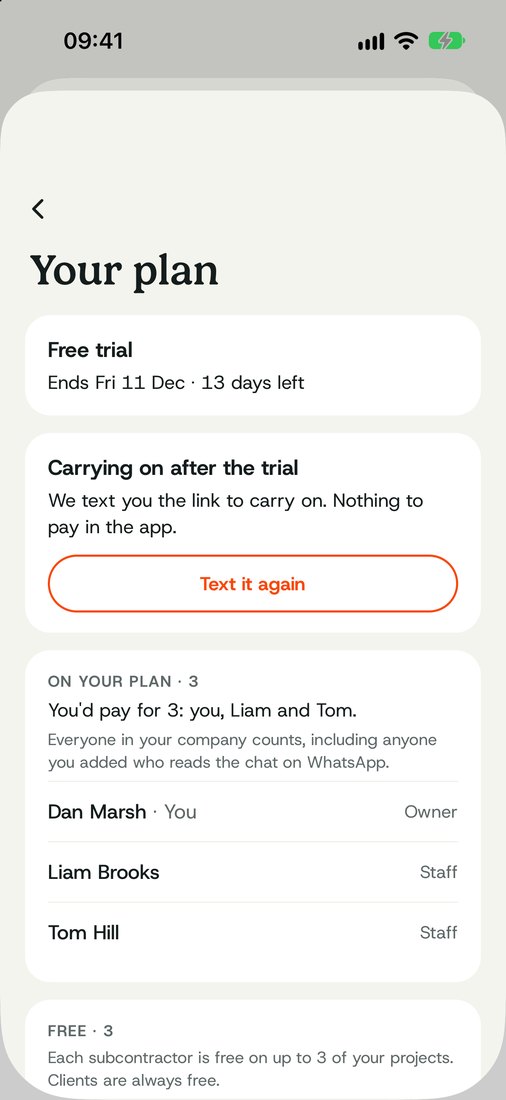 Your trial
- To carry on after the trial, tap Text it again. We text you the link.There's nothing to pay in the app.
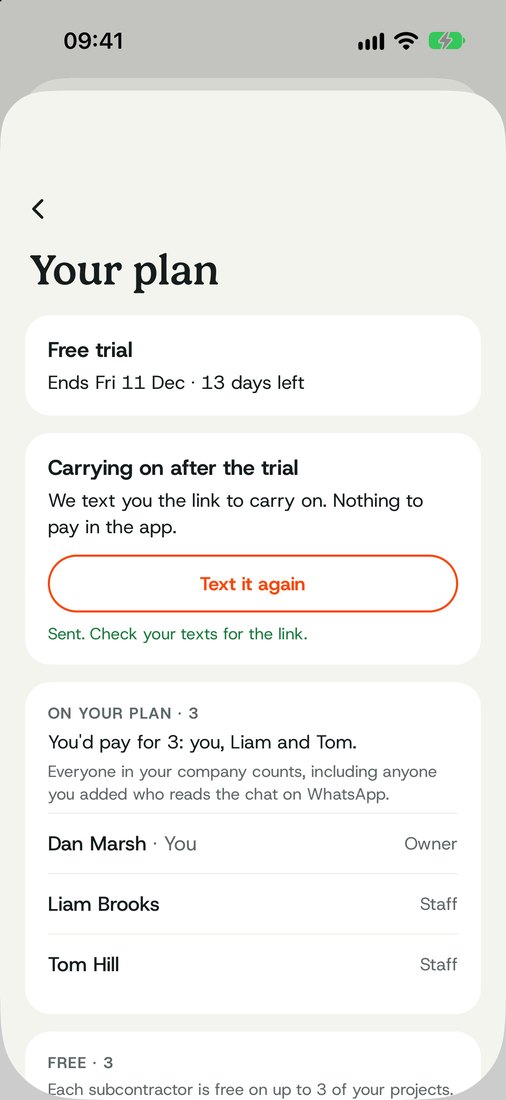 Tap here
- On your plan lists who you pay for.Everyone in your company counts, including anyone you added who reads the chat on WhatsApp.Who you pay for
- Free lists who costs nothing.Each subcontractor is free on up to 3 of your projects. Clients are always free.
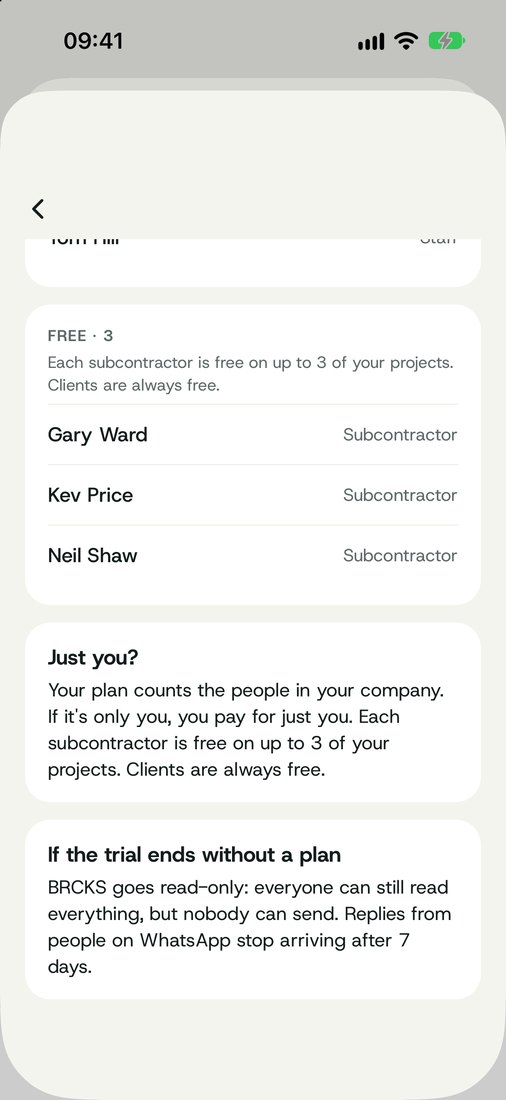 Who's free
Having trouble?
What happens if the trial ends without a plan?
BRCKS goes read-only: everyone can still read everything, but nobody can send. Replies from people on WhatsApp stop arriving after 7 days.
I can't see Your plan
Only owners and managers see it. Ask the owner of your company.
I didn't get the text
Tap Text it again. It goes to the mobile number you sign in with.
Did this help?