Avoid Disputed Costs: Variation Log Template for UK Builders
Protect your project margins with a professional variation log template. Learn the essential columns and rules to ensure every instructed change is authorised and paid.
By James Shorter ·
Avoid Disputed Costs: Variation Log Template for UK Builders

A variation log is the project record of every instructed change to a contract, addition, omission or substitution, tracked from instruction through to agreed cost. Start with a simple spreadsheet using the columns below, or download a ready-made template, and log your first entry today. Done properly, it becomes your audit trail for cost, approvals and time.
TL;DR:
- A variation log should record every instructed change with details such as cost, approval, scope impact, and linked evidence to ensure transparent project tracking.
- Consistent formatting and a designated owner, usually a project QS or manager, are essential for maintaining trust and accuracy in the variation register.
- Verbal instructions must be formalised immediately with a CVI, and supporting evidence like photos and emails should be attached to each variation entry.
- Spreadsheets work for small projects but should transition to specialised software like BRCKS once multiple sites or disputes increase, to keep a reliable, searchable audit trail.
- Only authorised personnel, typically the contract administrator or project manager, can instruct variations, and they must be recorded in writing according to contract terms.
Table of Contents
- Download the variation log construction template
- Template structure: recommended columns and example entry
- Running the log: rules that keep the register trusted
- Common mistakes and quick fixes
- When a spreadsheet stops working and what to do next
- Who can instruct a variation and short contractual guidance
- Practical E-E-A-T: BRCKS in action for variation management
- Author perspective: a builder’s short take
- Try BRCKS instead of chasing spreadsheet versions
- Sources
- FAQ
Download the variation log construction template
You don’t need bespoke software to start. A basic Excel or CSV grid with the right columns will do the job on day one, and BRCKS’s variation order template gives you a ready-built version if you’d rather not set one up from scratch.
To get moving today:
- Set up your project header: contract reference, original contract value, and site address.
- Add the column headings covered in the next section.
- Log your first live variation, even a small one, to test the layout works for your trades.
- Leave two or three example rows in place until your team is confident, then clear them before the log goes live.
Keep the file on a shared drive rather than a laptop. A variation register that only one person can open isn’t a register, it’s a private note. Multiple site staff need read access from the start, even if only one person edits it.
Template structure: recommended columns and example entry
Every column earns its place because it answers a question a quantity surveyor or adjudicator will eventually ask. Miss one and you’re rebuilding the story from memory months later.
Use these columns as your baseline:
- ID: sequential reference, unique per variation.
- Date raised: when the change was first flagged, not when it was approved.
- Raised by: name and role, so you can trace the instruction back to a person.
- Instruction reference: CVI number, RFI link, or drawing revision that triggered it.
- Description: what’s changing, in plain language a non-specialist could follow.
- Type: addition, omission, or substitution.
- Scope impact: which trade or package is affected.
- Provisional cost: your estimate before final agreement.
- Agreed cost: the figure both sides have signed off.
- Approval status: pending, approved, or rejected.
- Approver: named individual, not just “client”.
- Date approved.
- EOT days: any extension of time attached to the change.
- Running contract value: original sum plus every approved variation to date.
- Supporting docs link: photos, emails, marked-up drawings.
A worked example: starting with the original contract value, a variation such as a client-requested upgrade to bathroom tiling adds an agreed additional cost. Each variation updates the running contract value accordingly. Every subsequent row adds or subtracts from that figure, so anyone can check the current contract sum without hunting through emails.
Keep cost codes and date formats consistent across every entry. A log with three date formats and five cost code styles stops being useable within a month.
Running the log: rules that keep the register trusted
A log only works if everyone trusts the numbers in it, and trust comes from discipline, not software.
Set these rules from day one:
- Name one person, usually the site manager or QS, who owns updates. Everyone else reports changes to that person.
- Issue a Confirmation of Verbal Instruction (CVI) the moment a verbal change happens on site. As Coniston Associates point out, only instructions confirmed in writing get valued and added to the contract sum.
- Attach evidence to every row: a photo, a marked-up drawing, a meeting note, or the email that started it.
- Link each variation to its related RFI and the site diary entry from that day, so three separate records tell the same story.
- Keep rejected or superseded variations in the log, clearly marked as such, rather than deleting them. That preserves the full history if scope gets disputed later.
Build logging into your daily handover rather than treating it as separate admin. If your site team already messages photos and updates through WhatsApp, capture that at the point it happens instead of retyping it into a spreadsheet at 6pm.
Pro Tip: Timestamp everything the moment it happens, not at the end of the week. A photo taken during the works with a date and location attached is worth more in a dispute than a written description added from memory three days later.
Common mistakes and quick fixes
Most variation disputes trace back to the same handful of habits.
- Verbal instructions never get formalised. Fix: issue a CVI immediately, even for small changes, and log it the same day.
- Quotations and rate agreement drag on. Fix: get provisional pricing into the log within 48 hours, even if it’s a rough figure pending final agreement.
- Descriptions are too thin to be useful later. Fix: write scope changes as if a stranger will read them in six months, because they will.
- Nobody reconciles the running total against the baseline. Fix: check the running contract value column against your original sum at every valuation, not just at final account.
When a spreadsheet stops working and what to do next
A spreadsheet works fine for one project with a handful of variations a month. It starts breaking down once you’re running several sites at once, fielding regular disputes over what was actually agreed, or facing an audit that asks for evidence you didn’t attach properly.
Signals it’s time to move on:
- You’re spending more time chasing version history than logging new entries.
- Evidence lives in three places (email, WhatsApp, a shared drive) and none of them link back to the log row.
- A client or QS has asked for a full audit trail and it’s taken you half a day to assemble.
If you decide to migrate, export your existing rows, map them to the new column structure, brief the site team on the change, and keep the old spreadsheet read-only as a fallback for the first few weeks.
Who can instruct a variation and short contractual guidance
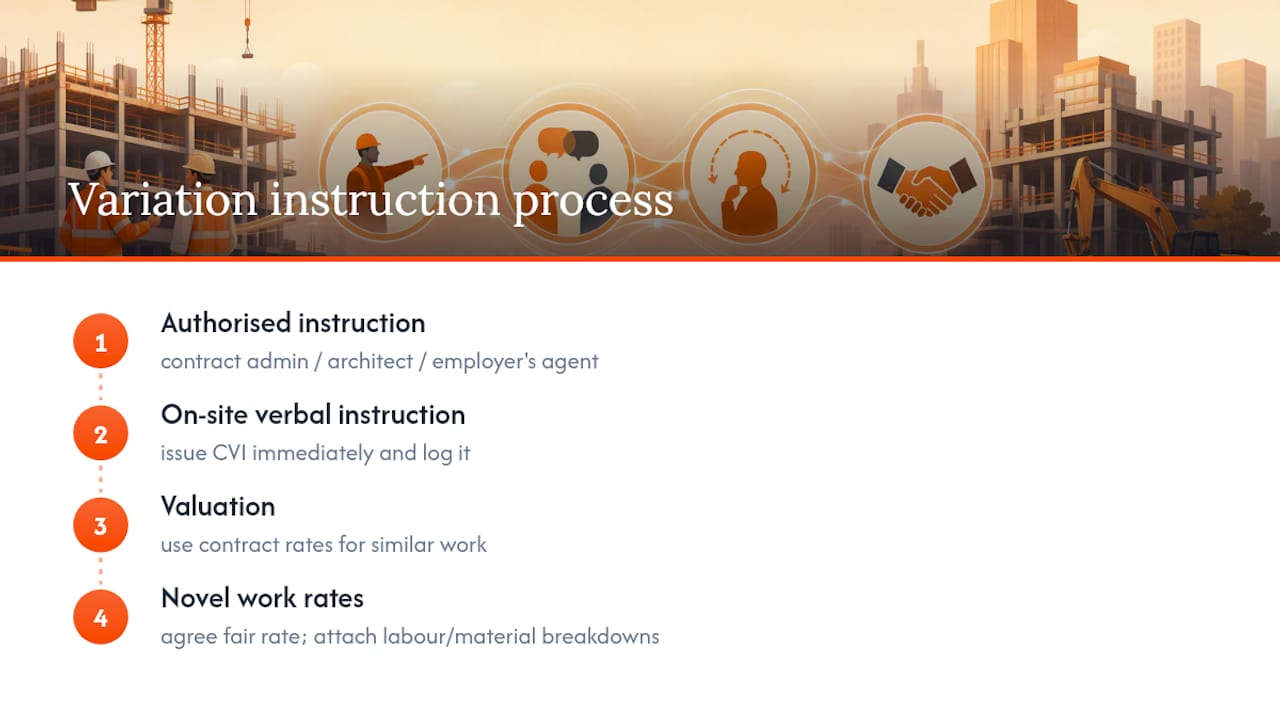
Only an authorised person, usually the contract administrator, architect, or employer’s agent named in the contract, can instruct a variation, and it should be recorded in writing wherever possible. LexisNexis’s guidance is clear that variations operate under the contract itself, which is why an unrecorded instruction risks a breach rather than a valid change.
Under JCT contracts, a contractor has limited grounds to refuse an instruction, generally restricted to objections around site access, working space, working hours, or the order of works. Charles Russell Speechlys note that cost not yet being agreed isn’t normally a valid reason to refuse, and non-compliance can leave the employer able to recover additional costs.
Where instruction happens verbally on site, issue a CVI straight away and log it. For valuation, contract rates apply when the work is of a similar character to existing items; where it’s genuinely novel, agree a fair rate and document the basis, ideally with labour and material breakdowns attached to the log row.
Practical E-E-A-T: BRCKS in action for variation management
Some construction software products offer structured entries that capture instruction, cost, approval status and running contract value automatically, with photos, drawings and emails filed against the right row rather than scattered across inboxes.
Site teams already messaging through WhatsApp keep doing exactly that. A dedicated business number captures the conversation and BRCKS builds the variation management record and the site diary entry from it, so nothing needs retyping. Search across the full project history in plain English, and every variation stays linked to the RFI and daily record that triggered it.
Migration typically involves importing existing spreadsheet rows, capturing new CVIs and photos as they happen, and inviting subcontractors to access and respond to instructions.
Author perspective: a builder’s short take
A dispute over a bathroom upgrade once turned on a single photo timestamped the day the tiling changed. The client’s QS accepted it without argument. That’s the habit worth building: capture evidence the moment it happens and treat every variation as a financial record, not a note to tidy up later.
— James
Try BRCKS instead of chasing spreadsheet versions
A spreadsheet gets you started, but it can’t attach a photo to a row automatically or link a variation back to the site diary entry that triggered it. BRCKS does both, because it was built around how UK site teams already work, including through WhatsApp, rather than asking them to adopt another app.
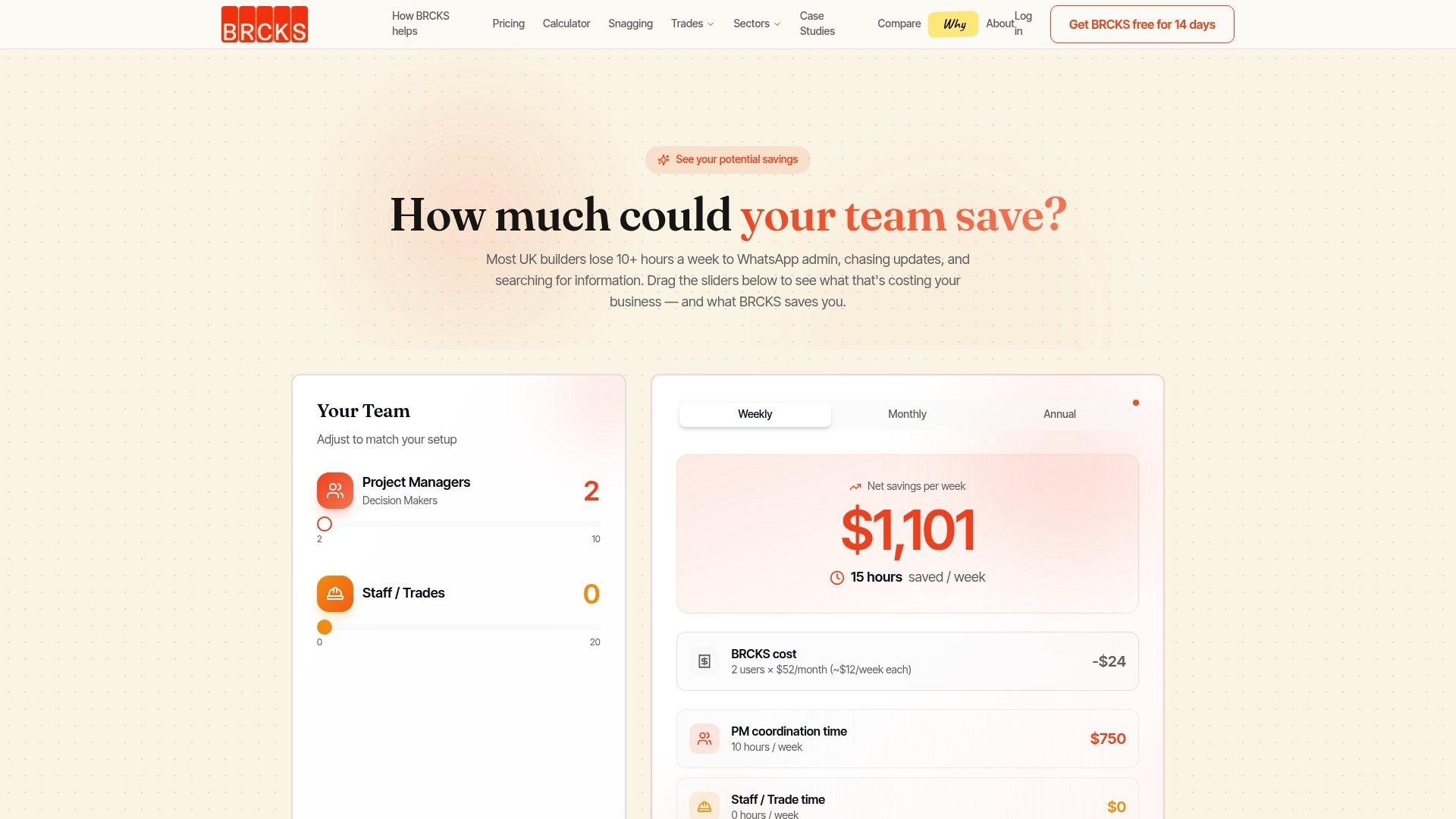
For a small builder running two or three sites, that means fewer disputed variations and a searchable record instead of a folder of screenshots. BRCKS costs from £40 per seat per month, billed annually, with subcontractors and clients invited free. If you manage multiple trades or fit-out projects, the construction PM software built for UK builders page covers how variation tracking fits alongside site diaries and RFIs. Start a 14-day free trial and import your current log to see how it holds up against a live project.
Sources
For deeper contractual detail, see LexisNexis’s JCT variations practice notes and Designing Buildings’ overview of variations. For a ready structure, BRCKS’s variation order template covers the columns above.
This article is general information, not a substitute for advice from a qualified lawyer. Consult a qualified legal professional about your own circumstances before acting on anything here.
- What is a variation on a construction project? — LexisNexis
- Essential law: Variations - Part one — Charles Russell Speechlys
- For a few dollars more: a brief guide to variations — Coniston Associates
FAQ
What is a variation in construction?
A variation is an authorised change to the originally contracted scope of work, covering additions, omissions, or substitutions. It’s recorded and valued under the contract itself, as Designing Buildings explains, rather than treated as a separate agreement.
Who approves a variation order?
Approval sits with whoever the contract names as the authorised instructing party, typically the contract administrator, architect, or employer’s agent. Their approval, along with the date and agreed cost, should be logged against the variation row the moment it’s confirmed.
Can a contractor refuse to carry out a variation?
Grounds for refusal are narrow under standard forms. Charles Russell Speechlys note that objections are generally limited to issues like site access, working hours, or sequencing, not cost that hasn’t yet been agreed.
What are the rules for variations under JCT contracts?
JCT contracts require variations to be properly instructed, and contractors have limited scope to refuse them outside access, space, or sequencing concerns. Valuation follows contract rates where work is similar in character, or a fair rate where it isn’t, a distinction LexisNexis’s guidance sets out in detail.
Does BRCKS replace a spreadsheet variation log?
Yes. BRCKS turns variation entries into structured records with attachments, approval status, and audit trails built in, rather than a manually updated grid. Pricing starts from £40 per seat per month, with subcontractors and clients included free.
Recommended
- Variation Order Template for Construction
- Variation Management Software for UK Builders
- Why 68% of UK Residential Construction Projects Go Over Budget (And How to Stop It)
- Construction Document Management: Solving the £21bn Problem
How BRCKS Can Help
Maintaining a precise variation log is essential for protecting your margins and ensuring every change is accounted for on-site. BRCKS simplifies this process by digitising your project records, allowing you to track variations and capture approvals in real time without the hassle of manual spreadsheets. By centralising your documentation, BRCKS helps you avoid costly disputes and keep your projects moving forward profitably. We invite you to explore how our platform can streamline your construction management and safeguard your bottom line. Learn more at BRCKS and explore our full feature set.