
Offline Site Reporting: Keep Records When Signal Drops
Discover the essential routines for UK trades to capture site data in signal dead zones, ensuring every photo and snag is synchronised without data loss.
By James Shorter ·
Offline Site Reporting: Keep Records When Signal Drops
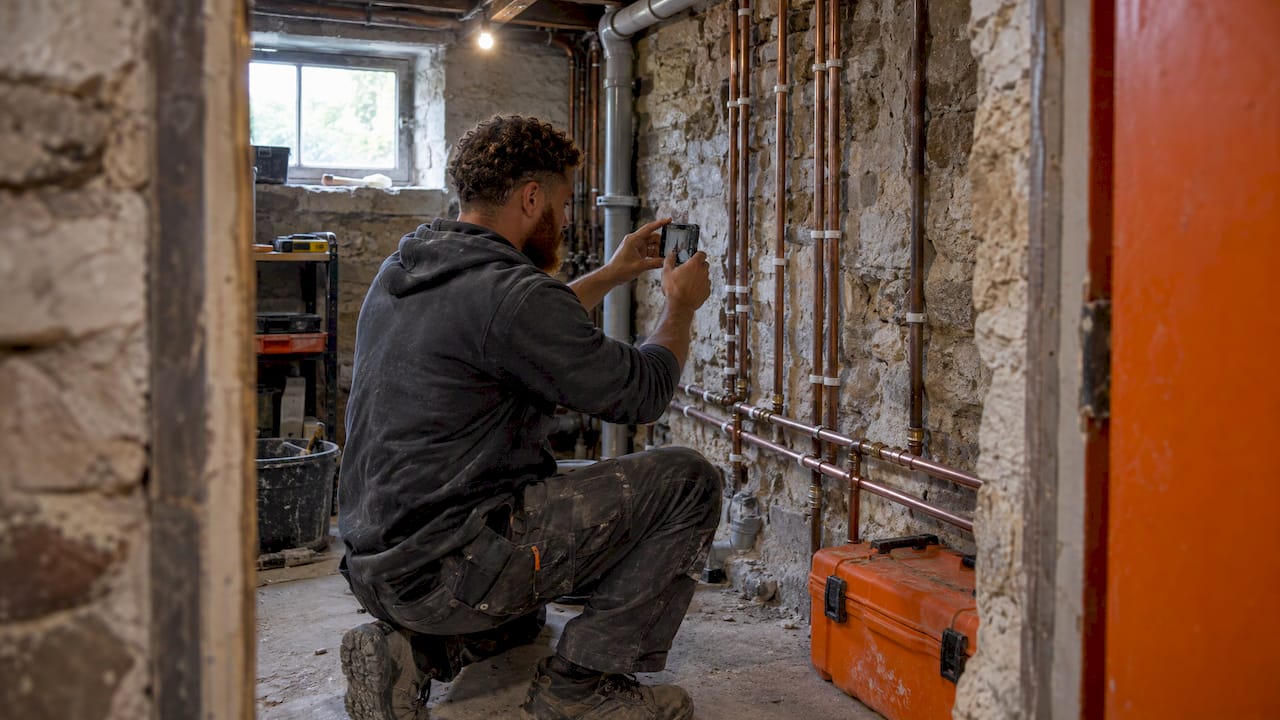
Offline site reporting means recording what happens on a job (photos, diary entries, snags, checklist results, orders) when the phone has no usable signal, then getting it into the job record once signal returns. The routine matters more than the app. Capture on the spot, make sure every item is tied to the right job, and check it has landed before you leave. If you rely on a notebook and a night at the kitchen table, you lose the detail. If you rely on a WhatsApp group, you keep the photos but lose the structure.
BRCKS is built for the second problem: one tap turns a chat message into a snag, a materials order, a booked site visit or a checklist item, all landing in one list per job. This guide covers the habits that make any site report survive a basement, a rural plot or a lift shaft.
TL;DR
- Signal gaps on UK sites are normal, especially rural and indoors, so plan the reporting routine around them rather than hoping for coverage.
- Capture on site, every time: dated photos, short notes and checklist ticks, each tied to the right job and area.
- Open the job on good Wi-Fi or data before you go into a poor-signal area, and use the app online at least once first.
- Before you leave, confirm everything has synced. Do not assume. Long periods offline can lose unsynced data in some apps.
- Keep one record per job, so a retry or a second copy never turns into a duplicate or a missing item.
Table of Contents
- Why signal drops matter on UK sites
- What to record when you cannot send it
- A routine that works with or without signal
- Missing, doubled and misfiled records
- How the reporting stack fits together on a small UK job
- Getting the job out of the group chat
- Try it on your next job
- Our view on offline reporting
- FAQ
- Sources
Why signal drops matter on UK sites
Site work happens where networks are weakest: new-build plots with no infrastructure yet, rural renovations, plant rooms, cellars, the middle of a large footprint with thick walls.
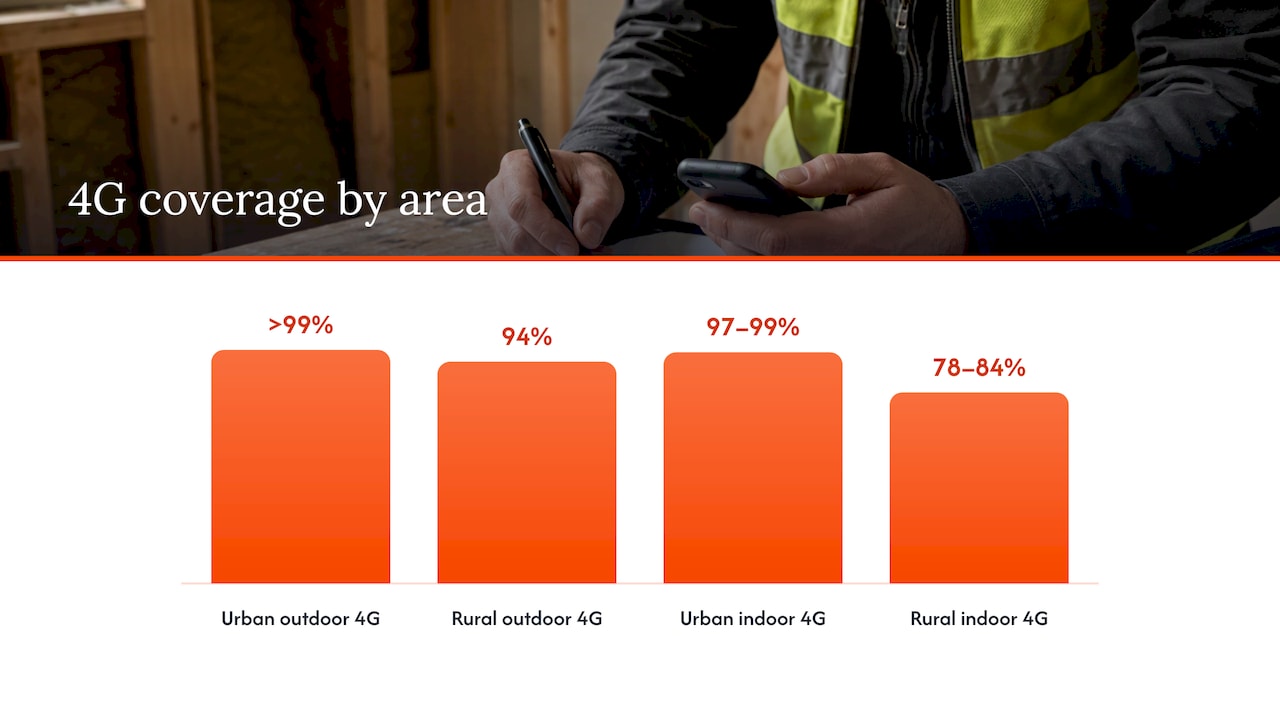
Ofcom’s Connected Nations 2025 report puts numbers on the gap. Outdoor 4G coverage from all operators is above 99% in urban areas but 94% in rural areas, and indoor 4G coverage runs 97 to 99% urban against 78 to 84% rural (operator data as of July 2025). Those are averages across areas. Inside a half-built house in a rural postcode, you can expect less.
So a tradesperson on a rural job may well be indoors with weak or no 4G. That is when the snag gets spotted, the hidden pipe run gets photographed before the plasterboard goes on, and the client changes their mind about a socket position. These are the records you need most for a variation dispute later.
What to record when you cannot send it
Do not wait for signal to decide what is worth recording. Capture the same things you would with full bars. The ones that cost money when they are missing:
- Photos of work before it is covered. First-fix cabling, pipework, insulation, waterproofing, fire stopping. Wide shot, close shot, and one with a tape or label for scale or location.
- Instructions and changes. What the client or main contractor asked for, who said it, and when. This is the start of a variation.
- Snags. One photo, one line, one location, one person responsible.
- Checklist results. Pass, fail or not accessible, with a photo for any fail.
- Site diary facts. Who was on site, weather, deliveries, access problems, delays and the reason.
- Materials used or needed. The short list that becomes tomorrow’s order.
- Job access details. Gate codes, Wi-Fi details and key-safe information, so the next visitor is not stuck outside.
If a health and safety incident happens, your first priority is people. The formal reporting duties under RIDDOR sit with the responsible person and have fixed timescales set by the HSE, so use the HSE’s own reporting pages for those. A good site record helps by giving that person the facts, photos and times quickly.
A routine that works with or without signal
The same sequence works whatever app you use. It is mostly discipline.
1. Prepare on a good connection
Before you head into a poor-signal area, open the job while you are on strong Wi-Fi or stable mobile data. Taylor Wimpey’s offline guide for its site quality app tells staff to open the app on a good connection, select the site so the plots and tasks download to the device, and only then go to the poor-signal area. The principle applies to any tool: load the job first.
Two more points from Taylor Wimpey’s subcontractor guidance are worth copying as habits. The app must have been used online at least once before offline use, and previously uploaded photos cannot be viewed offline. So if you need a drawing or an earlier photo on the day, save or screenshot what you need while you are still connected.
2. Capture at the point of work
Take the photo while the work is exposed. Write the one-line note straight away, while you remember the room and the reason. Notes written at 9pm are shorter, vaguer and less useful in a dispute. A note should answer four questions: what, where, who, and what happens next.
3. Tag it to the job and the area
A photo with no location is a photo you will have to explain. Agree a simple reference pattern at the start of a job, for example job, area or room, trade, date. A construction reporting article from Sector Deep Dive recommends agreeing reference fields such as project area, work package, date and shift, responsible contractor and status early so records connect without manual matching. On a house extension, that can be as simple as room names everyone uses.
4. Turn notes into actions as you go
The record is only useful if it becomes a job to do. A snag needs an owner. A materials shortage needs an order. A client request needs a priced variation. Doing this at the point of capture stops the evening admin session where half of it gets forgotten.
5. Sync and check before you leave
This is the step most teams skip. Taylor Wimpey’s guide says to return to strong signal or Wi-Fi, let the app sync, and check that tasks and photos have uploaded correctly rather than assuming. Its subcontractor guide also warns that a device left offline for more than 12 hours risks losing unsynced data or photo evidence. That limit is specific to that app, but the lesson is general: do not let a day’s evidence sit on one phone overnight.
A simple end-of-day check:
- Open the job list on the phone.
- Look for anything marked waiting, pending or not sent.
- Connect to Wi-Fi or move to a spot with signal and let it clear.
- Spot-check three items: the latest photo, the latest note, the latest snag.
- Only then close the day.
Missing, doubled and misfiled records
Offline work creates three kinds of mess: items that never arrive, items that arrive twice, and items that arrive on the wrong job.
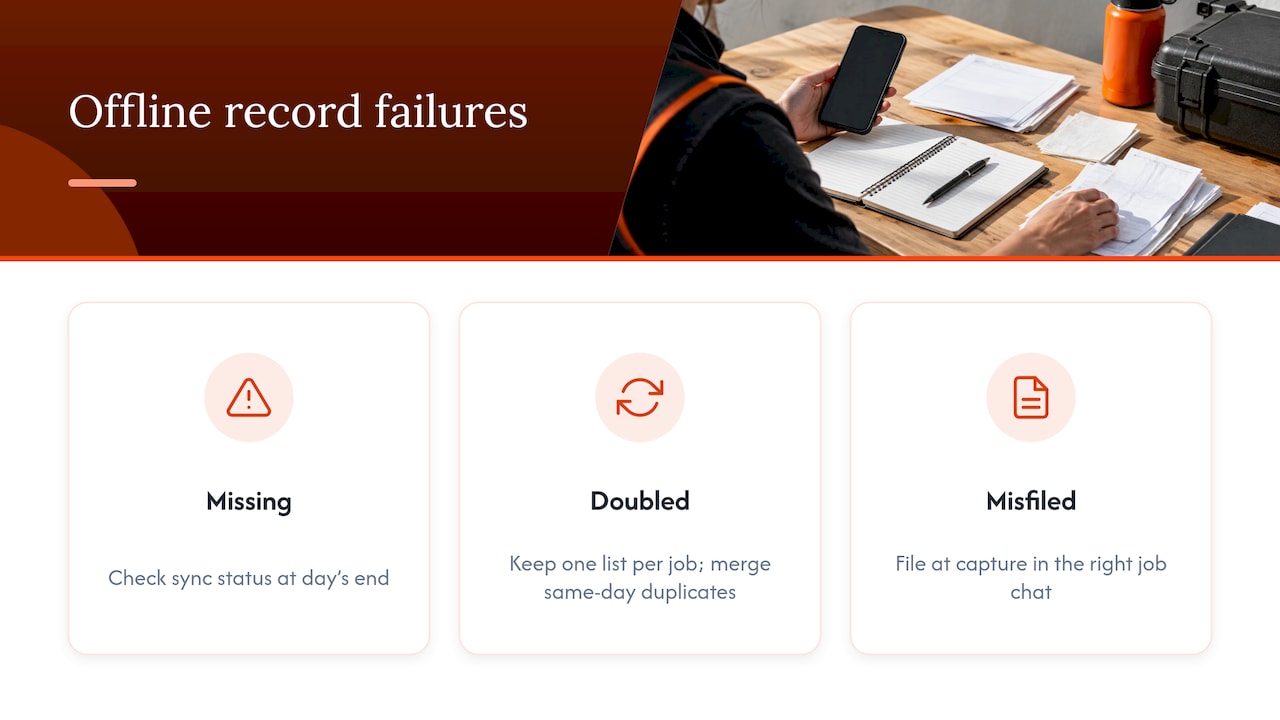
Missing. Fix this by seeing the state of each item. Sector Deep Dive’s guidance says systems should show whether a record has synchronised and prevent duplicate submissions when a connection returns. For your own routine, that translates to the end-of-day check above.
Doubled. Two people photograph the same snag, or one person taps send three times in a lift. The cure is one list per job where each snag exists once, and where someone owns tidying it. Merge duplicates the same day while everyone still remembers which is which.
Misfiled. The classic: a photo of plot 7’s boiler ends up in plot 9’s thread. Make filing part of the capture, not a later job. If your whole team works in one chat that files to the right job, there is less to move around afterwards.
Review before the day closes. The same source points out that supervisor review before shift close, with checks for missing or conflicting entries, can work better than reconciling at the end of the week. On a small job, that is the site manager scrolling the day’s items for five minutes before leaving.
Routine entries need only light rules: a location, a status, a photo. Anything that changes cost or certified progress, such as a variation, needs a second pair of eyes. Our variation management software keeps that trail per job.
How the reporting stack fits together on a small UK job
Most small builders already run site communication through WhatsApp. It is fast and everyone has it. The problem is that a group chat is a stream, not a record. The snag from Tuesday is buried under Thursday’s delivery photos.
A workable setup has three layers:
| Layer | What it holds | What goes wrong without it |
|---|---|---|
| Capture | Photos, voice or typed notes, checklist ticks, made on the spot | Details forgotten by evening |
| Structure | One list per job: snags, orders, visits, variations, diary | Evidence lost in chat history |
| Review | Site manager checks sync and open items daily | Duplicates, gaps and misfiled photos |
BRCKS covers the capture and structure layers for the core team. BRCKS Chat is the iPhone and Android app for the core site team, BRCKS Web is the office view on a bigger screen, and BRCKS on WhatsApp lets subcontractors and clients take part for free without installing anything. It is the same job and the same record whichever way the update arrives. For a closer look at how reporting tools differ by type, see our comparison of reporting tools for UK construction sites, and for photo-led reporting specifically, construction photo reporting app alternatives.
Getting the job out of the group chat
The offline problem and the group-chat problem are the same problem. Both come down to a record that depends on whoever happens to remember to write it up later.
Our approach is that the update itself should be the record. A message from site, with its photo, becomes a snag, an order, a booked visit or a checklist item with one tap, and lands on the job’s list. That removes the nightly write-up. It is also why we say the team saves 30+ minutes a day, because that is the time most site managers spend retyping the day.
For a wider look at how teams keep communication tidy, read our guide on digital communication strategies for construction teams and the page on construction communication software for UK builders. If you are also tidying up paperwork for CIS and VAT, our construction record keeping guide covers what to keep.
Try it on your next job
BRCKS is construction project management software for UK builders and trades. Teams pay £40 per seat per month billed annually, or £50 per seat monthly. Solo is £20 a month. Subcontractors and clients are free, and there is a 14-day free trial. You can see the plans on the pricing page, or see how it suits a small firm on our page for construction project management software for UK small builders. If you would rather see it first, you can book a BRCKS demo.
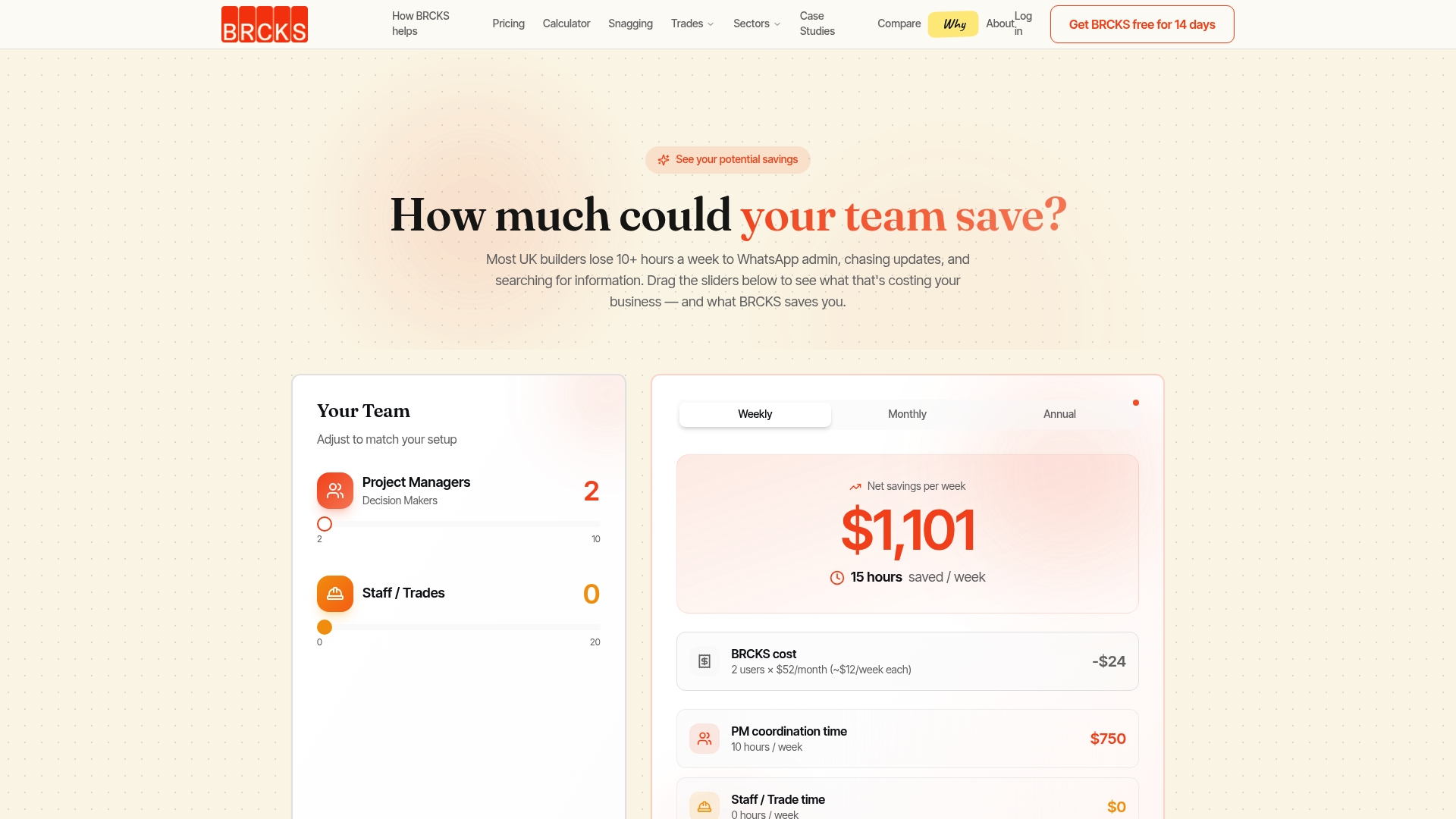
For a team of three on the annual Teams plan, that is £120 a month in total, with every subbie and client on the job free.
Our view on offline reporting
Most builders we know do not have a reporting problem. They have a write-up problem. The work gets seen on site, then half of it disappears between the van and the kitchen table.
Signal makes that worse, but it is not the cause. The cause is a record that depends on memory. So we built BRCKS around the way site teams already talk: a simple chat. One tap turns a message into a snag, an order, a site visit or a checklist item, all in one list per job.
The rule I give every site manager is the same whatever the tool. Capture on the spot, file it to the job straight away, and check it has landed before you drive off. If the habit is right, the software has an easy job. If the habit is wrong, no software rescues you.
Subbies should not have to learn a new system to be part of that. That is why they can stay in WhatsApp for free and install nothing, while the record still ends up in one place.
James
FAQ
What is offline site reporting?
It is recording site information, such as photos, notes, snags and checklist results, when you have no signal, and getting it into the job record once you reconnect. The key is that every item is tied to the right job and nothing is lost or doubled on the way.
How long can a phone stay offline before I lose data?
It depends on the app. Taylor Wimpey’s guidance for its own checklist app says unsynced data or photo evidence may be lost after more than 12 hours offline. As a working rule, sync at the end of every site day and never leave a day’s evidence on one phone overnight.
How do I check my reports have synced?
Return to Wi-Fi or strong signal, open the job and look for anything marked waiting or not sent. Then spot-check the latest photo, note and snag. Do the check before you leave site, while you can still retake a photo.
How common are signal gaps on UK sites?
Common enough to plan for. Ofcom’s 2025 data shows indoor 4G coverage of 78 to 84% in rural areas, against 97 to 99% in urban areas. Basements, plant rooms and thick-walled buildings can be worse than the averages suggest.
Sources
- Ofcom, Connected Nations UK Report 2025
- Taylor Wimpey, Offline Guide for TW DBQC
- Taylor Wimpey, Build Quality Checklist subcontractor guide, March 2026
- Sector Deep Dive, Digital site and operations solutions cut reporting delays
Recommended
- Top Construction Reporting Tools for UK Sites Compared
- Site Diary App for UK Construction
- 3 Best Construction Photo Reporting App Alternatives 2026
- UK Site Diary Template: 11 Fields to Stop Payment Claims
How BRCKS Can Help
Reliable documentation should never be at the mercy of a weak signal or a remote location. BRCKS ensures your site teams remain productive by allowing seamless data entry in offline mode, automatically syncing every update the moment a connection is restored. By removing the risk of data loss and administrative delays, BRCKS empowers you to maintain a complete, accurate project history regardless of local infrastructure. We invite you to discover how our platform can streamline your site reporting by exploring the full range of BRCKS features today. Learn more at BRCKS and explore our full feature set.